An AirtimeFlip data-only eSIM is a digital SIM that enables devices to access data and remain globally connected without the need for a physical card. With our eSIM solution, your smart device can automatically switch to local networks, ensuring seamless connectivity internationally.
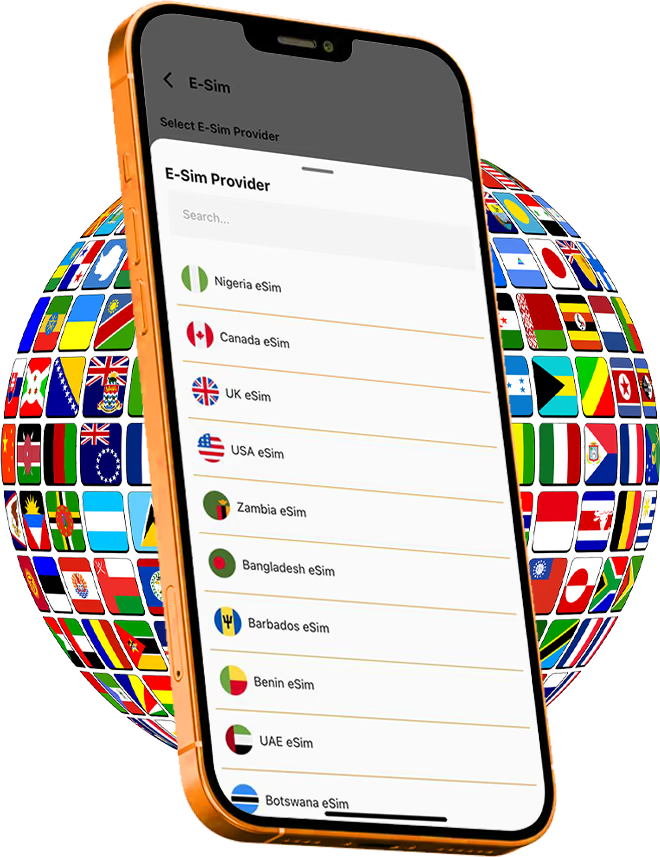
AirtimeFlip eSIM is ideal for international travellers, remote workers, people who want a second mobile line, users with eSIM-compatible smartphones and anyone who wants fast internet access anywhere without swapping SIM cards.
AirtimeFlip now offers a way to acquire data-only eSIMs that work in over 100 countries. As soon as it is activated, your device can instantly connect to the local network in the country, enabling you to browse the internet wherever you go.
Key Features of AirtimeFlip eSIM
1. No Physical SIM Required
Everything about this SIM is digital. You don’t need to visit a physical store or insert a SIM card into your smart devices. The setup happens online through a simple QR code activation.
2. Dual SIM Convenience
Many eSIM smartphones allow users to use both a physical SIM and an eSIM. This essentially means you can keep your Nigerian number (MTN, Glo, Airtel and T2mobile) active while using another country’s data plan simultaneously.
3. Instant Activation
Once you have successfully made the payment, the eSIM profile is delivered immediately. This is very useful for international travellers who need internet access immediately after arriving in another country.
4. International Coverage
AirtimeFlip supports eSIM data-only plans for over 20 countries and regions, including the following:
- North America: USA, Canada
- Europe: UK, Ireland, and Region-wide Europe plans
- Africa: Nigeria, Ghana, South Africa, Kenya, Egypt, Morocco, Senegal, Rwanda, Gabon, Benin, Tanzania, DR Congo
- Middle East & Asia: UAE, Qatar, Saudi Arabia, Bangladesh, Hong Kong
5. Secure Transactions
For every single eSIM purchased on our platform, rest assured that our encrypted payment systems secure every transaction and protect your account.
6. Works on Compatible Devices
The service supports many modern smartphones and tablets, including Apple iPhones, Samsung Galaxy devices, Google Pixel phones, Motorola phones, Xiaomi devices, OPPO smartphones and more. You will find our updated list of all the eSIM-compatible devices here.
How AirtimeFlip eSIM Works
To understand and activate our eSIM plans, kindly follow the steps below:
Step 1: Get Started
To get started, visit airtimeflip.com or download the mobile app from the Google Play Store or App Store . Click ‘Sign Up’, then enter a username, email address, phone number and password. Verify your email and log in to your account.
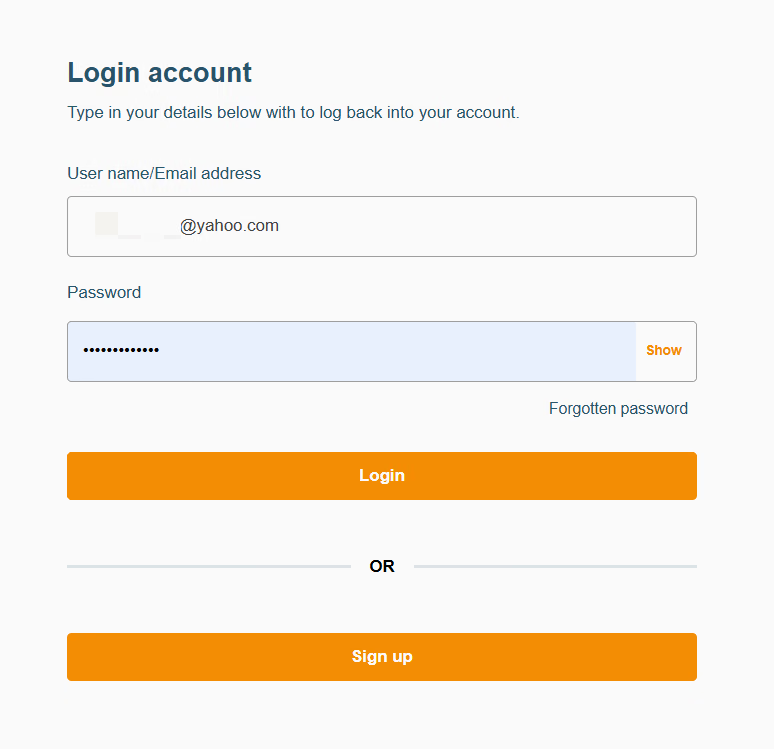
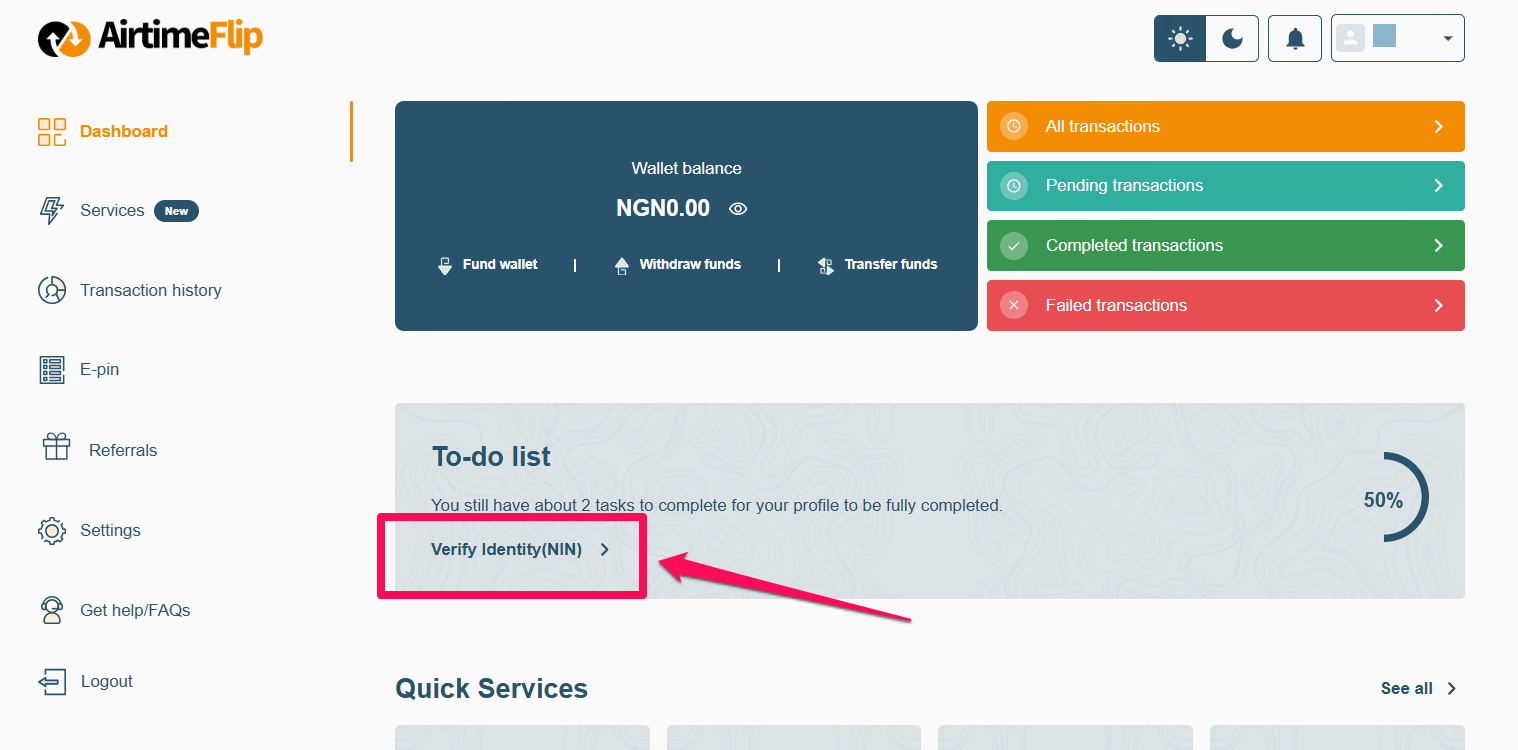
Note that all newly created accounts need to complete account verification. This is different from email verification after signing up on our platform.
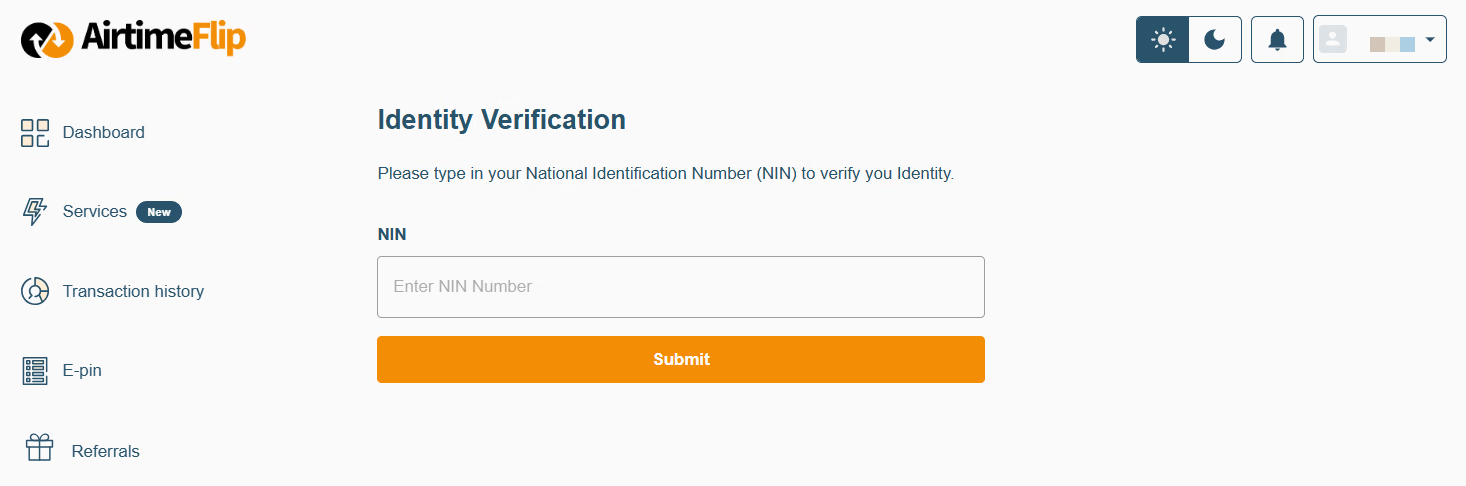
Your AirtimeFlip account starts at KYC Level 1 by default after signing up. To unlock the full potential of your account, it needs to be upgraded to KYC Level 2, which can only be done through NIN verification to access the wallet funding feature needed for service payment.
Step 2: Fund Wallet
Before you can purchase our eSIM data-only plan, it’s important to note that you must have money in your built-in wallet.
To fund your wallet, navigate to your ‘Dashboard’, click the ‘Fund Wallet’ button, and credit your account with the exact amount (plus the 1% wallet funding fee) depending on the eSIM plan you want to buy. Both card and bank transfer options work seamlessly.
For example, if you want to buy an eSIM plan worth ₦5,000, adding an extra ₦50 will cover the fee and ensure the transaction goes through.
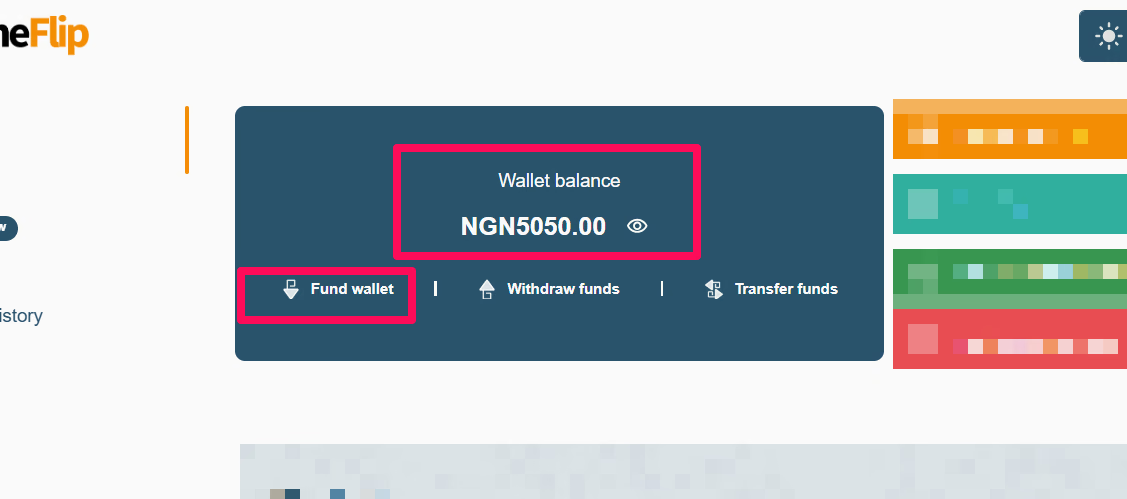
Note: Your account should be upgraded to KYC Level 2 to be able to fund your wallet. Learn more about wallet funding here.
Step 3: Select eSIM Services
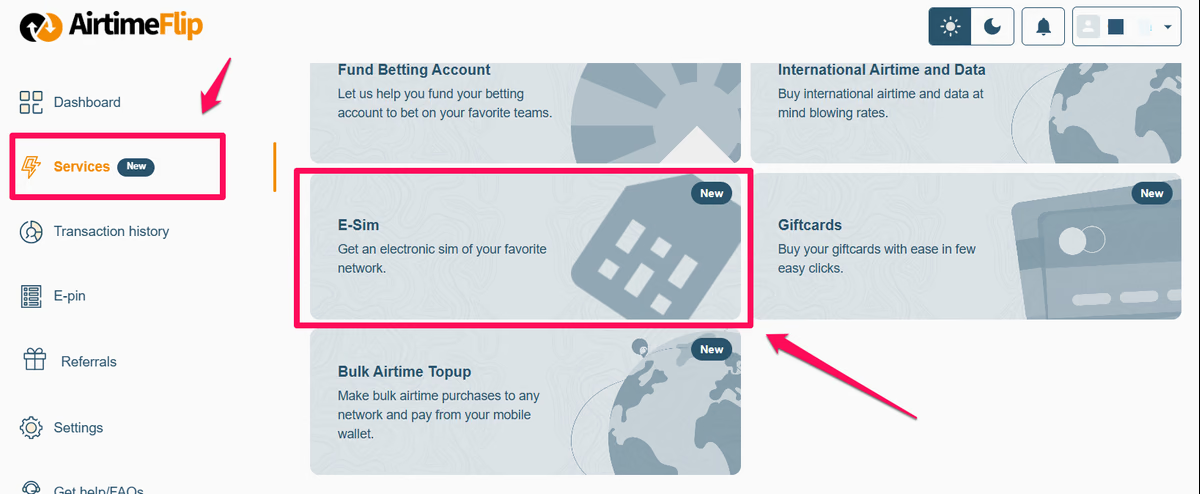
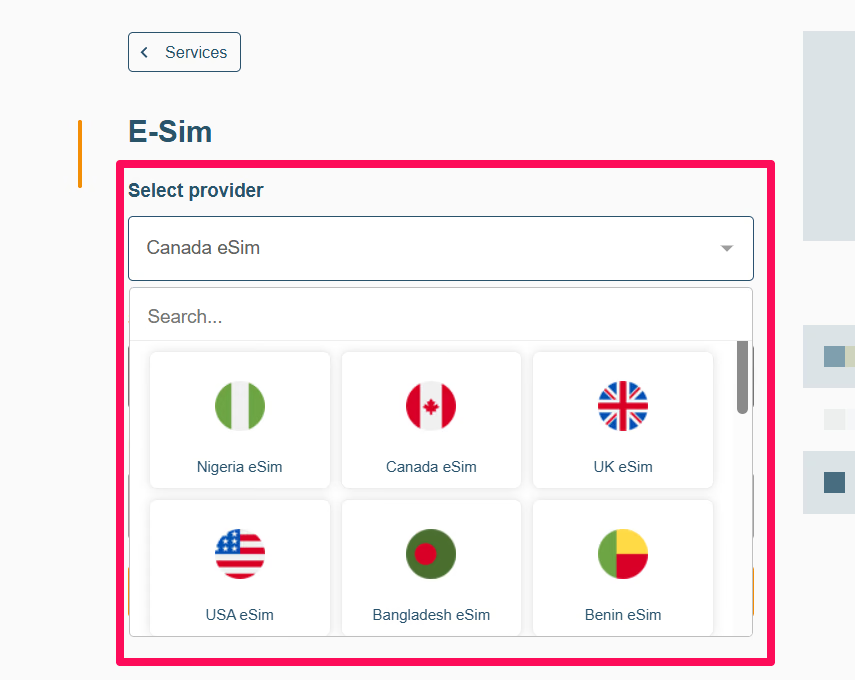
On your dashboard, go to ‘Services’ > ‘eSIM’ and select the destination country of your choice from the ‘Select Provider’ drop-down.
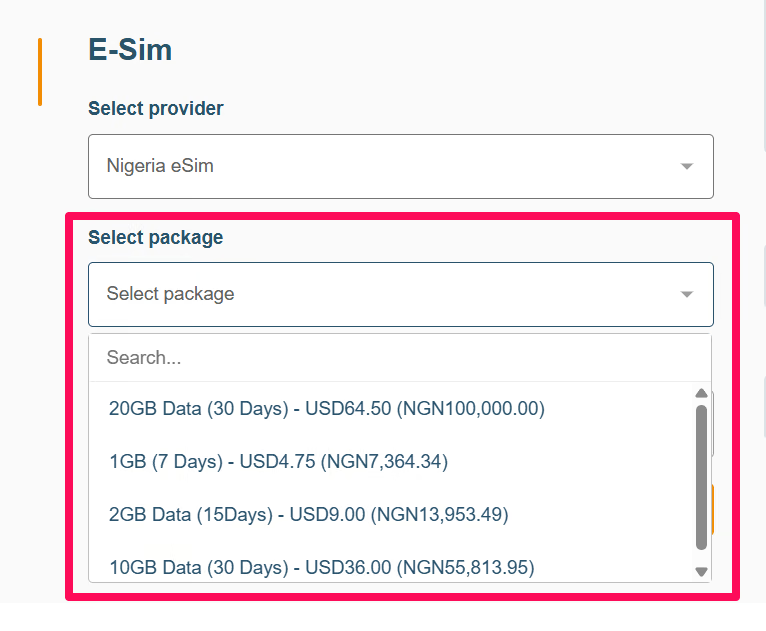
Under ‘Select Package’, select from the available data-only eSIM plans.
Step 4: Complete Purchase
Tap ‘Purchase’, then proceed to provide your 4-digit AirtimeFlip transaction PIN in the pop-up tab, and click the ‘Confirm’ button to complete payment directly via your AirtimeFlip wallet. It’ll take a few minutes for your eSIM data-only plan to be purchased.
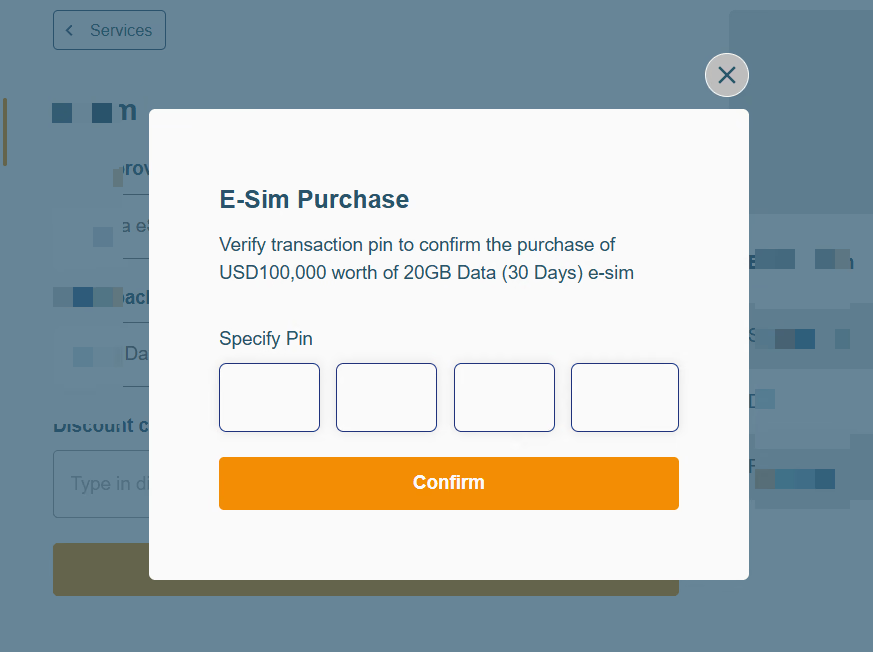
Note: Make sure you have enough money in your wallet to pay for your preferred eSIM plan.
Step 5: Activate eSIM
After payment confirmation, an eSIM QR Code and manual activation code will be available in your dashboard and also sent via email.
Scan the QR code on your iPhone or Android device or enter the activation details manually.
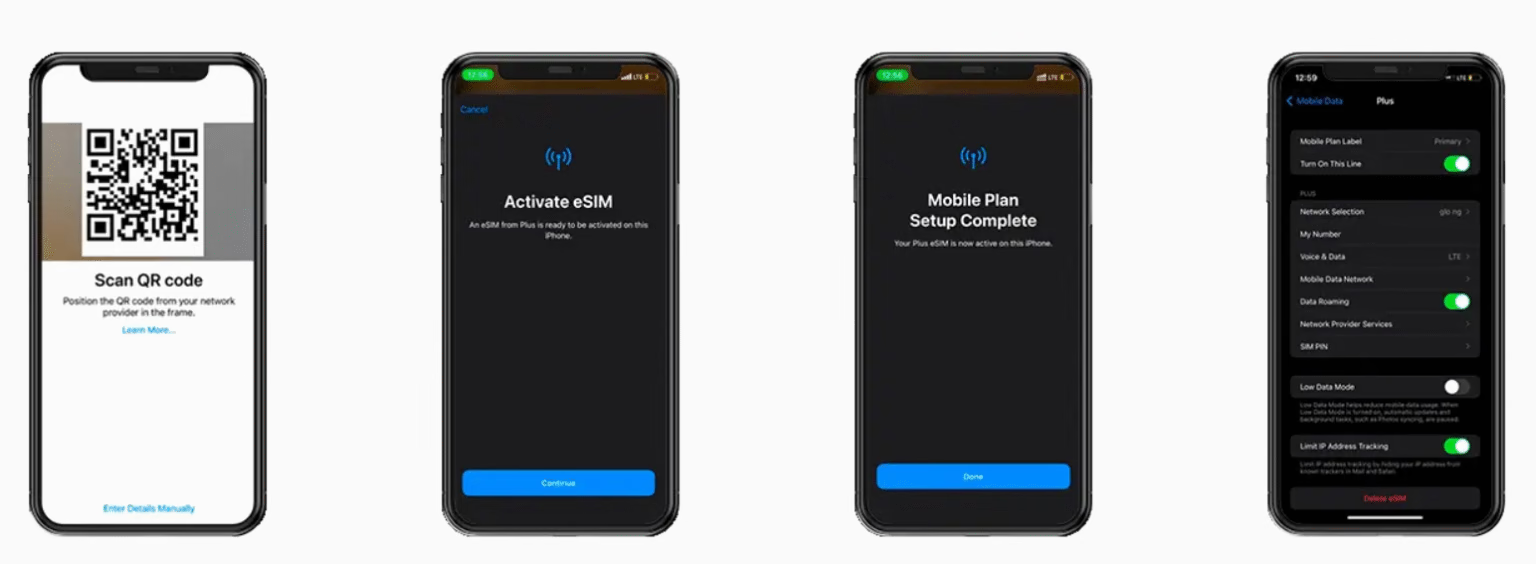
Kindly follow this detailed guideline or the quick manual activation setup below:
On iPhone:
If you cannot scan your QR code on your iPhone, here’s the procedure for manual installation.
- Open ‘Settings’ on your iPhone and navigate to ‘Mobile Data’.
- Tap ‘Add eSIM’ > Choose ‘Use QR Code’ > At the bottom of the screen, select ‘Enter details manually’.
- You will see three fields. Fill in the SM-DP+ address and activation code exactly as provided in your purchase email. You can leave the third field, the ‘Confirmation Code’ field, empty, as it’s optional.
- Click ‘Next’ at the top of the screen and follow the on-screen instructions until installation is complete.
- As you arrive at your destination, turn on ‘Data Roaming’ to start using your plan immediately.
On Android:
Manually activating this on Android differs from iPhone; nevertheless, the activation steps are similar.
- Open the phone’s ‘Settings’ and navigate to ‘Connections’.
- Select ‘SIM card manager’.
- Tap ‘Add eSIM’.
- Choose ‘Scan QR code’.
- Select ‘Enter activation code’, then enter the activation code from AirtimeFlip.
- Tap ‘Done’ and continue with the installation instructions until your profile is added.
- Lastly, make sure the eSIM switch is turned on and enable ‘Data Roaming’ to allow the device to function in your destination country
Step 6: Manage eSIM
From your AirtimeFlip dashboard, you can easily manage your eSIM properly. Check your data balance, re-download your QR code or buy a new plan anytime you want.
That’s it!
Final Thoughts
AirtimeFlip eSIM eliminates the need for a physical SIM card, offering users a modern way to stay connected. Built with instant activation, dual-SIM convenience, global coverage for travellers and everyday users across compatible smartphones, smartwatches, tablets and laptops.
For users with compatible devices, it can be a faster and more convenient alternative to traditional SIM cards.
Beyond eSIMs purchase, AirtimeFlip also allows you to convert airtime to cash, pay bills, buy airtime, buy data, purchase international airtime and data, top-up airtime in bulk, buy gift cards, fund your betting account, pay electricity bills, renew cable TV and buy WAEC PINs all in one place. Read more about AirtimeFlip.
Need any help? Reach out via our Contact page
Share this guide