As the demand for eSIM services keeps growing in Nigeria, Airtel eSIM also represents a major shift in how mobile connectivity is delivered in Nigeria. Any existing or new customers can now use eSIM without having to worry about using one from a different network provider. Just as we’ve seen MTN eSIM services working fine on most smartphones in Nigeria, the same can be said for Airtel.
With the Airtel eSIM, you can now have both a physical SIM and a digital SIM on your smartphone if it’s a dual-SIM device. If you’re hoping to get one but don’t have an idea of how to get it or the costs and activation, here’s a guide that’ll help.
This guide covers everything you need to know about Airtel eSIM in Nigeria. It provides clear details on pricing, activation methods, QR code installation, SIM conversion, and the full list of supported devices. In addition to SIM conversion, here’s a more detailed article that explains the process of converting a physical SIM to an eSIM in Nigeria.
What is Airtel eSIM?
Airtel eSIM is a digital SIM profile that is built directly into supported Android and iOS devices. It works just like the normal physical SIM we use, but with a slight difference. Similar to physical SIMs, Airtel eSIM will let you make voice calls, send SMS, and even surf the internet. However, it doesn’t require a removable card. Once you have the eSIM set up on your device and it’s connected to the Airtel network, everything will work normally.
Price & Availability
Getting an Airtel eSIM in Nigeria is completely free. Whether you’re activating a new eSIM or converting an existing physical SIM card, it is done for free. The availability is limited to official Airtel stores and approved outlets.
Requirements for Airtel eSIM Activation
To activate an Airtel eSIM, you must meet the following conditions:
- An eSIM-compatible device.
- A valid Airtel mobile number.
- NIN for verification.
- Internet access during installation.
Airtel eSIM Supported Phones
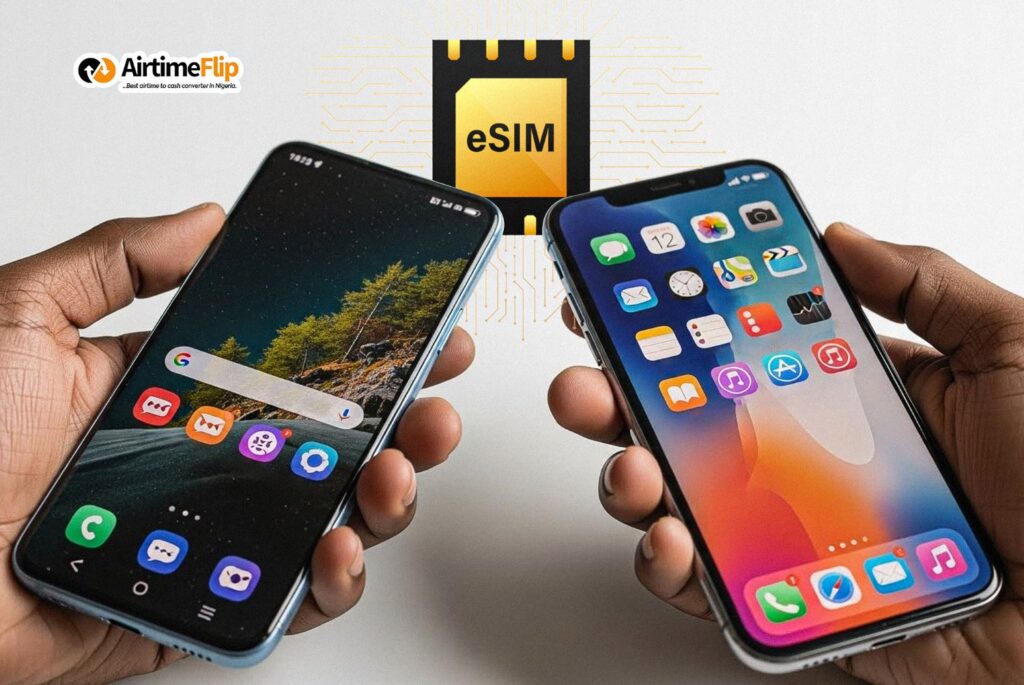
Most modern flagship devices support eSIM. Below is a general list of supported models.
- iPhone XR, XS, XS Max
- iPhone 11 series
- iPhone 12 series
- iPhone 13 series
- iPhone 14 series
- iPhone 15 series
- iPhone 16 and 17 series.
- Galaxy S20, S21, S22, S23, S24 series
- Galaxy Note 20
- Galaxy Z Flip series
- Galaxy Z Fold series
- Galaxy A-series like (Galaxy A55 5G, A54 5G, A35 5G, A36 5G, and A56 5G)
Google Pixel
- Pixel 3 and newer
- Pixel 7, Pixel 8, and later models
Other Android Brands
- Xiaomi 12, 13, and newer series
- Selected Motorola, Oppo, Vivo, and OnePlus models with eSIM capability
How to Get Airtel eSIM in Nigeria
Getting an Airtel eSIM in Nigeria is straightforward; however, you can get a normal data-only eSIM from AirtimeFlip, which can be activated online. But Note: Airtel does not offer online services for eSIM activation.
To get your Airtel eSIM in Nigeria, follow the steps below:
- Visit any authorised Airtel service centre around you.
- Once in, tell them you want to activate an eSIM or convert your physical SIM to an eSIM.
- Details such as your NIN will be requested.
- After that, a unique eSIM QR code and activation details will be generated for your line.
How to Activate Airtel eSIM (QR Code + Manual Setup)
Activating an Airtel eSIM can be done via QR code and manual process, just in case the QR setup didn’t work.
Using QR Code Activation
After receiving your QR code, activation can be completed directly on your device.
On supported iOS devices (see supported devices):
- On your Phone, Go to Settings > Mobile Services.
- Select Add eSIM > Choose Use QR Code.
- Scan the Airtel eSIM QR Code.
- Follow the on-screen instructions displayed on your screen until the activation completes.
- Restart your device if there’s a need to.
On supported Android Devices (see supported devices):
Note: This setup was done on a Xiaomi 12T Pro device; configuration terms on devices differ!
- Go to the Settings App.
- Navigate to Mobile Networks (For dual sim users: Click on Turn on eSIM – this automatically disables your SIM 2 slot).
- After turning on eSIM, click on Manage eSIM > Add eSIM.
- Scan the QR Code provided by Airtel and wait for the installation to finish.
- Once done, you can start using your newly activated Airtel eSIM for calls, SMS and browsing the internet.
Using Manual Activation
The QR code option might not work at times. An alternative approach is to use the manual method.
Activating Airtel eSIM Manually on iPhone:
- Go to the Settings App > Navigate to Mobile Services.
- Click on Add eSIM, then select Manual Activation.
- Type the SM-DP+ Address and Activation Code provided by Airtel.
- Click on Next for the installation to complete.
Activating Airtel eSIM Manually on Android:
Note: This setup was done on a Xiaomi 12T Pro device; configuration terms on devices differ!
- Go to the Settings App > Navigate to Mobile Networks.
- Enable eSIM.
- Click on Manage eSIM and Add eSIM.
- Select Add Manually > then Use Activation Code.
- In the input box, enter the activation code provided by Airtel, then press OK to complete the process.
Setting Up Airtel eSIM on Apple Watch
Since all Apple Watches come with embedded eSIM, you can also use Airtel eSIM on it.
- Pair your iPhone with your Apple Watch.
- Launch the Watch App from your iOS device.
- Go to My Watch > Cellular.
- Click on Setup Cellular or Add a New Plan.
- Follow the on-screen setup to complete the process.
How to Convert Airtel Physical SIM to eSIM
All existing Airtel customers can convert their physical SIM to an eSIM without any cost. The process is easy, and here’s a guideline to follow:
- Locate any authorised Airtel store or outlet around you.
- Tell them you want a SIM swap to eSIM services.
- Your phone number and NIN will be requested.
- Once done, an Airtel eSIM QR Code and Activation code will be given to you.
- Use the activation steps provided here to set it up.
Common Issues and Fixes
During the course of activating an Airtel eSIM, you’ll likely come across the following issues. Using the fixes provided next to them streamlines the whole process.
| Problem | How to Fix |
| QR code is not scanning | Clean your camera lens, increase screen brightness, or switch to manual activation using the provided code |
| eSIM profile not downloading | Ensure you have an active internet connection and restart your device before retrying |
| “No Service” after activation | Enable mobile data, set Airtel eSIM as the primary line, and restart the phone |
| Device shows “eSIM not supported” | Confirm the phone model supports eSIM and that it is network unlocked |
| eSIM disappears after phone reset | Reinstall using the original QR code if unused, or request a new one from Airtel |
| Calls or SMS not working | Check that Airtel eSIM is selected as the default line for calls and messages |
Alternative Approach: Using AirtimeFlip eSIM Services
AirtimeFlip provides a data-only eSIM that can be activated within minutes. You can use that as an alternative to using Airtel. Here is a simple step-by-step approach to get a data-only eSIM through AirtimeFlip:
Step 1: Use the AirtimeFlip App or Website
Download and install the AirtimeFlip app (Play Store and App Store) from your app store or use the website.
Step 2: Create Your AirtimeFlip Account
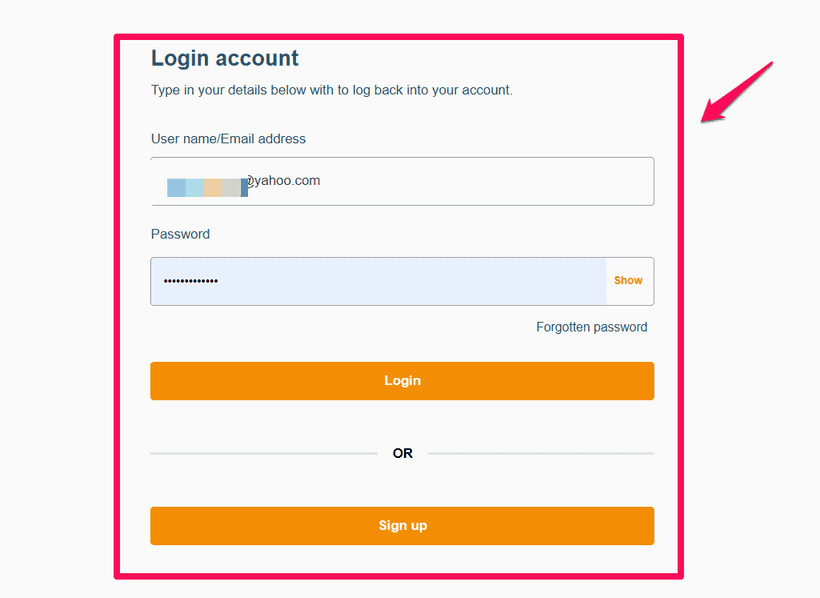
If you have an account already, you can log in with your details. For new users: Click on the Sign Up button, enter your username, email address, phone number, and password. Verify your email, then log in to your account dashboard.
Step 3: Go to eSIM Services
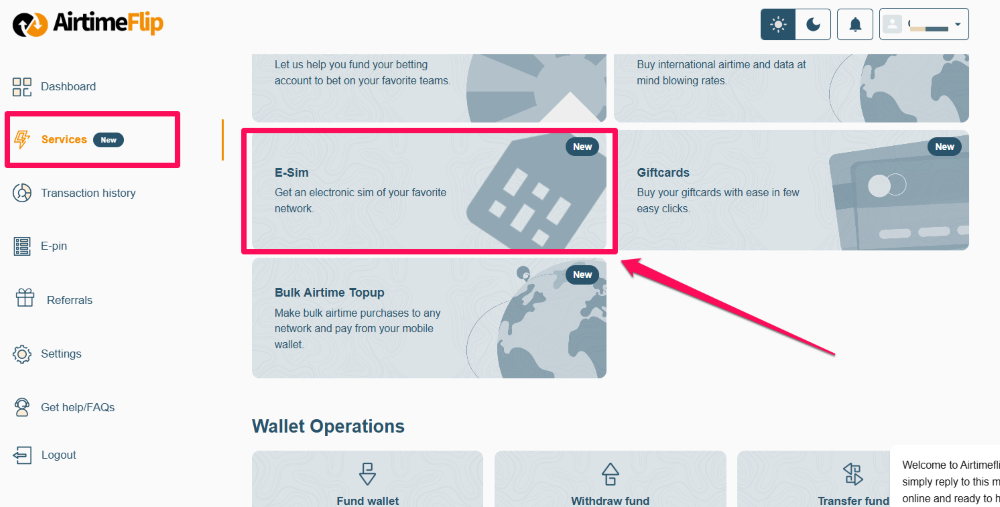
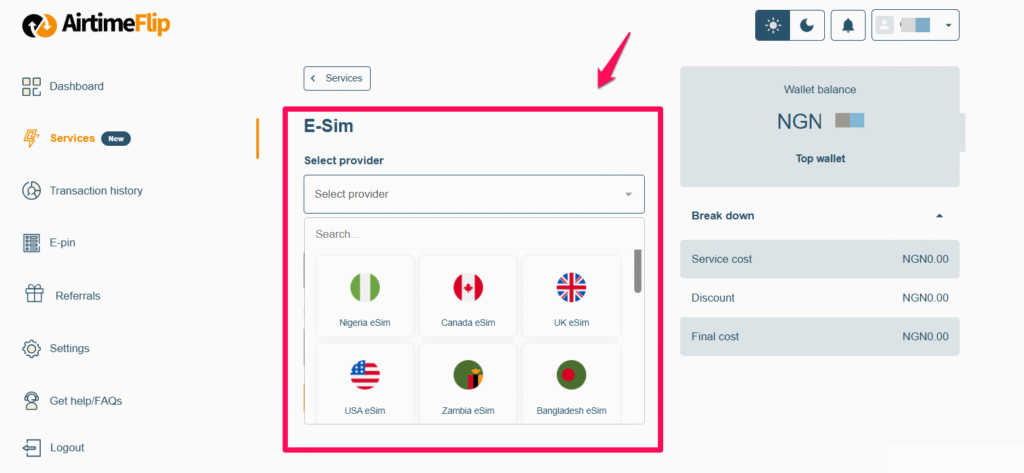
Once your account is verified and you are logged in. Navigate to Services > then select eSIM and choose the plan you want.
Step 4: Buy Your Preferred eSIM Plan
After selecting a plan, proceed to make payments using the available payment methods or your AirtimeFlip wallet balance.
Step 5: Access Your eSIM QR Code
Once your payment has been confirmed. Your eSIM QR code and manual activation code will be sent to your email and will also appear on your AirtimeFlip dashboard.
Step 6: Activate the eSIM on Your Device
Use the QR code or manual activation process provided above to set up the eSIM on your device.
FAQs:
How do I activate eSIM on Airtel?
- To activate eSIM on Airtel, you’ll need to visit an authorised Airtel store to register and be given an eSIM QR code to scan on your supported device.
What are the disadvantages of Airtel eSIM?
- The only disadvantage is that it can’t be activated online, and it only works on devices that support eSIM.
How to convert a physical SIM to eSIM?
- You’ll need to request a SIM swap to eSIM at any Airtel authorised store around you and activate it using the QR code provided.
Can I use Airtel eSIM on WhatsApp?
- Just like a normal physical SIM card, the Airtel eSIM will work with WhatsApp for calls, chats, and verification.
Does Airtel eSIM support international roaming?
- Yes, international roaming is supported. However, roaming charges may apply.
Is Airtel eSIM free?
- Yes, Airtel eSIM activation is currently free.
Conclusion
With an Airtel eSIM, you’ll enjoy a modern and reliable alternative to physical SIM cards in Nigeria. There’s no activation cost, and there’s only a little stress attached. Just make sure your device supports eSIM before heading to any Airtel store. Remember, you can’t activate an Airtel eSIM online!.