AirtimeFlip Airtime Top-up or Recharge feature allows everyday mobile users, students, professionals, small business owners, and organisations to make instant airtime purchases online with secure payments, clear confirmations, and consistent uptime across all Nigerian networks.

Whether it’s MTN, Airtel, Glo or T2mobile (formerly 9mobile), with just a single click, you’ve recharged your line. This saves time compared to physical recharge cards. If you’re looking for a very fast and reliable process to buy airtime online without any hassles, AirtimeFlip handles that.
To recharge any of your mobile networks using our airtime purchase services on the web or mobile, follow these steps:
Method 1: Website
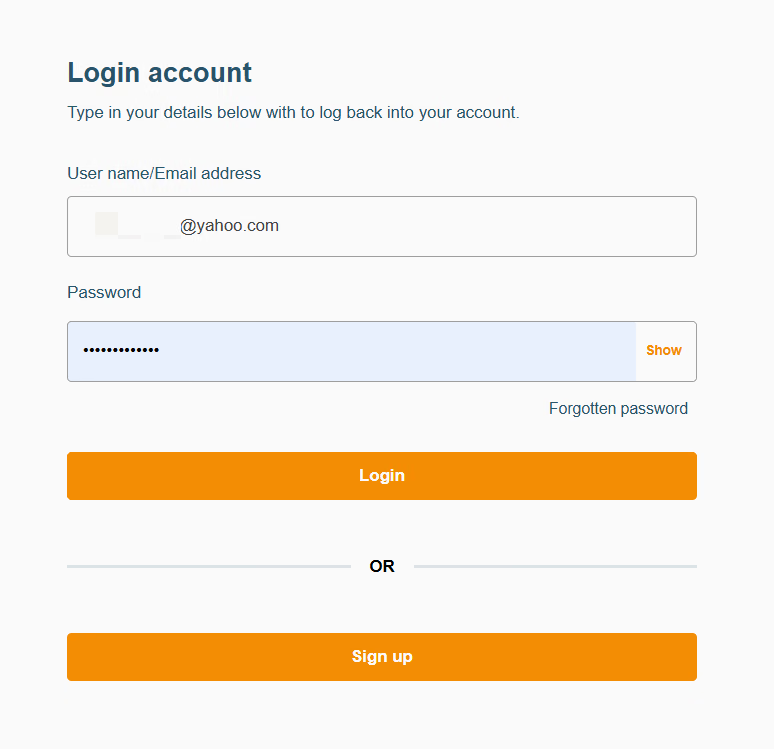
Step 1: Sign Up or Log In
To access your AirtimeFlip dashboard, you first have to set up your free account or sign in (if you already have an account with us) using our website.
Step 2: Complete Account Verification
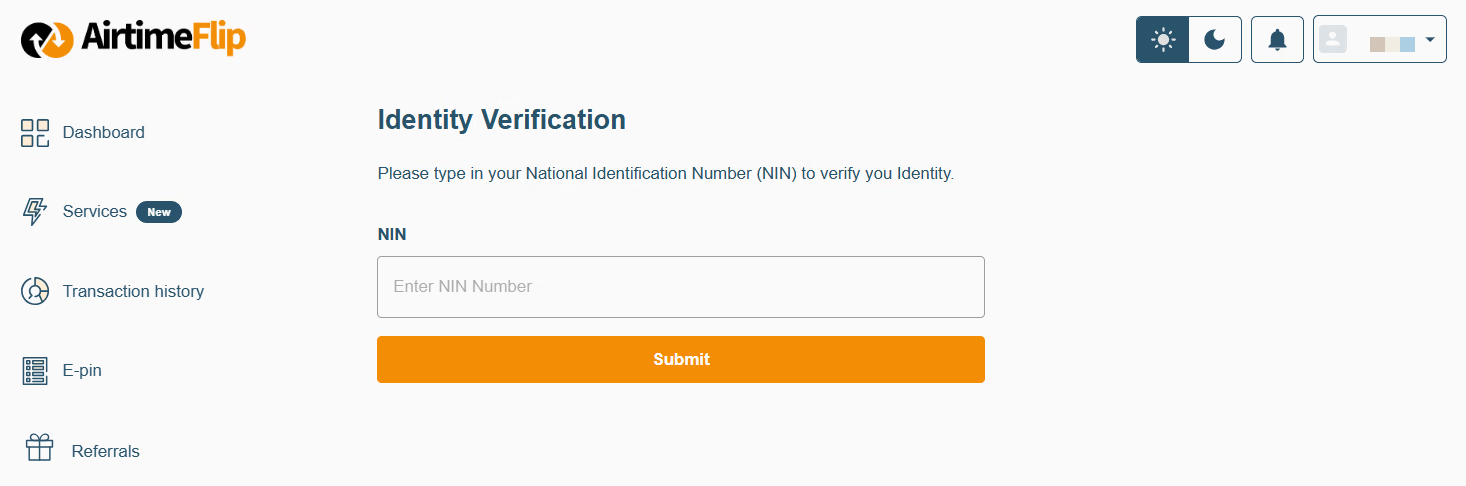
All newly created accounts need to complete verification. On your AirtimeFlip account dashboard, you’ll see a “Verify Identity” to-do list that needs completion. Click on it and verify your account using your NIN.
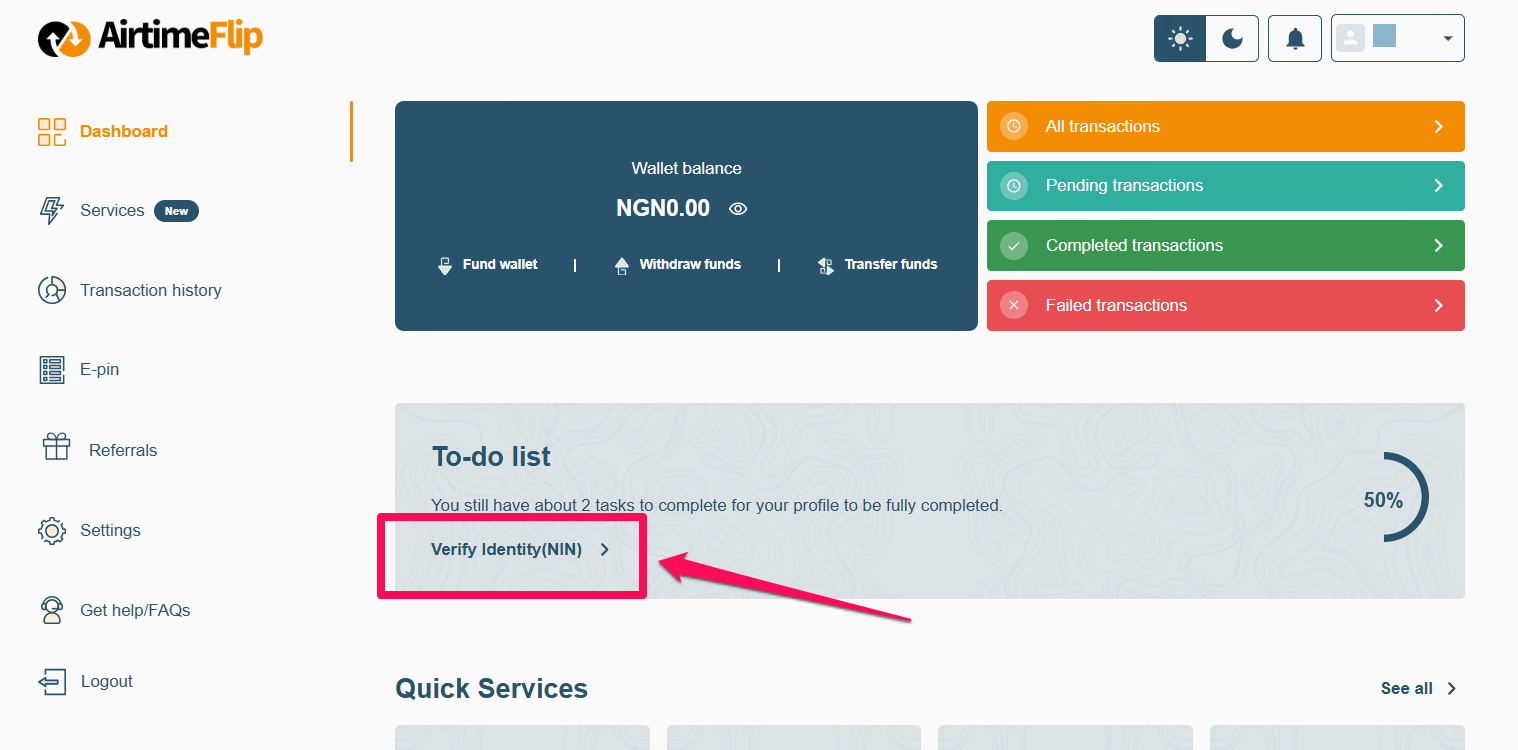
Account verification is mandatory before you can make any transactions on AirtimeFlip.
Step 3: Fund AirtimeFlip Wallet
From within your AirtimeFlip dashboard, top up your wallet with enough to cover your airtime recharge. You can pay via bank transfer or card (debit or credit), whichever is easiest for you. Just a quick reminder to add a little extra for the 1% funding fee, so you have exactly what you need to credit your line.
For example, if you want to buy airtime worth ₦2,000, adding an extra ₦20 will cover the fee and ensure your full recharge goes through without issues.
Note: Your AirtimeFlip account must be verified using your NIN (National Identification Number) to continue.
Step 4: Choose Airtime Purchase Service
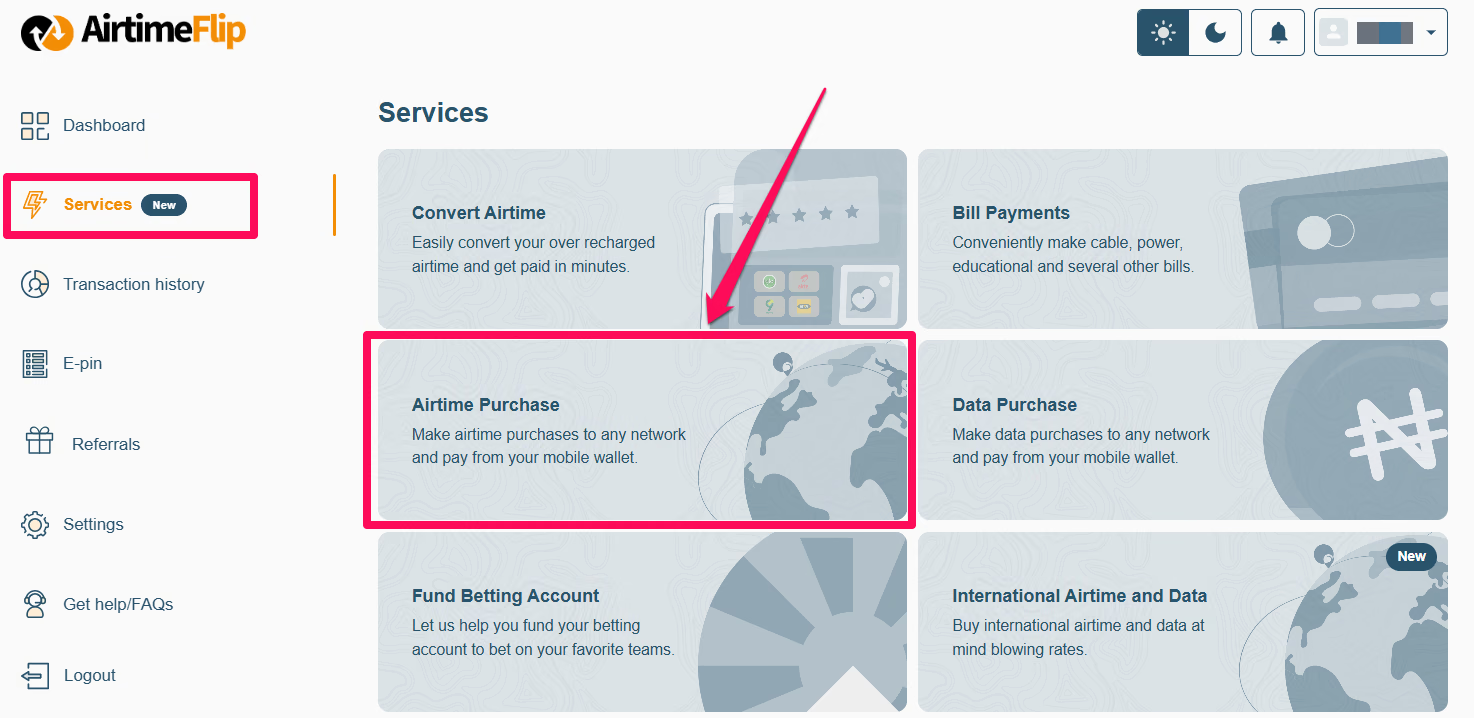
Go to ‘Services’ from the left sidebar, then select ‘Airtime Purchase’.
Step 5: Provide Network Details
Under the ‘Purchase Airtime’ section, choose your preferred mobile network provider - MTN, Airtel, Glo, or T2mobile, then input the number you want to recharge and the airtime amount.
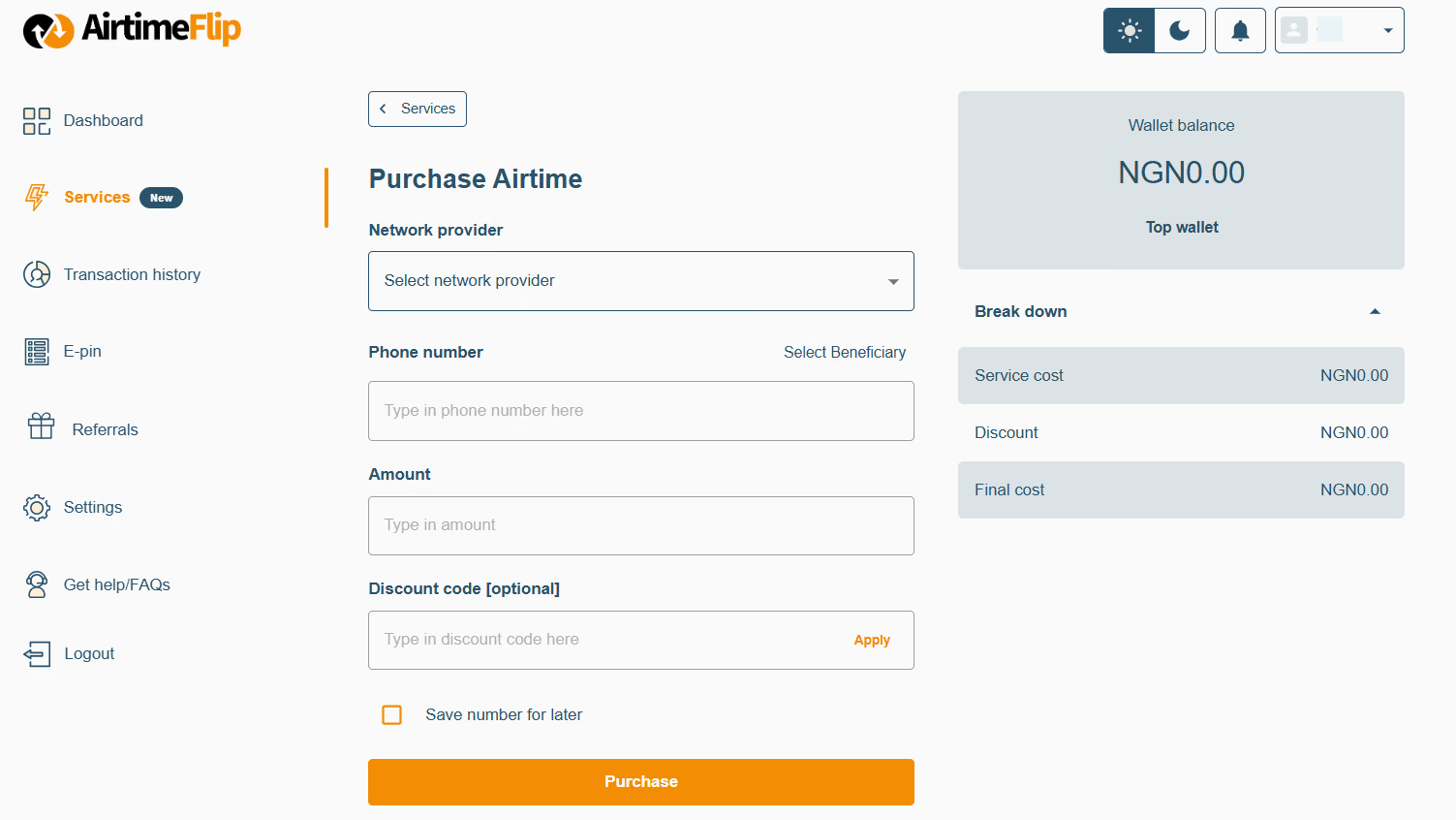
Step 6: Complete Airtime Purchase
After filling in all the necessary details, complete the airtime purchase by clicking the ‘Purchase’ button and entering your 4-digit transaction PIN. As soon as the payment is verified and confirmed, the airtime value is delivered immediately to the selected number.
Method 2: Mobile App
Step 1: Sign Up or Log In
To access your AirtimeFlip dashboard, you first need to set up your free account or sign in through our mobile app (Android and iOS) on your preferred mobile device. Alternatively, you can sign in or sign up via our website on your mobile browser.
Step 2: Complete Account Verification
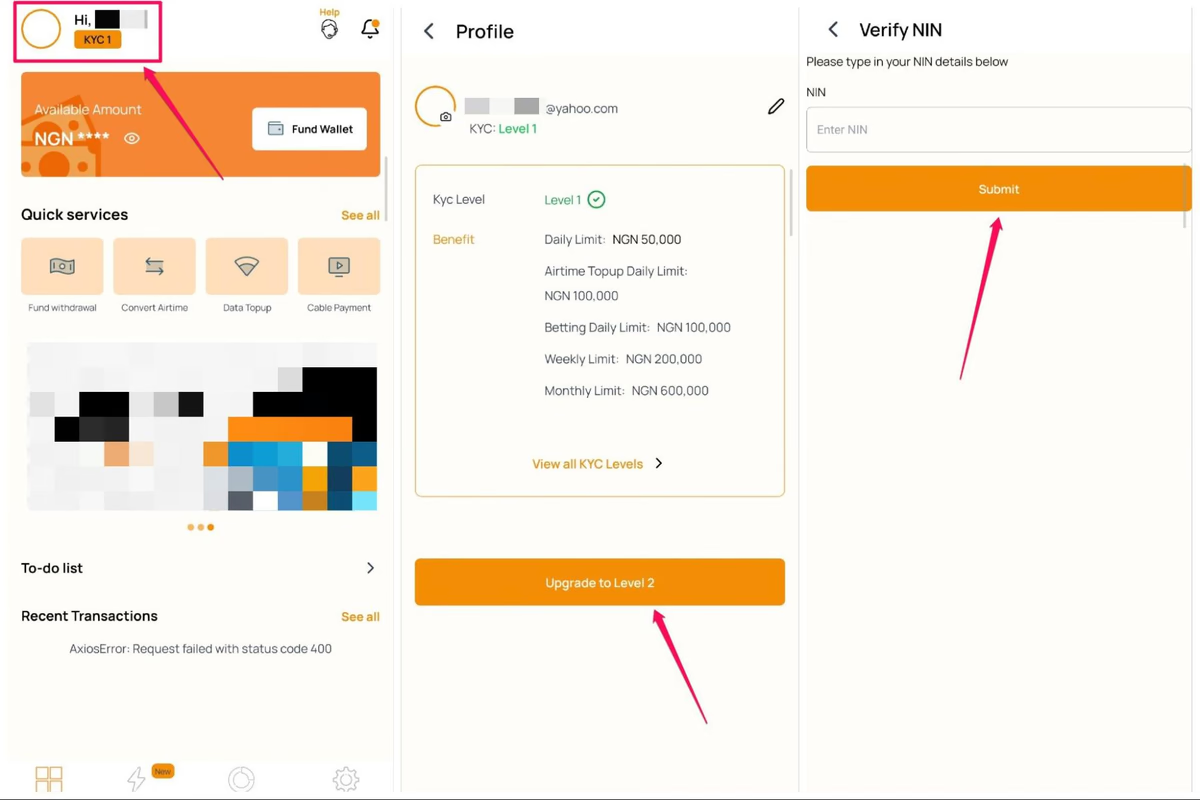
All newly created accounts need to complete a quick account verification. You are to complete your KYC Level 2 verification, which allows you to fund your wallet. It’s a standard step for all new accounts to keep your transactions safe and your account fully active.
To upgrade to KYC Level 2:
- Tap your profile icon in the top-left corner of the app.
- Select the upgrade option, click the orange button.
- Enter and submit your National Identification Number (NIN). Your account will be upgraded immediately following verification.
Step 3: Fund Your Wallet
The first thing you need to do is add some balance to your AirtimeFlip account. Add a little extra for the 1% funding fee, so you have exactly what you need to renew.
For example, if you want to buy airtime worth ₦1,000, adding an extra ₦10 will cover the fee and ensure your full recharge goes through without any hitches.
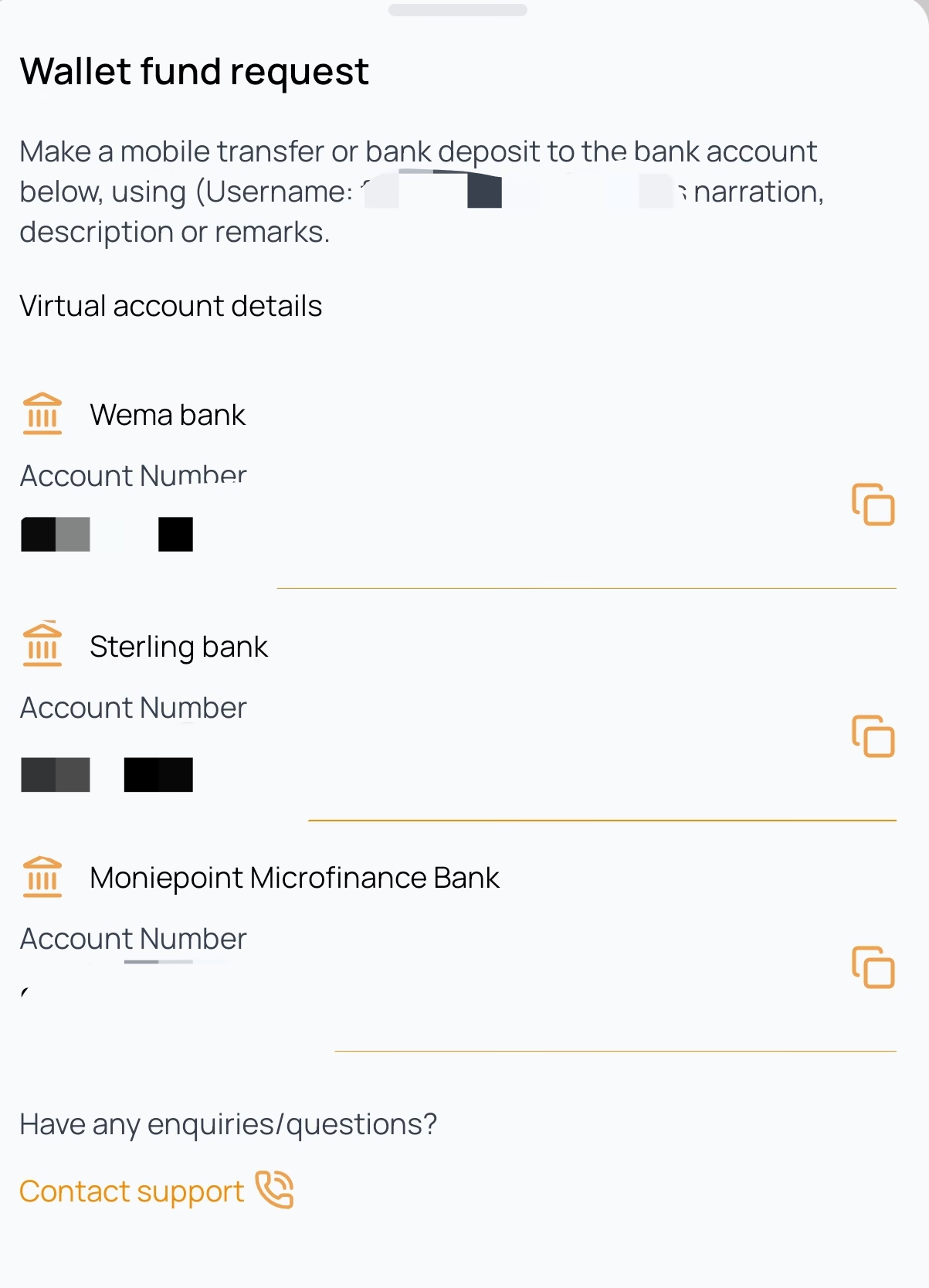
Click on the ‘Fund Wallet’ button and use any of the options:
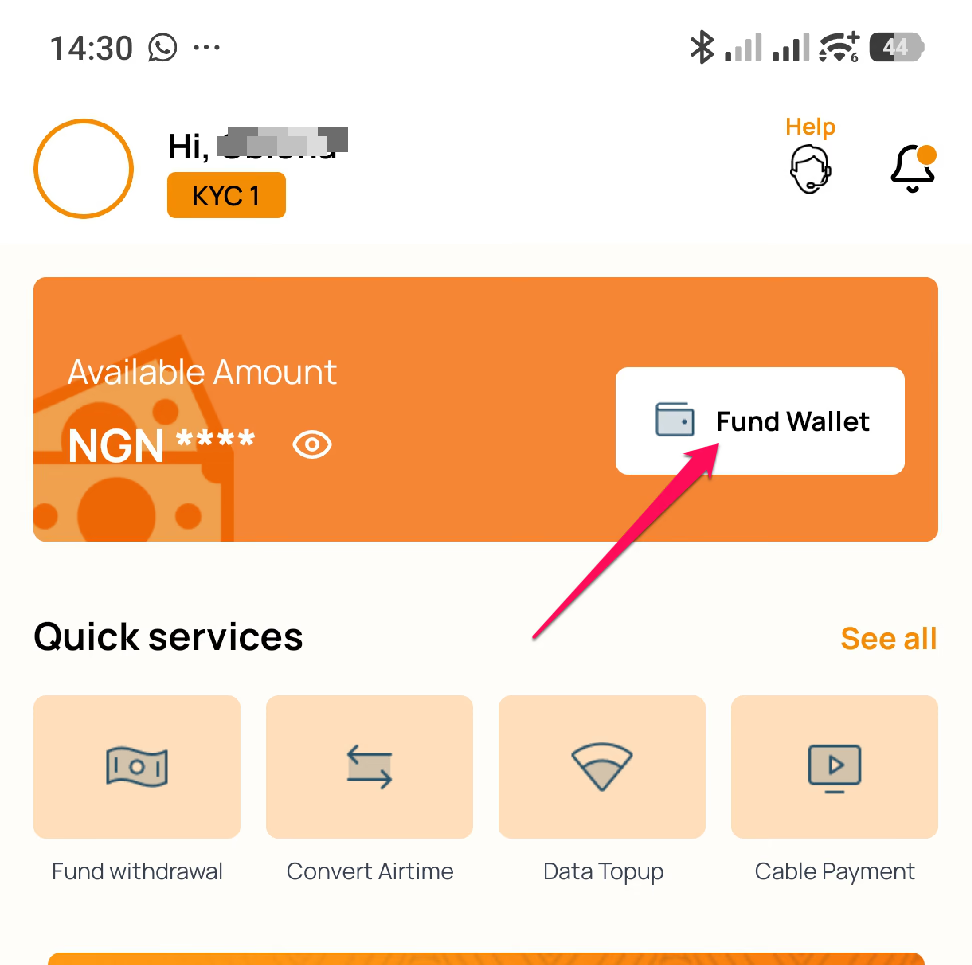
- Fund With Bank: Make a transfer to either Wema Bank, Sterling Bank, or Moniepoint as displayed on your AirtimeFlip account.
- Fund With Card: Enter your deposit amount, and you’ll be redirected to the payment gateway. Provide your Visa/Verve/Mastercard details and complete the transaction.
Step 4: Select Airtime Purchase Service
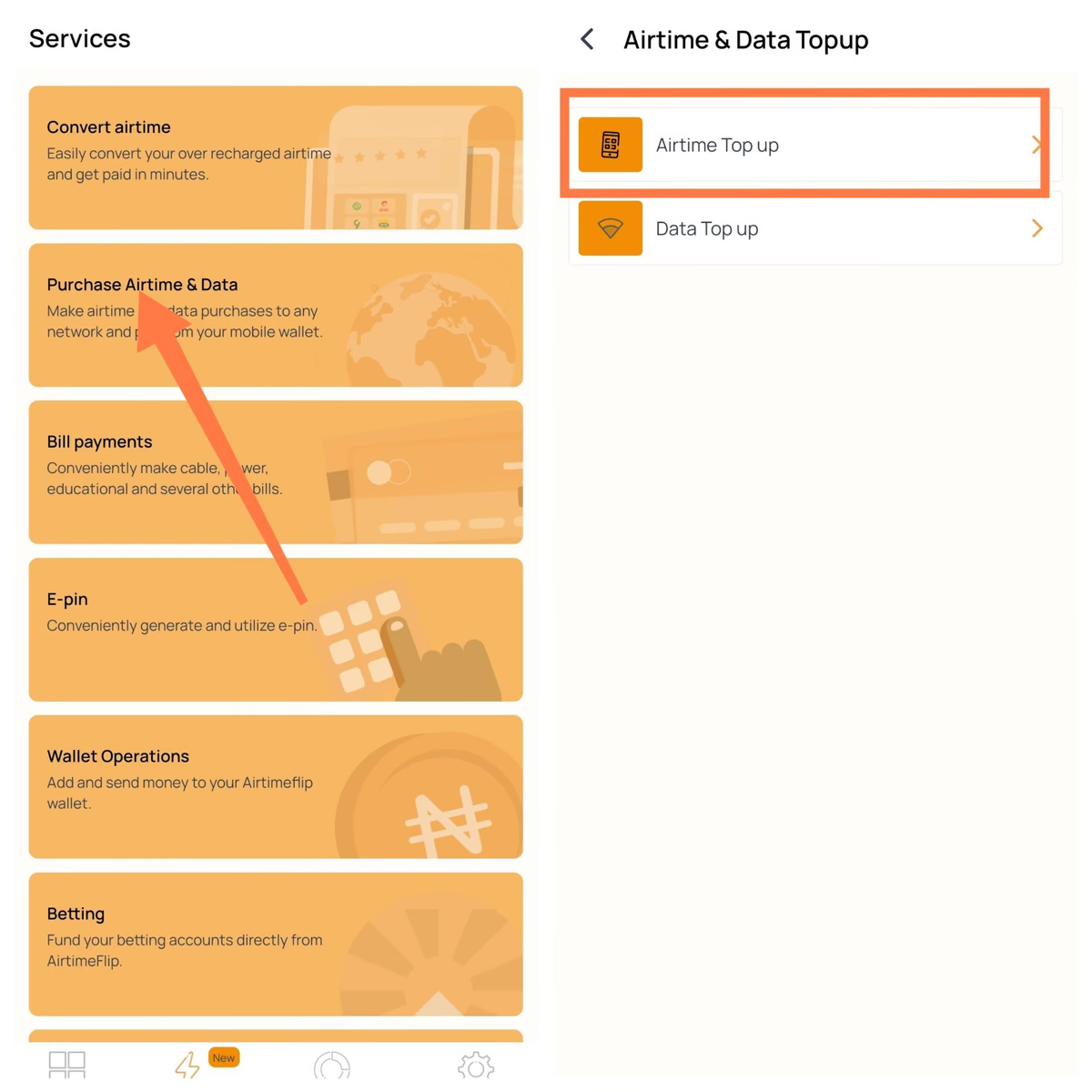
Navigate to the Services Menu > Click on ‘Purchase Airtime & Data’. This allows you to quickly make purchases for any airtime network in Nigeria: MTN, Airtel, GLO and T2mobile. Choose Airtime Top Up.
Step 5: Provide Details
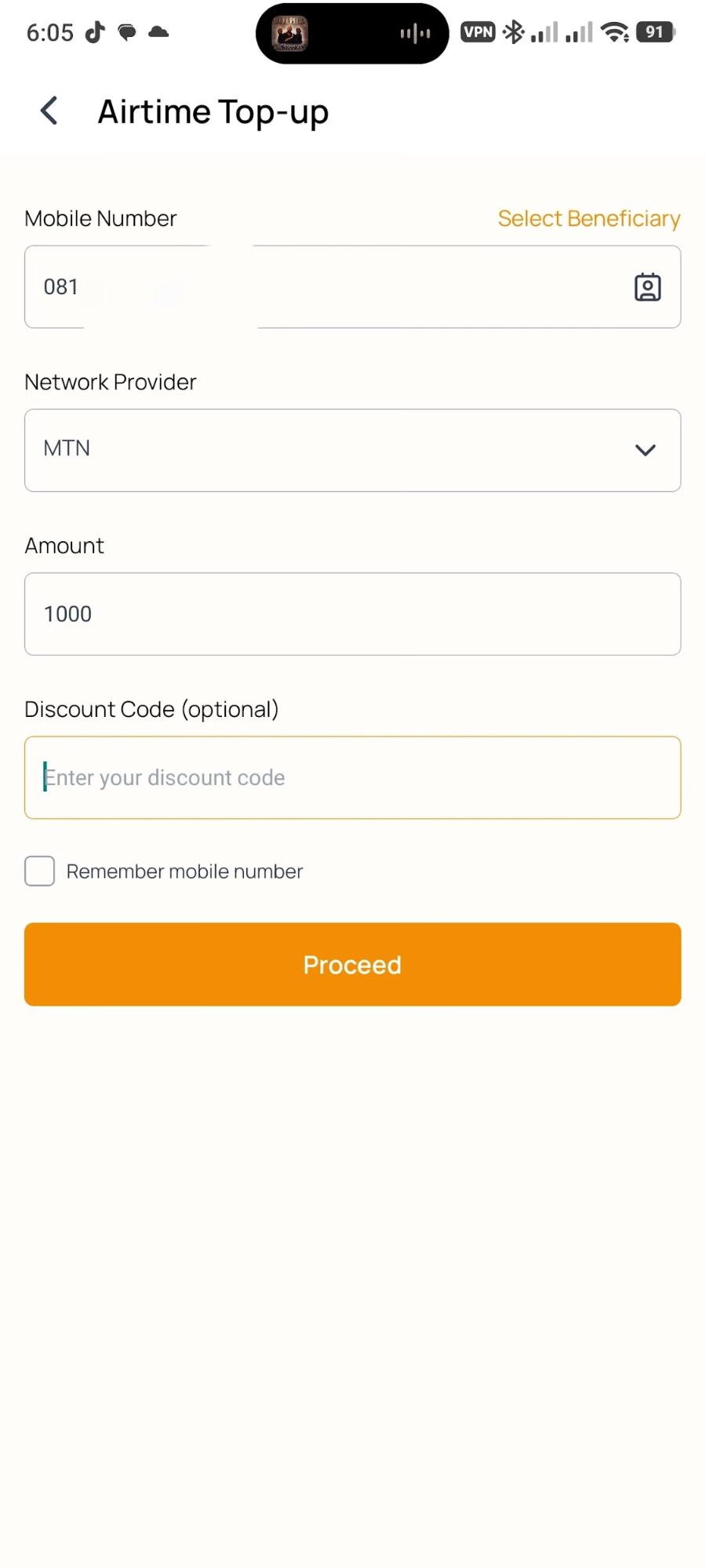
Enter the phone number you want to recharge or click the contact icon to grant access to select a contact from your device. Select the Network of your choice. Enter the desired recharge amount and click the Proceed button.
Step 6: Confirm Airtime Transaction
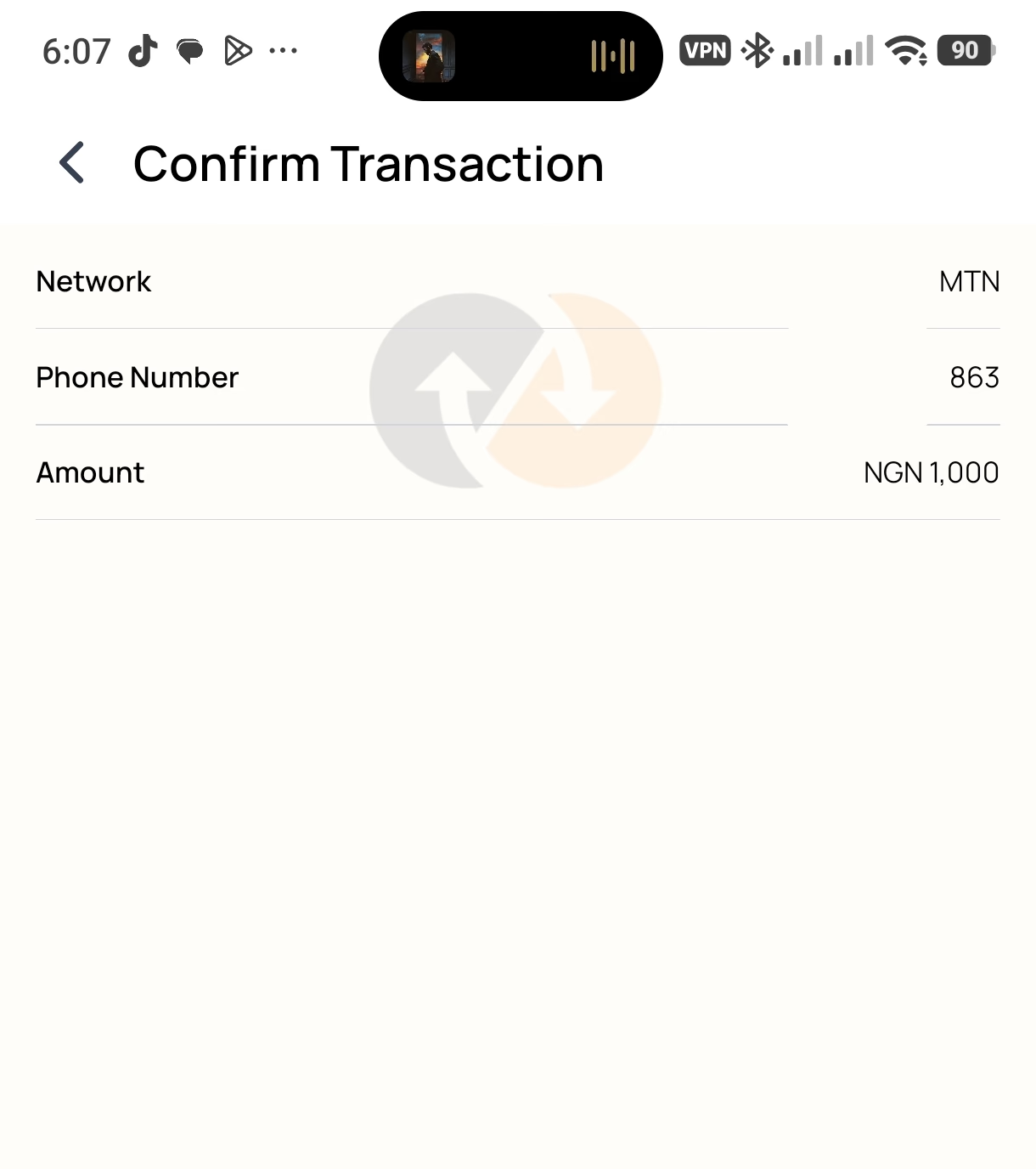
On this page, you'll see the details of your transaction before completing payment. Kindly cross-check to see if the phone number and the amount entered are both correct. Once confirmed, click the Continue button to finalise your payment.
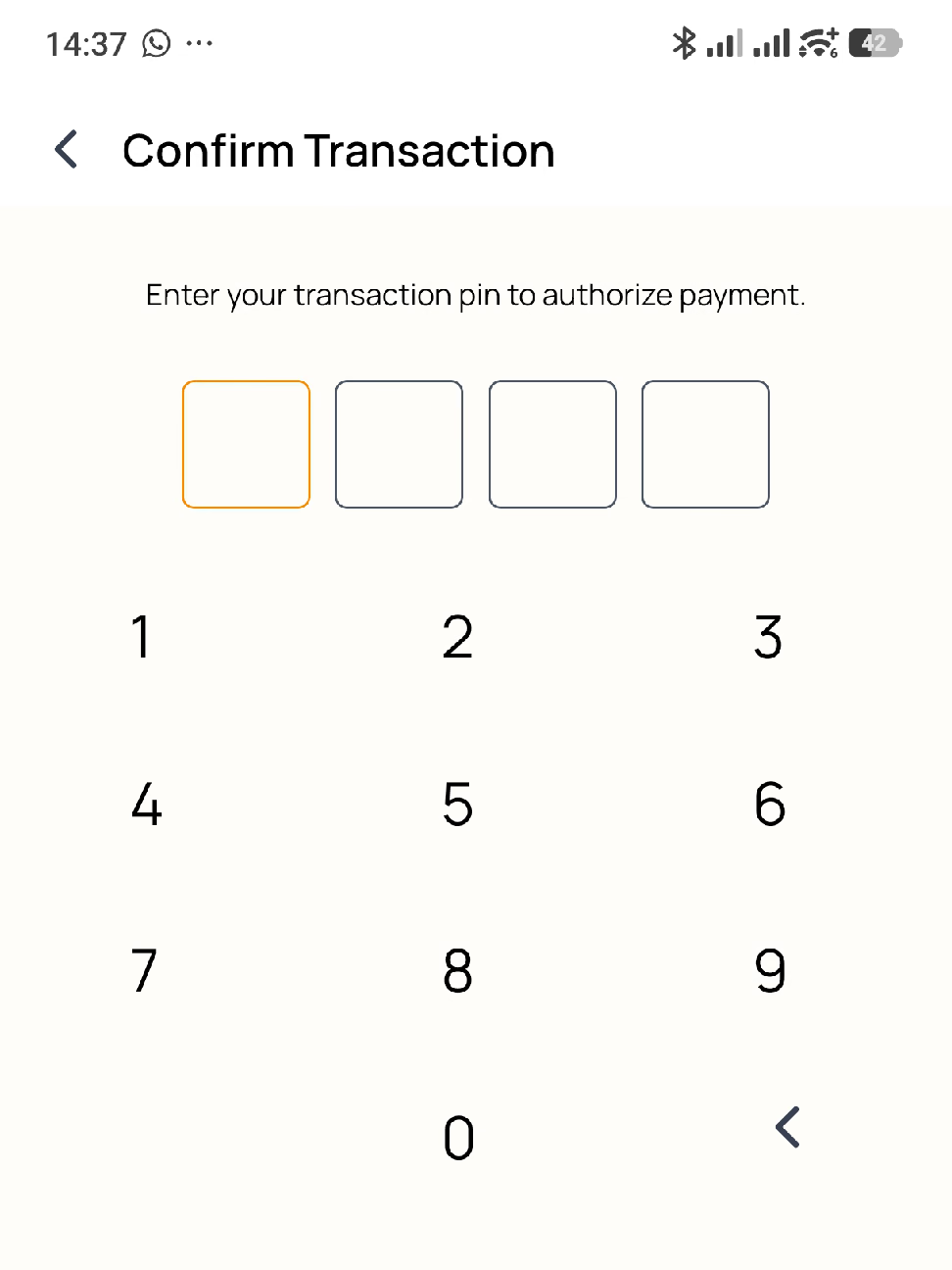
The last thing you need to do is provide your 4-digit AirtimeFlip transaction PIN. After that, your Airtime purchase will be completed, and you'll receive it on the provided number.
That’s it!
Beyond airtime top-up, you can also convert airtime to cash, and buy data, pay bills,purchase international airtime and data, get eSIMs, top-up airtime in bulk, buy gift cards, fund your betting account, pay electricity bills, renew cable TV and buy WAEC PIN all in one place. Read more about AirtimeFlip.
Need any help? Reach out via our Contact page
Share this guide