Airtime is one of the most important components that keeps your phone running. Whether you need to make calls, send SMS or buy data, running out of it can happen to anyone and at any time. Airtel is one of the top telcos in Nigeria, and it allows its customers to easily share airtime with friends and family through the free Me2U service.
In this guide, you will learn everything about the Airtel Me2U service, how it works, common problems associated with it and a reliable alternative to share airtime with your loved ones.
Without further ado, let’s jump right in!
What is Airtel Me2U?
Airtel Me2U is an airtime-sharing service that allows Airtel subscribers in Nigeria to send airtime from one Airtel line to another. It doesn’t matter what type of phone you use (feature or smartphone); this service is available 24/7 and does not need an internet connection to work. Also, it is available to all Airtel prepaid tariff plans and is 100% free.
Essentially, Airtel Me2U allows you to:
- Transfer or share airtime to another Airtel user.
- Protect your airtime balance with a secure transfer PIN.
- Allow airtime sharing instantly using USSD.
- Send airtime whenever you need to help friends or family.
One important thing to highlight about airtime sharing is that it is only done within the networks. That is, you can only share with another Airtel user and not users of other networks (MTN, Glo and T2mobile). Although we have a way around that. In one of our previous articles, we explained how to share airtime from one network to another easily.
How to Transfer Airtime on Airtel
Method 1: Using the Airtel Menu
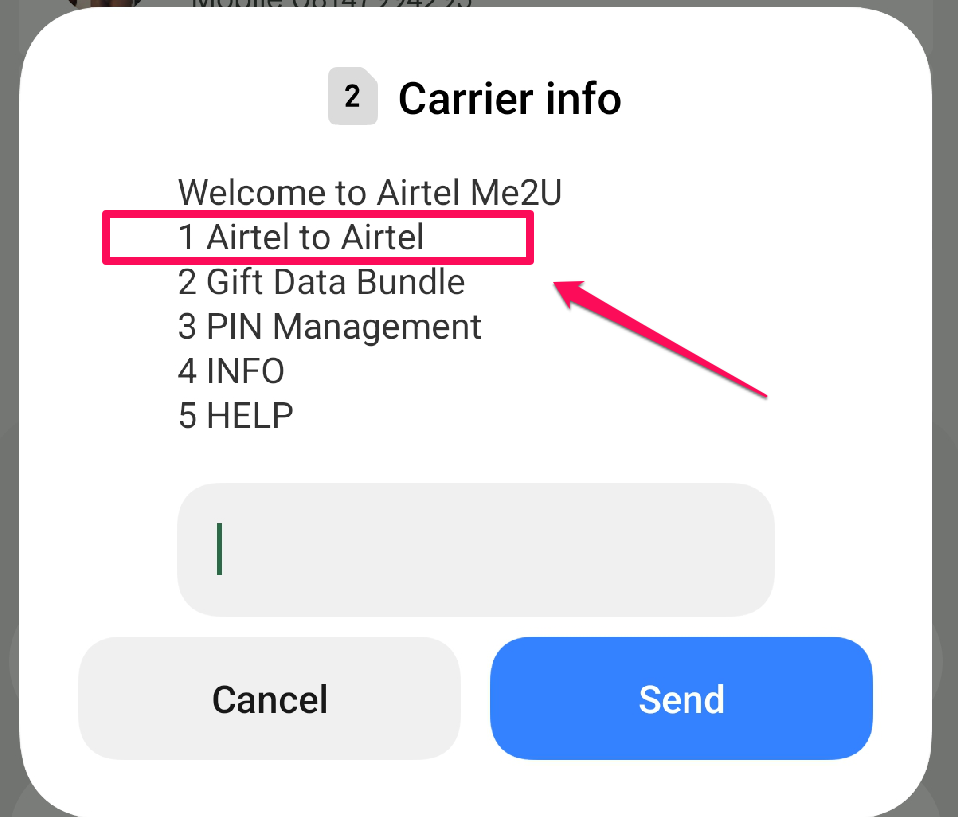
- Go to your phone call dialler, then dial *321#.
- Select Airtel to Airtel Transfer.
- Enter the recipient’s Airtel number.
- Enter the amount you want to transfer.
- Input your transfer PIN (default PIN is 1234).
- Confirm the transaction.
As soon as you confirm the transaction and it is successful, the recipient will instantly receive the airtime, and you will both be notified of it via an SMS. Please note that if you are using this service for the first time, it will prompt you to set up your transfer PIN; we have explained more about how to change the default PIN.
Method 2: Using the Me2U USSD Code
For those already familiar with using their USSD, this method is very easy to use; it is similar to the first but requires entering the full value alongside the primary USSD code.
Let me explain:
- To transfer airtime to another user, simply dial the USSD in this format: *321*Recipient Number*Amount*PIN#. For example, to send N2000 to *321*08021234567*2000*1234#.
As soon as you have tapped the green dial button and confirmed the successful transfer, an SMS notification will be sent to the sender and receiver. This method remains one of the safest and most reliable due to the dependability of the USSD code.
Method 3: Using My Airtel App
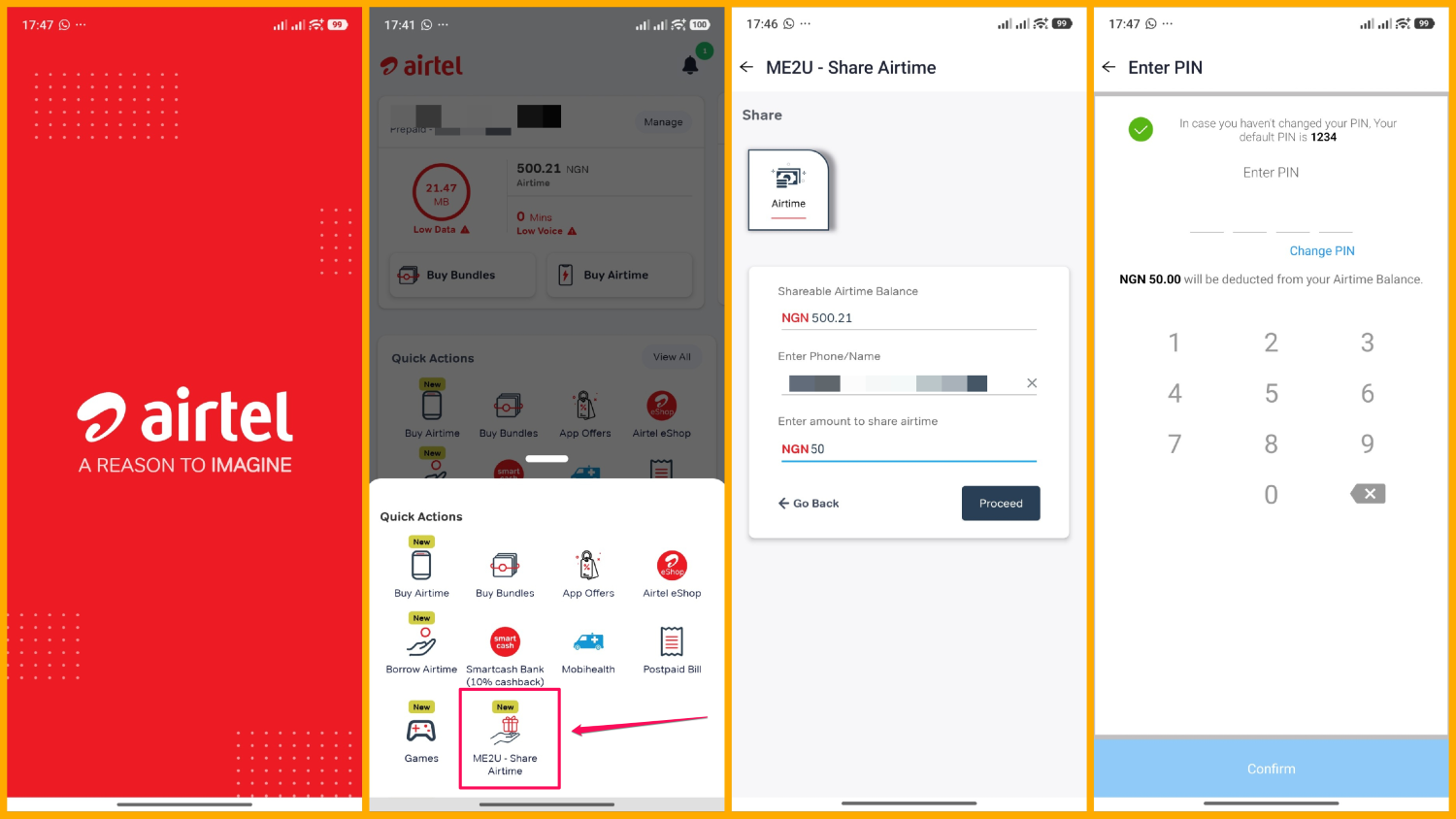
For smartphone users, you can download and install the My Airtel mobile app, register and follow the guide below.
- Open the app and sign in with your Airtel number.
- Tap the View All button under the Quick Action section from the dashboard.
- Select ME2U – Share Airtime.
- Enter the recipient’s Airtel phone number.
- Input the amount you want to send.
- Enter your transfer PIN and confirm the transaction.
Using the My Airtel app offers a few benefits over other methods. With this app:
- You can easily transfer airtime without having to memorise the USSD code or format.
- It provides a more user-friendly interface, which means beginners can easily operate the app.
- You can manage your airtime, data plans, router plans, and other services in one place.
- Lastly, you can view your transaction history more easily.
Note: While there is no limitation to the amount you can transfer in a day, a week or a month, the minimum amount for an Airtel Me2U airtime transfer is ₦50 per transaction.
Can You Transfer Airtime From Airtel to Another Network?
The simple answer is no. Generally, Airtel subscribers can only transfer airtime to other Airtel numbers.
Nevertheless, if you are ever in a situation where you need to send airtime to another number (MTN, Glo, or T2mobile) from your Airtel line, then you’ll need an alternative approach because Nigerian telecom operators presently do not support direct cross-network airtime transfers.
So what is the solution?
One option is to use a platform like AirtimeFlip to convert the airtime into cash and then purchase airtime on the recipient’s network using the funded wallet directly on our app/website.
Since cross-network airtime transfers in Nigeria are impossible, AirtimeFlip gives you a simple way to get it done seamlessly. AirtimeFlip is a utility bill payment platform that lets you convert excess airtime into real money, buy data, buy airtime, pay bills, buy gift cards, fund betting accounts, and more — all in a few easy steps.
To transfer airtime from one network to another using AirtimeFlip, follow the steps below.
Step 1: Sign Up
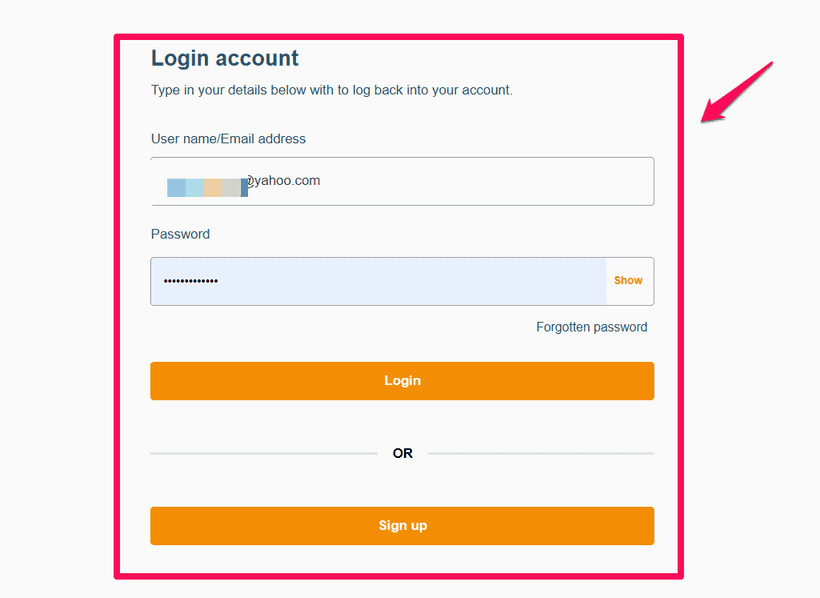
To access your AirtimeFlip dashboard, you first have to set up your free account or sign in (if you already have an account with us) using our website or download and install our mobile app using your preferred mobile device (Android and iOS).
Step 2: Convert Airtime to Cash
After signing in, proceed to services and choose ‘Convert Airtime to Cash.’ Choose Airtel as your preferred network, and enter the amount of airtime you want to send.
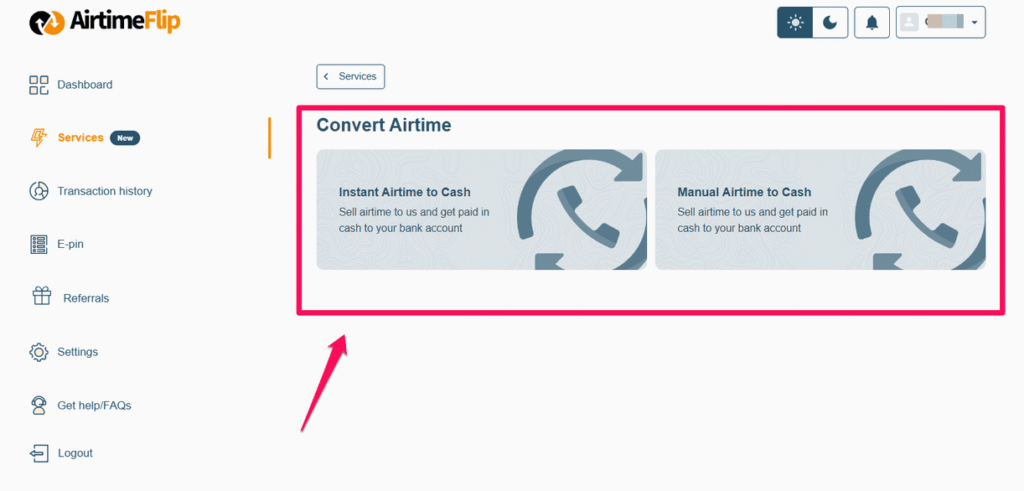
Follow the on-screen instructions to send the airtime to the number provided by AirtimeFlip. As soon as the airtime is received, we will instantly process the payment and credit your wallet.
Step 3: Buy Airtime for the Recipient
Immediately after you have confirmed the airtime conversion and the money is in your wallet balance, you can proceed to buy airtime for the recipient. It doesn’t matter which network they use; you can simply send them airtime directly using AirtimeFlip.
Note on Service Charges: A small transaction fee will be applied when you sell airtime to us (read more here). For instance, if you sell ₦2,000 worth of airtime, the amount credited to your wallet will be slightly lower due to this processing charge. This small deduction helps maintain our platform and ensure fast, secure payments.
Final Thoughts
Understanding what it takes to share airtime to your loved ones when they urgently need it can save valuable time. Airtel Me2U service makes that easy and swift using its secure USSD code. If you ever want to use that method, ensure you have set your PIN and review the recipient’s phone number before making the transfer.
AirtimeFlip serves as an alternative, especially if you consider sharing the airtime with other network users. So if you choose to do a cross-network airtime transfer to networks like MTN, Glo and T2mobile, then give AirtimeFlip a shot.