AirtimeFlip Airtime Conversion (Airtime-to-Cash) feature allows students, freelancers, small business owners, and everyday users in Nigeria to convert excess or mistakenly purchased airtime into real cash. Instead of letting unused airtime go to waste, users can quickly transfer it and receive money straight to their bank account using AirtimeFlip
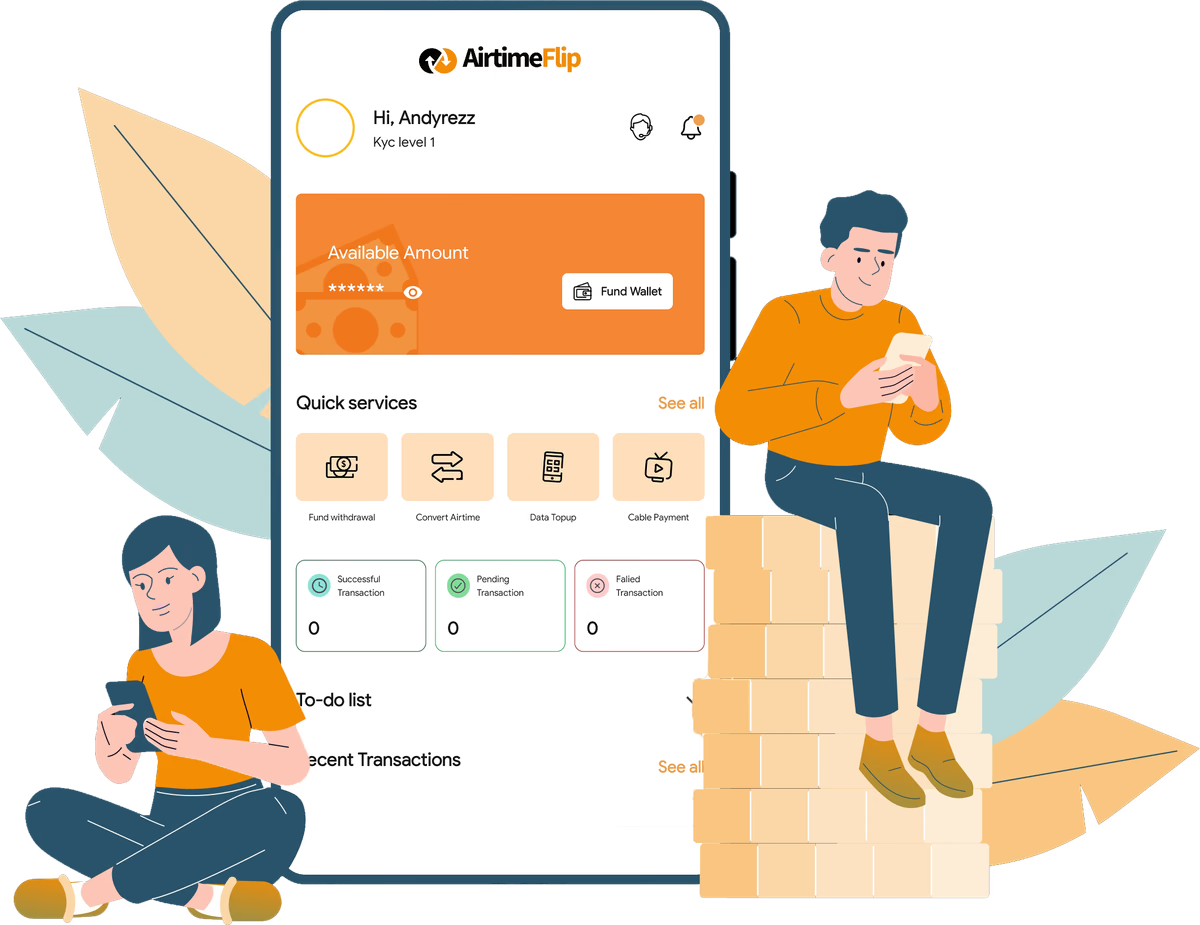
Follow the step-by-step guide provided below to get started:
Step 1: Get Started
Access your AirtimeFlip dashboard by signing up or logging into your existing account through our website or mobile app (Android and iOS).
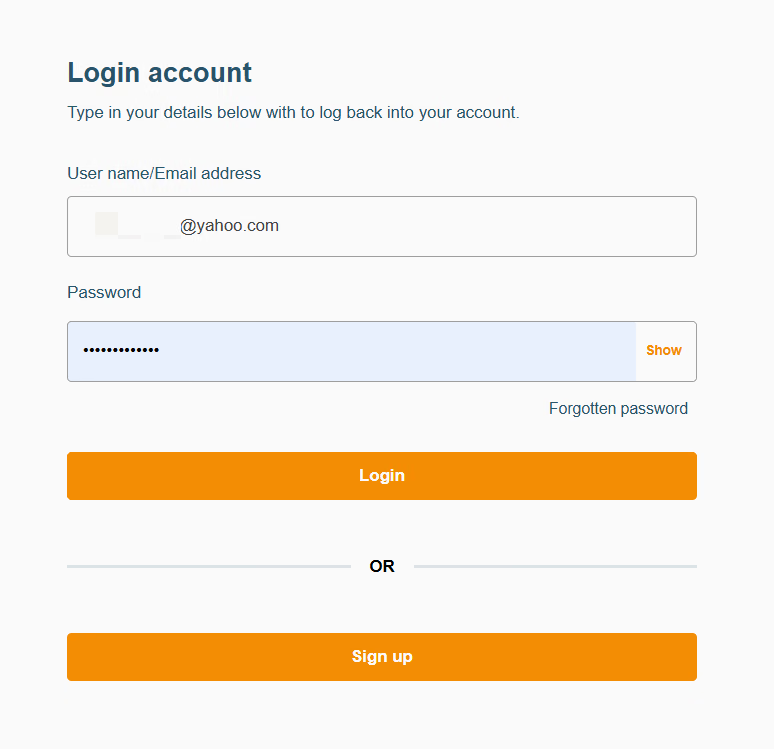
Step 2: Complete Account Verification
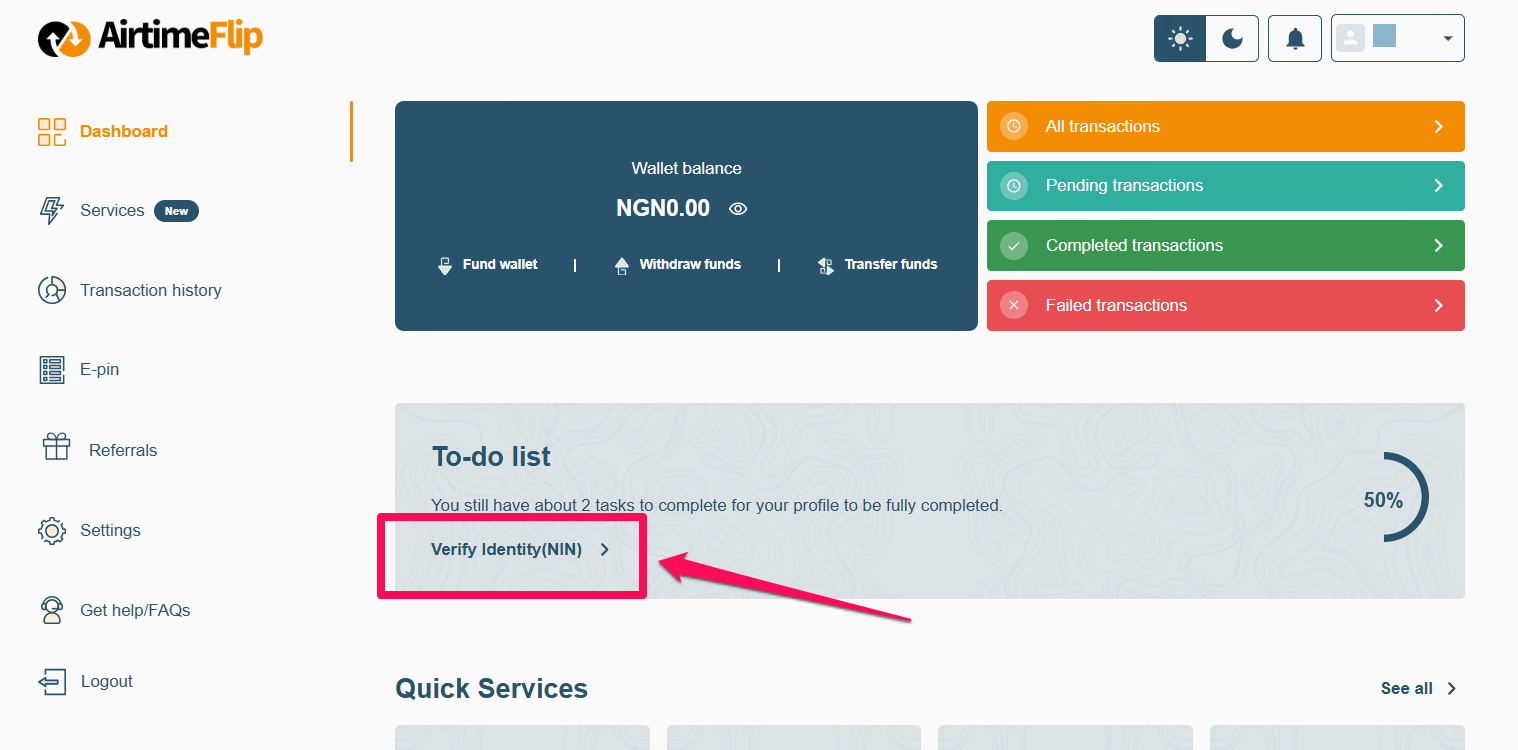
On the AirtimeFlip Dashboard (Todo-List). Click on ‘Verify Identity (NIN)’ and enter your 11-digit PIN. The whole process should take less than a minute. If it takes longer, refresh the page and try again. Please note that verification is mandatory before you can convert airtime with us.
Doing this will grant you full access and unlock the wallet funding capability needed in the next step.
Note: Skip this step if you already have a verified AirtimeFlip account.
Step 3: Convert Airtime
Navigate to ‘Services’ from the AirtimeFlip dashboard > Click on ‘Convert Airtime’ and select the ‘Instant Airtime to Cash’ Option.
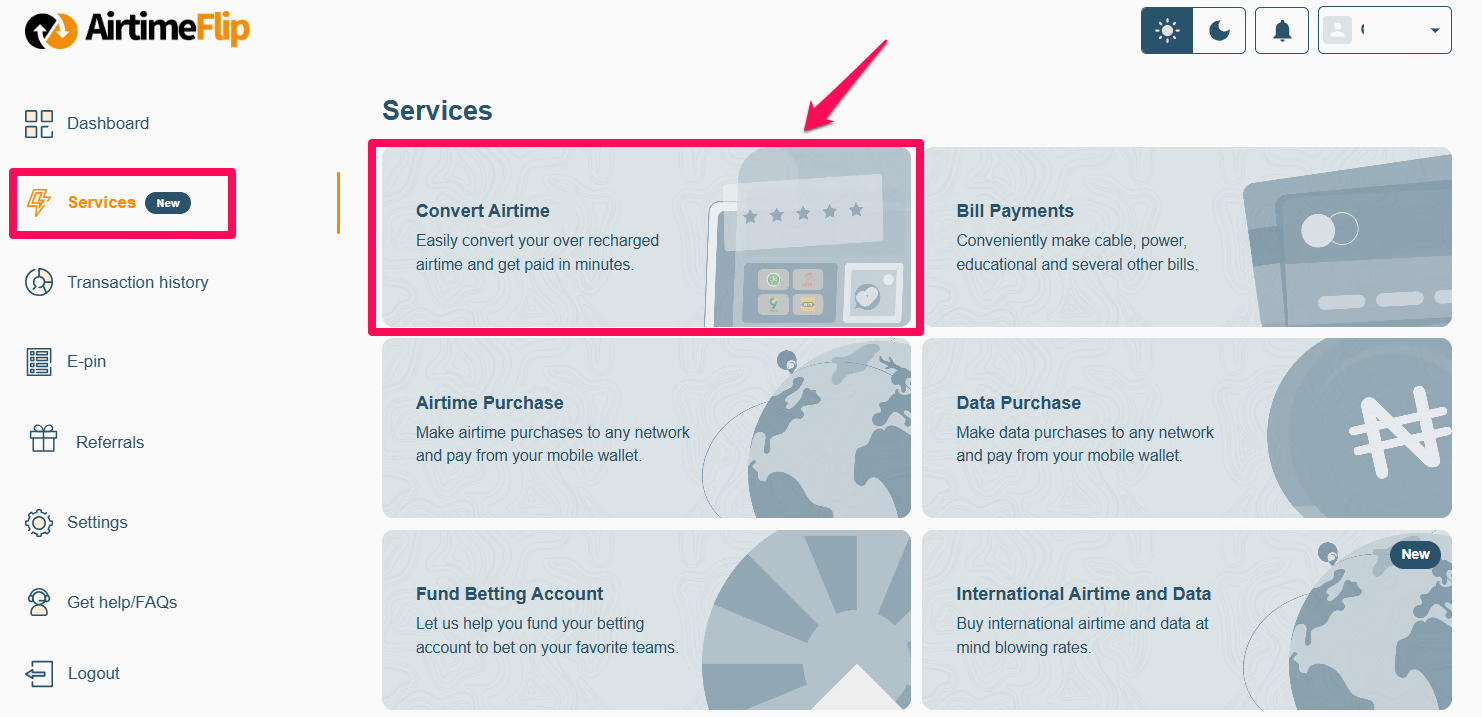
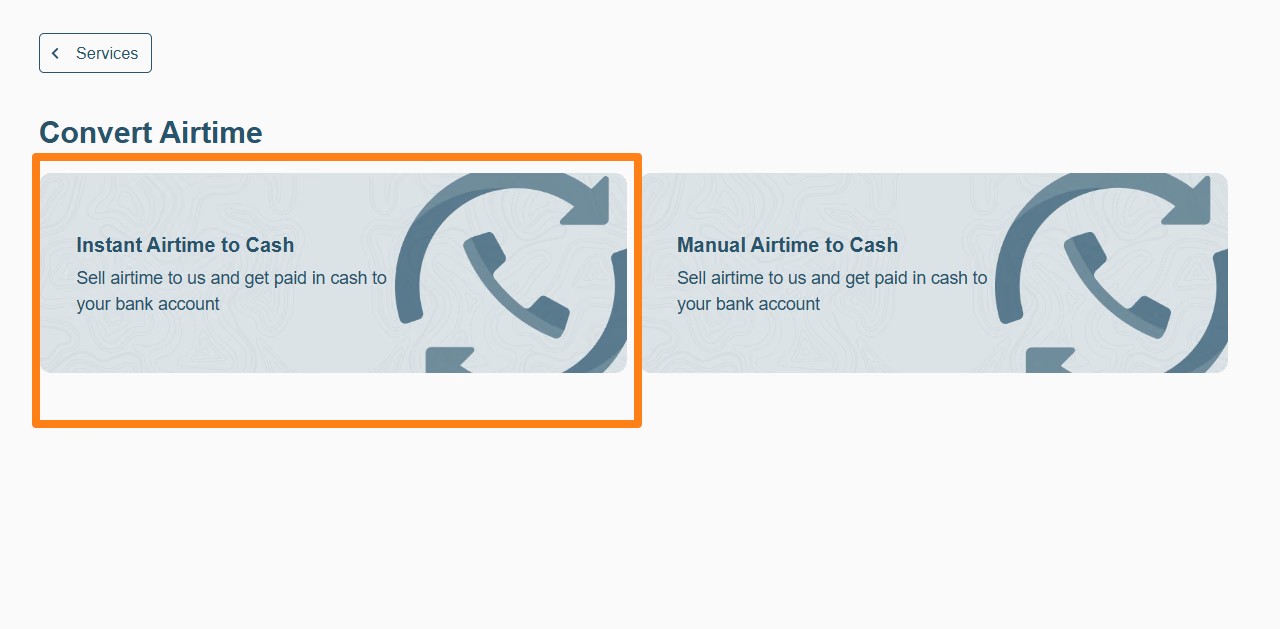
With ‘Instant Airtime to Cash’, airtime is automatically deducted after entering an OTP received, while with ‘Manual Airtime to Cash’, airtime is sent manually to the number provided by AirtimeFlip.
Essentially, Instant Airtime to Cash is automated, while Manual Airtime to Cash is processed manually.
Step 4: Select Network and Enter Phone Number
From the list of networks available, choose your preferred mobile network provider in Nigeria: MTN, AIrtel, Glo or T2mobile (formerly 9mobile). Under it, enter the phone number that has the excess airtime you want to convert or sell to us.
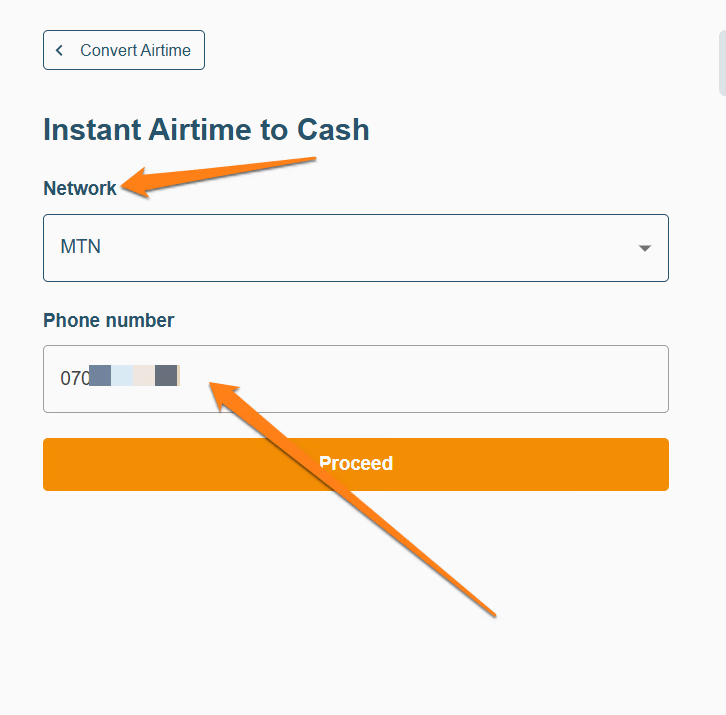
Note: To avoid transaction errors, ensure the phone number is correct and active on a mobile device.
Step 5: Verify with OTP
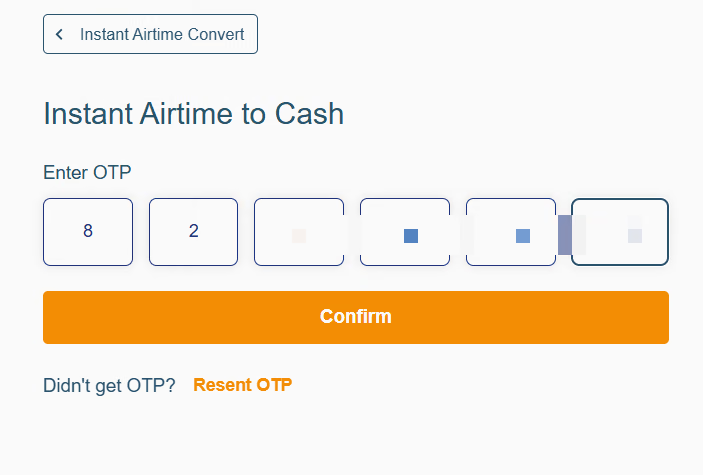
A 6-digit OTP code will be sent to the phone number you provided. It takes about 30 seconds to receive it. If you don’t get an OTP, click the “Resend OTP” button and wait for a new code.
If the problem persists, please reach out to support immediately.
Step 6: Enter Amount and Transfer PIN
Once the OTP code has been entered and confirmed. On your device, enter the amount of airtime you want to sell and provide your network's airtime transfer PIN (Share and Sell PIN).
Learn more about how to set or reset your airtime transfer PIN.
Step 7: Automatic Conversion
Once you’ve entered and confirmed all the necessary details required, your airtime will be automatically deducted from your SIM card, and your AirtimeFlip wallet will be credited instantly with the cash equivalent. You can check the Dashboard to confirm if your balance has been sent.
Step 8: Withdraw Funds
On the Dashboard, click on “Withdraw Funds”. Enter the amount you want to withdraw from your AirtimeFlip’s Wallet.
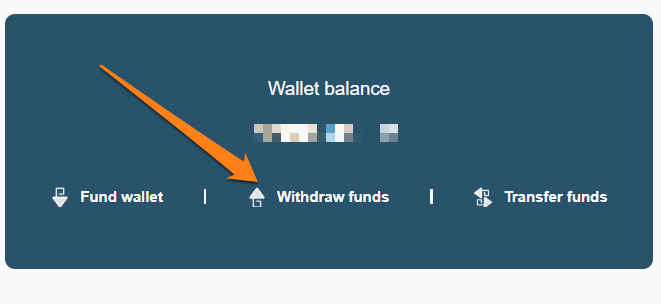
Don't forget to add your bank details so you can withdraw your balance. Make sure the bank account name matches what you have in your AirtimeFlip records to avoid delays.
Note: ₦100 withdrawal charges will be deducted from your account.
That’s it!
Beyond airtime conversion, you can also buy airtime, and data, pay bills,purchase international airtime and data, get eSIMs, top-up airtime in bulk, buy gift cards, fund your betting account, pay electricity bills, renew cable TV and buy WAEC PIN all in one place. Read more about AirtimeFlip.
Need any help? Reach out via our Contact page
Share this guide