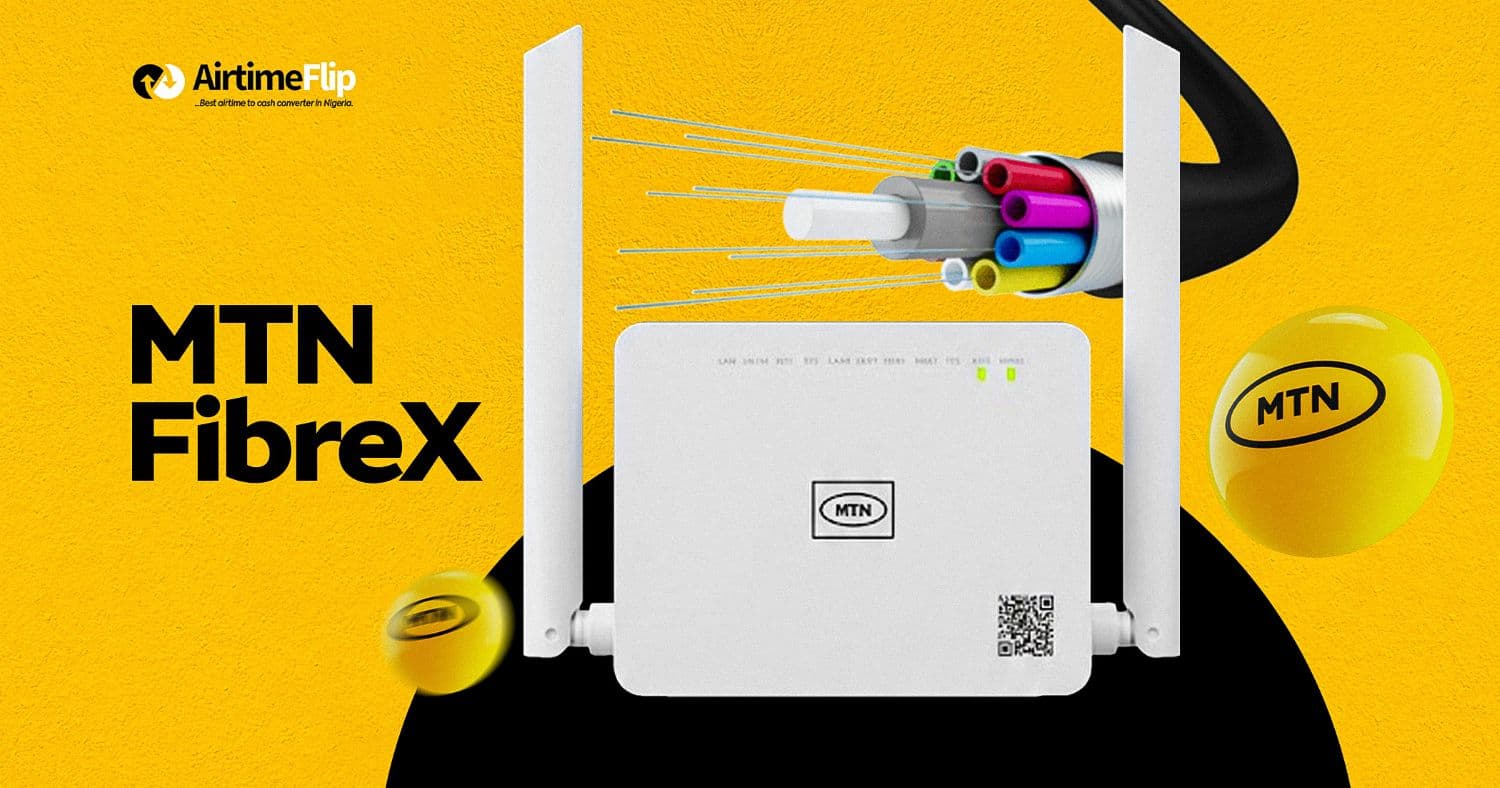
In a time when data gets exhausted faster than expected, and people are looking for ways to avoid wastage, the need for unlimited, fast and consistent internet services in Nigeria has become the one true solution. Among the various unlimited ISPs, MTN FibreX has proven to be reliable. It is designed for those who need stable, high-speed connectivity without the limitations of mobile data networks.
Unlike routers that rely on 4G or 5G signals, FibreX uses fibre-optic cables to deliver internet directly to homes and offices, resulting in consistent speeds and lower latency. The FibreX (formerly referred to as MTN Fibre Broadband) provides unlimited data and dedicated bandwidth that can support multiple devices simultaneously without performance drops.
While the availability is spreading across different states in Nigeria, a lot of users have no idea how to get one or what the requirements are to get one. In this guide, everything about MTN FibreX in Nigeria has been explained. From installation costs, available plans, speed, coverage and how to renew your plan at a discounted price on AirtimeFlip.
What Is MTN FibreX?
The MTN FibreX is a fibre-to-the-home (FTTH) broadband service that delivers high-speed unlimited internet through fibre-optic cables. Designed for both residential and small business use, the performance it offers is much better than what you’ll get from normal mobile data or router device connections. FibreX connections are wired, which allows it to provide stable speed regardless of network congestion or signal strength.
Installation Cost
Getting a FibreX device in Nigeria comes with no cost. As long as your location is among the covered areas for the FibreX, you’ll be able to get one for free. However, there’s a catch, and that’s the cost of activation. The amount you’ll pay is only dependent on the plan selected when applying for a FibreX device.
Plans and Pricing
One of the good parts of MTN FibreX is that there are several unlimited monthly plans based on internet speed. These plans are designed to suit different users and their usage levels.
| Speed | Monthly Price | Validity |
| 50Mbps | ₦25,000 | 30 days |
| 100Mbps | ₦45,000 | 30 days |
| 300Mbps | ₦100,000 | 30 days |
| 1Gbps | ₦200,000 | 30 days |
MTN FibreX Speed Explained
The FibreX speed is available in four different tiers, each best suited for a specific use case. From fast to very fast, here’s a breakdown of each speed tier.
1. 50Mbps
Here’s an ideal plan for light to moderate internet users. It is perfect for streaming HD content on different screens, remote work, casual online gaming, everyday downloads and updates. With this plan, you can comfortably navigate the increased internet consumption rate.
2. 100Mbps
This gives you 2x speed, and it’s suitable for daily heavy internet users. It provides smoother performance, and it’s okay for large file downloads, online gaming with low latency and also perfect for connecting smart home devices.
3. 300Mbps
Larger households, content creators, small offices or anyone who needs a fast internet for 4K streaming on multiple devices, large uploads, high-quality video conferencing, etc. The 300Mbps delivers a fast and stable experience.
4. 1Gbps
Finally, the 1 Gbps speed, which is the ultimate choice for the highest performance level. It allows larger downloads, high-traffic smart homes and offices and even advanced cloud computing tasks.
Coverage & Available Locations in Nigeria
Currently, FibreX is not yet available nationwide. You may have to continue checking its availability in your area on the myMTN app or call their customer support to know.
As of the time this article was written, you’ll find FibreX in the 15 states listed below.
- Lagos
- FCT
- Kano
- Kaduna
- Rivers
- Oyo
- Kwara
- Enugu
- Ogun
- Delta
- Edo
- Anambra
- Cross River
- Akwa Ibom
- Imo
Note: The FibreX network may be available in your state, but still unavailable in your local government area or street. If you are not certain, please contact MTN customer support to know if it is now available at your street.
FibreX Installation Guide
Step 1: Device purchase
There are only two ways to get the MTN FibreX. The first option is to use the official MTN eShop on the web, and the second is to use the MyMTNApp on your Android or iOS device.
Now, let’s discuss how to purchase it if you are a new user.
Using MTN eShop:
To get a FibreX device from the official MTN store, here are the steps required.
- Go to https://shop.mtn.ng/. Under Featured Products, click on the FibreX Base Plan.
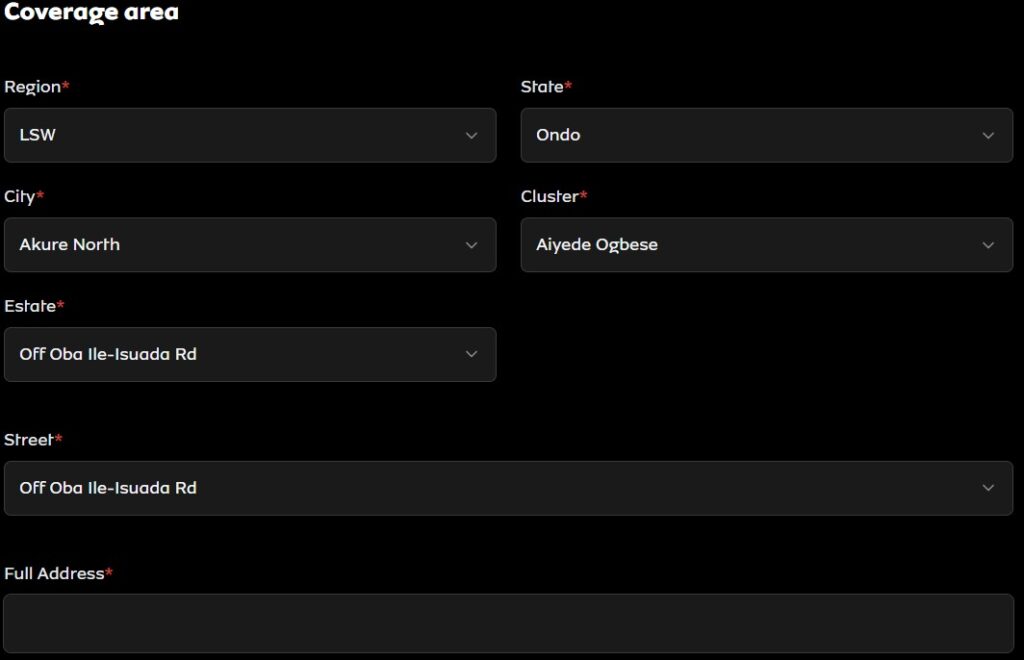
- Under the coverage area, you’ll need to fill in the following details and select available options.
-
- Select Region.
- Then choose your state.
- Choose your City.
- Select the available Cluster.
- After that, you’ll need to select your Estate.
- Enter your full street address as well.
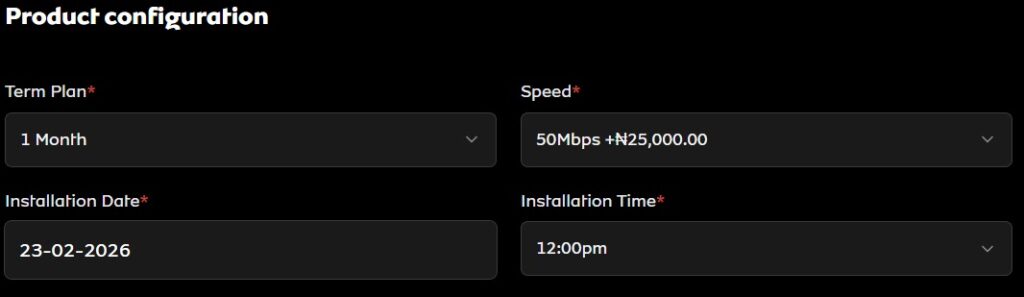
- In this step, you’ll need to choose the configurations you want. As explained earlier about the different speeds, each has different pricing. Under Product Configuration, you should do the following:
-
- Select your preferred Term Plan (which is mostly 1 month).
- Under speed, you can select either of (50Mbps, 100Mbps, 300Mbps, or 1Gbps).
- Choose the installation date that best suits you.
- Then select the installation time.
- The final step is to enter your personal details and verify your NIN (make sure you’re selecting the New FiberX Customer) tab.
-
- Enter your first name, middle name, and last name.
- Provide your working email address.
- Enter your phone number (MTN for fast verification and calls).
- Select the accurate DOB and enter your NIN.
- Once done, click the verify NIN and once valid, you’ll be redirected to checkout. Make payments and wait while you receive an SMS, call or email.
Using MyMTNApp:
Using the MTN app also streamlines the process, and you can do that by following the steps below:
- Launch the MTN app and log in using your registered MTN phone number.
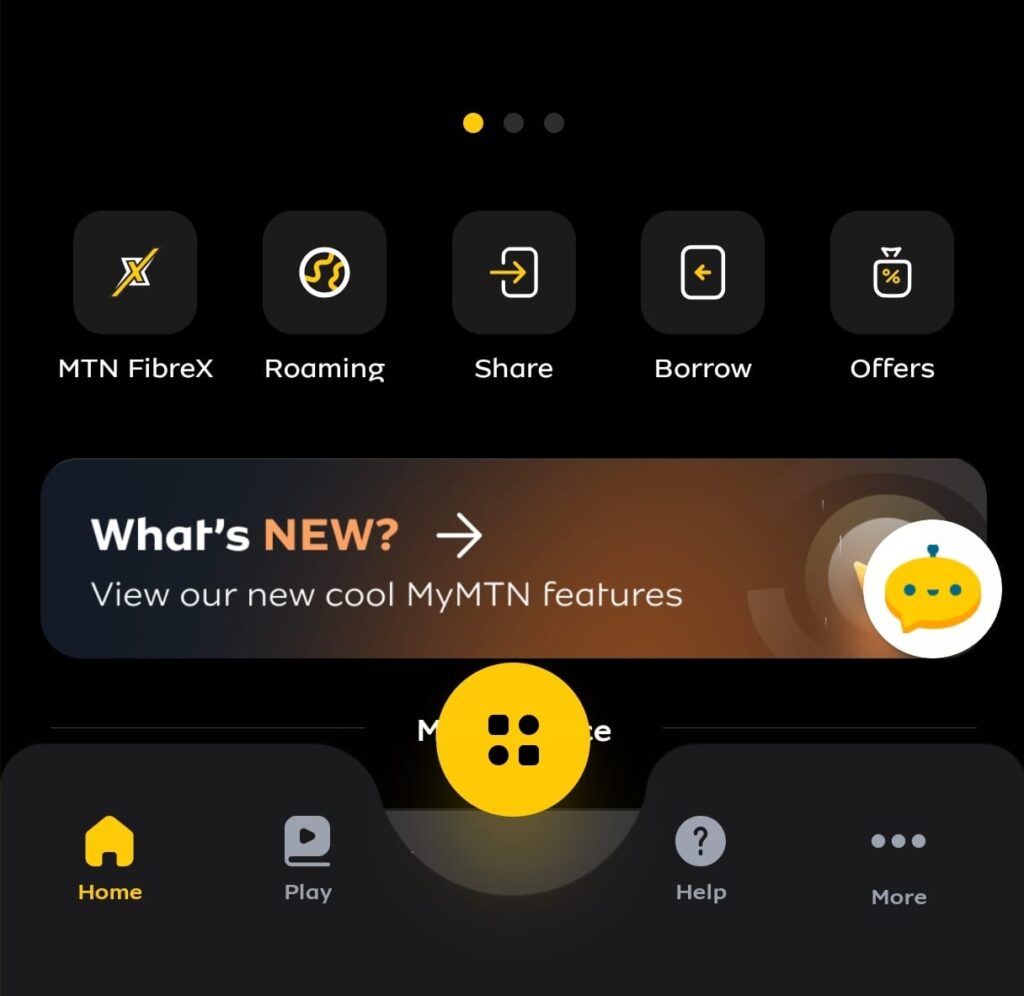
- Click on the MTN FibreX icon and select Purchase a New Device.
- For Existing MTN Customer, do the following:
- Enter your MTN or FiberX Number (if you’re purchasing another one) and click on the Proceed button.
- Your personal information will be displayed. Click on Purchase a new Device.
- Select location, preferred installation date, time and active phone number.
- Click on Continue and wait for a success message that says “Great News! Your area is Fibre Ready.
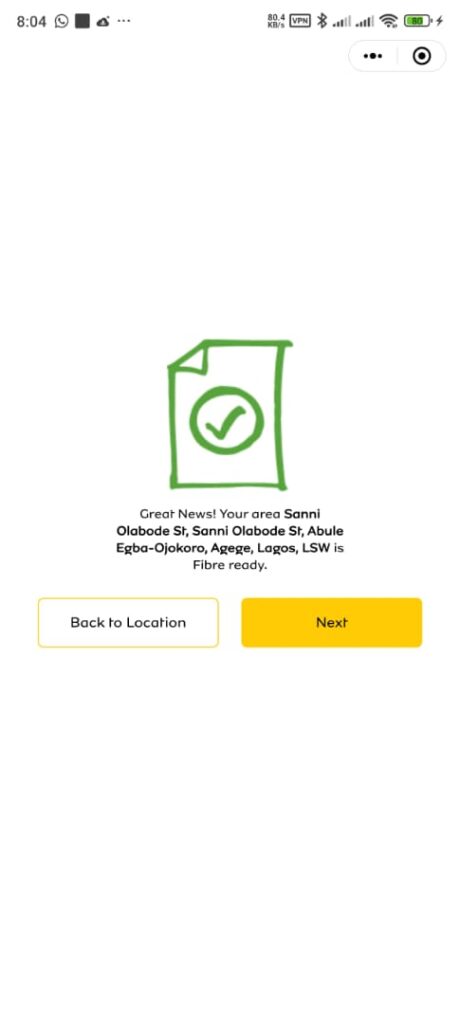
- Press the Next button, select the data plan, make a payment and wait for further notice.
- For New Customers, do the following:
-
- Choose your device (FibreX) and select any of the Unlimited Data plans of your choice.
- Select your Location, State, LGA, Estate, Street, and complete Installation Address, then click continue.
- On the location confirmation page, click on Next.
- Provide your first and last name, phone number, NIN, and choose DOB. Once done, click on the Verify button.
- After verification, make payments based on the plan you selected and wait for further notice.
Step 2: Installation process and what to expect
Getting the FibreX installed typically takes nothing less than 2 days. However, there might be delays depending on your selected location. After your payment or subscription is confirmed, MTN will schedule an installation appointment, and a technician should reach out soon.
As soon as they arrive, they’ll run a fibre cable from the nearest distribution point to your home or office.
Note: You have to be there to guide them on the best way to connect the cable from the pole outside to where you want the FibreX device to be mounted.
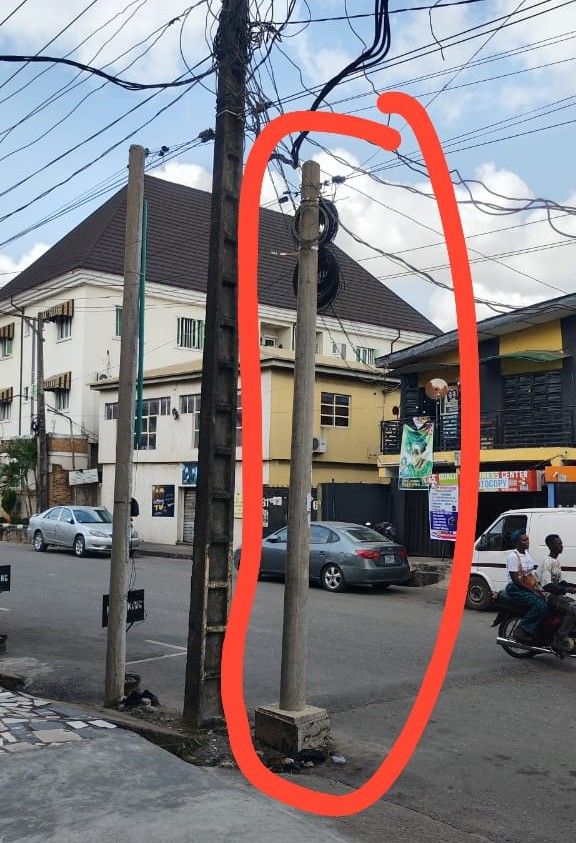
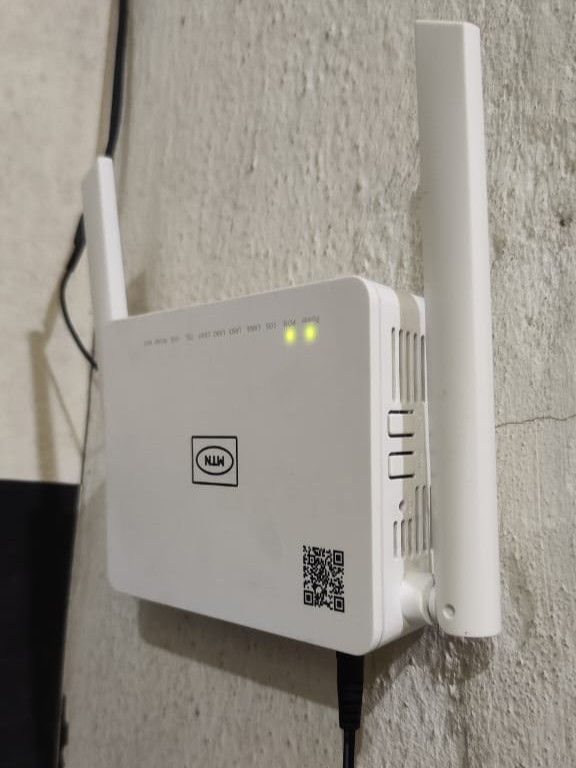
The technician will install the router, configure the network, and test the connection. Everything should start working fine within a couple of minutes, and make sure to confirm that.
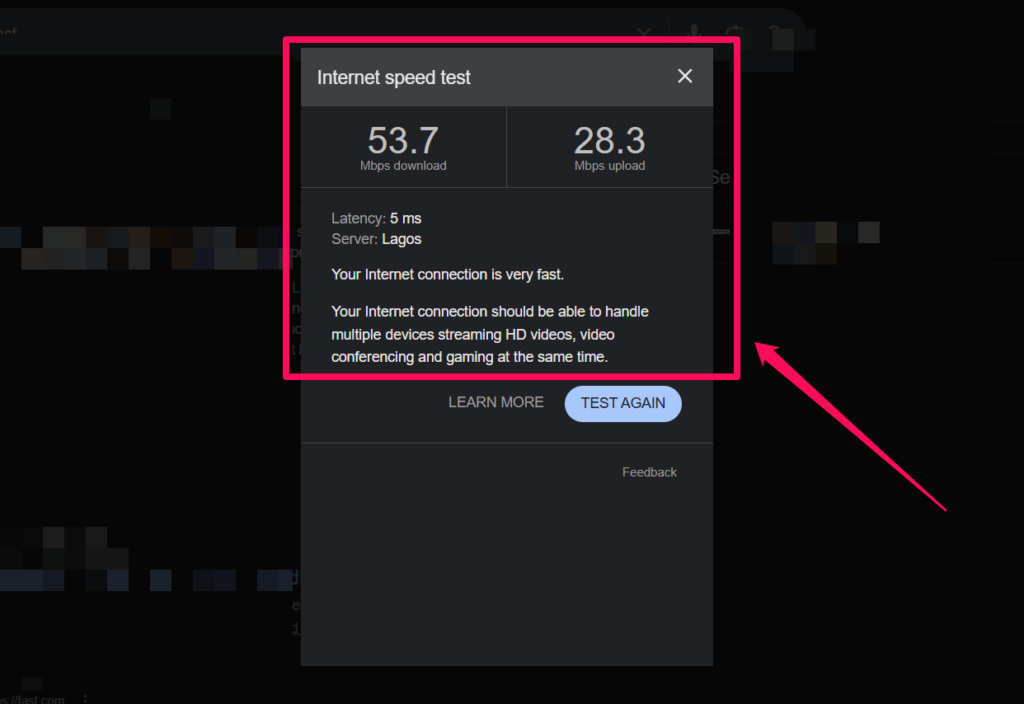
Based on AirtimeFlip’s speed test, here’s how fast MTN FibreX performs:
MTN FibreX delivers impressive performance for both basic browsing and heavy internet activities, with speeds typically ranging from 50 Mbps up to 1 Gbps, depending on your preferred plan. To verify its real-world performance, we conducted a speed test after activating the 50Mbps plan in Surulere, Lagos, and the results clearly showed how fast and stable FibreX can be for everyday use.
How to Renew MTN FibreX Subscription
Renewing the MTN FibreX plan is quite easy. There’s an option to use the MTN App, and an alternative solution using AirtimeFlip. With AirtimeFlip, you’ll get a discount of up to ₦1,000 or more, depending on the plan you’re activating.
Using the MTN App:
To subscribe to FibreX using the MyMTNApp, follow the steps below:
- Download and install the MyMTN App from the Google Play Store or Apple App Store.
- Sign in using your MTN phone number.
- Click on FiberX and select Renew Data Plans.
- Enter your FN ID and click on proceed.
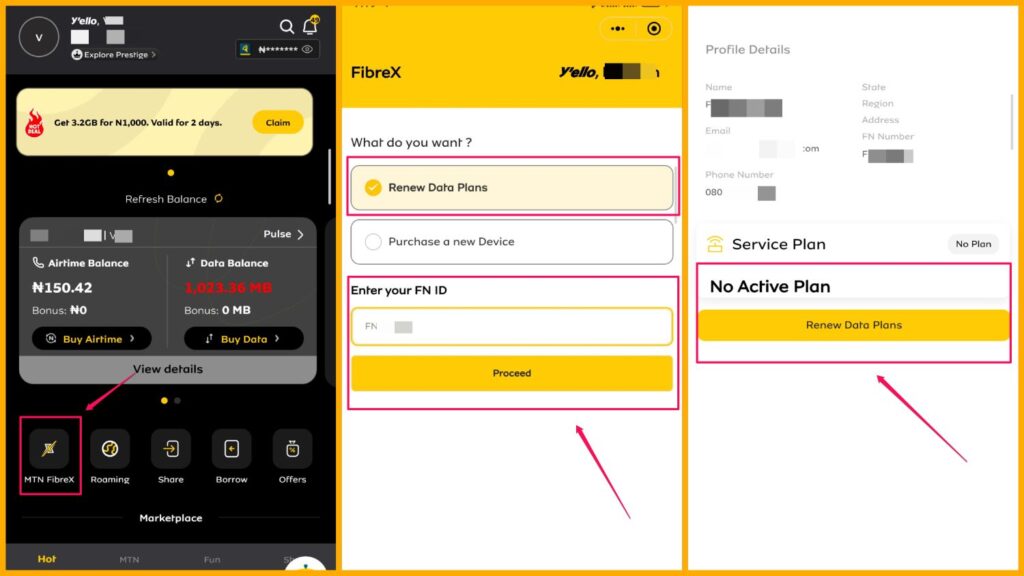
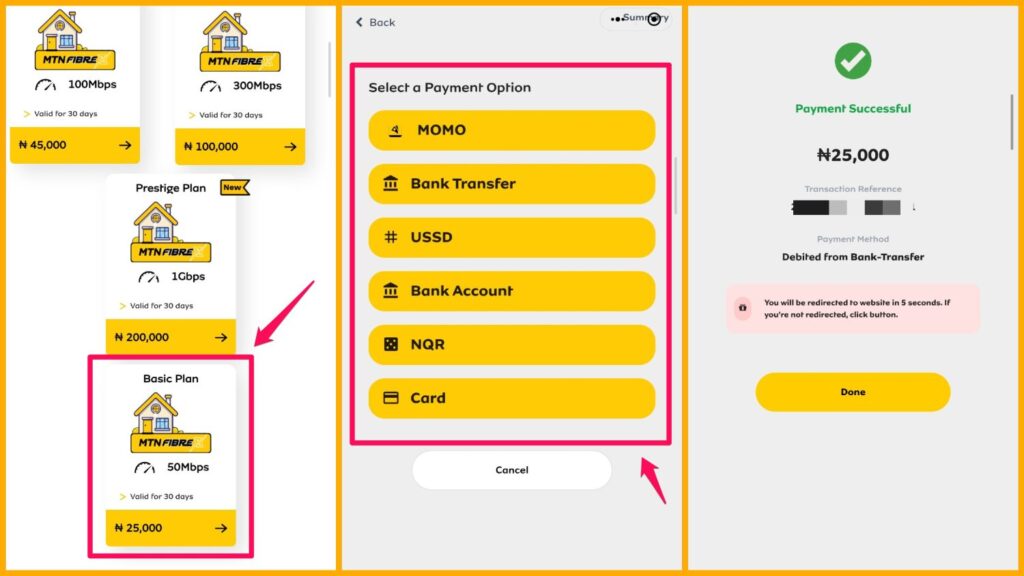
- Select the plan you want to subscribe to and proceed to make payments.
- After successful payment, you’ll receive an instant notification, and your FibreX subscription will be activated.
Using AirtimeFlip:
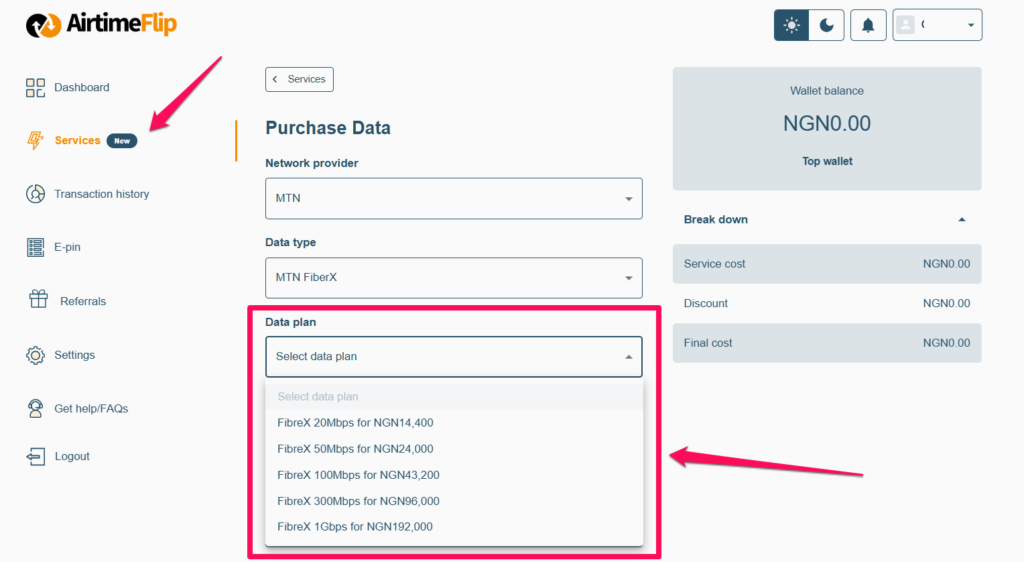
As one of the available services offered by AirtimeFlip, users can subscribe to their preferred FibreX plan on AirtimeFlip, and it’s cheaper. For context, you can activate the 50Mbps plan for ₦24,000 on AirtimeFlip instead of ₦25,000 on the MTN platforms.
- Using the AirtimeFlip website or mobile app (Play Store and App Store).
- Log in using an existing account or create a new account as a new customer.
- Once logged in, you’ll need to Fund Your Wallet. You can fund using a debit card or a direct bank transfer. In addition to those, AirtimeFlip also allows you to sell your airtime for cash or use the cash to pay for any service on the site.
- After funding your account, navigate to Services > Data Purchase.
- Under network provider, choose MTN. Then, for Data Type, choose MTN FibreX.
- Select your preferred data plan, enter your FibreX Phone Number and click purchase. Your wallet balance will be deducted, and your FibreX subscription will get activated right away.
MTN vs. AirtimeFlip – Which is Cheaper?
This is a table showing the price comparison and how much you will be saving when you renew your FibreX plan on AirtimeFlip, instead of on the MTN app or site.
| Plans | MTN Price | AirtimeFlip Price |
| 50Mbps | ₦25,000 | ₦24,000 |
| 100Mbps | ₦45,000 | ₦43,200 |
| 300Mbps | ₦100,000 | ₦96,000 |
| 1Gbps | ₦200,000 | ₦192,000 |
FAQs
How much does MTN FibreX cost per month?
- On average, the lowest FibreX plan costs around ₦25,000, depending on the speed plan selected. Alternatively, AirtimeFlip offers a plan as low as ₦14,400 for 20Mbps.
Is MTN FibreX installation really free?
- Yes, the installation is completely free, and all you’re paying for is the data activation. No additional or hidden fee is charged for the device; simply paying ₦25,000 will get you the router.
How long does the FibreX installation take?
- Depending on your location and the time of the week, installation takes nothing less than 2 or a little more days.
Is MTN FibreX truly unlimited?
- Yes, MTN FibreX is unlimited, and you can browse the internet for as long as you want. No FUP, and your internet stops working only once your subscription has expired!
Can I move FibreX to another house?
- Moving FibreX to another house is only possible if the new location is within FibreX coverage.
Does the MTN FibreX come with UPS?
- No, the router works with direct electricity and doesn’t come with any UPS. Alternatively, you can buy a USB to DC 12V Power Cable and power your router with a power bank.
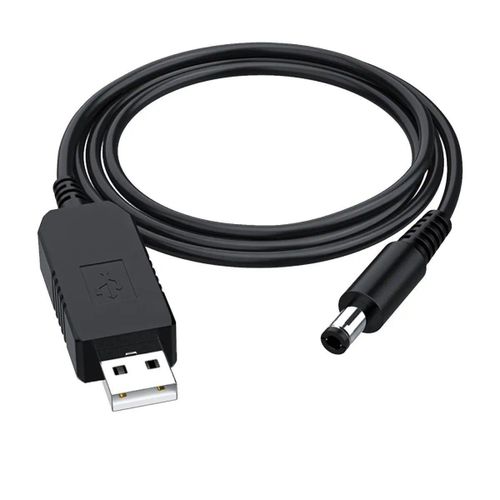
USB to DC 12V Power Cable
Conclusion
MTN FibreX is no doubt one of the most powerful home broadband solutions right now in Nigeria. It delivers true unlimited internet with speed and affordability. You just have to make sure it’s available in your location before trying to get one. Don’t forget that you can save more if you renew your plan on AirtimeFlip.