The Betting Account Top-up service, or popularly called ‘Fund Betting Account’ on AirtimeFlip, provides instant betting account funding for Nigerian bettors using airtime, bank transfer, or other fast payment options. This service is for users who want a fast, reliable way to fund their betting wallets without delays or failed transactions.
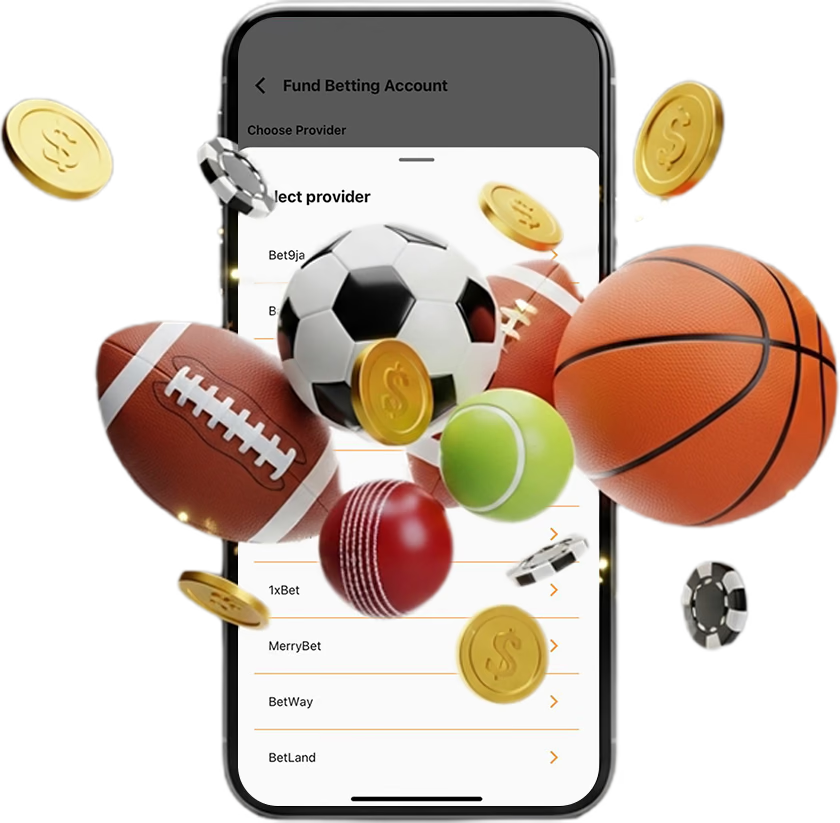
AirtimeFlip supports a quick funding process on mobile and desktop. All you need is to set up an AirtimeFlip account to get started. We've separated the guide to cover multiple use cases. If you're using the web version or the mobile app, skip to your preference.
Let’s jump right in!
On AirtimeFlip Web
To quickly recharge your betting account on web browsers using your PC, here is what you need to do:
Step 1: Get Started
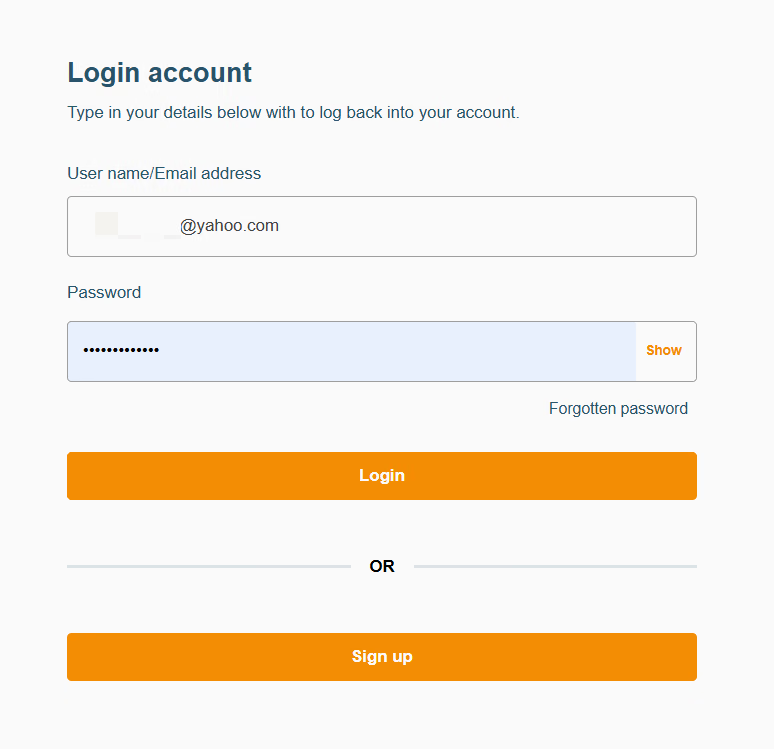
To fund your betting account using our platform, you’ll need to be a registered user. Kindly log in or create an account via the AirtimeFlip Website. Existing users with a verified account should skip to ‘Step 3’.
Step 2: Verify Account
All newly created accounts on AirtimeFlip need to undergo verification. This helps us serve you better. On your Dashboard, check the To-do List and click on “Verify NIN”. Provide your NIN and wait while your account gets verified.
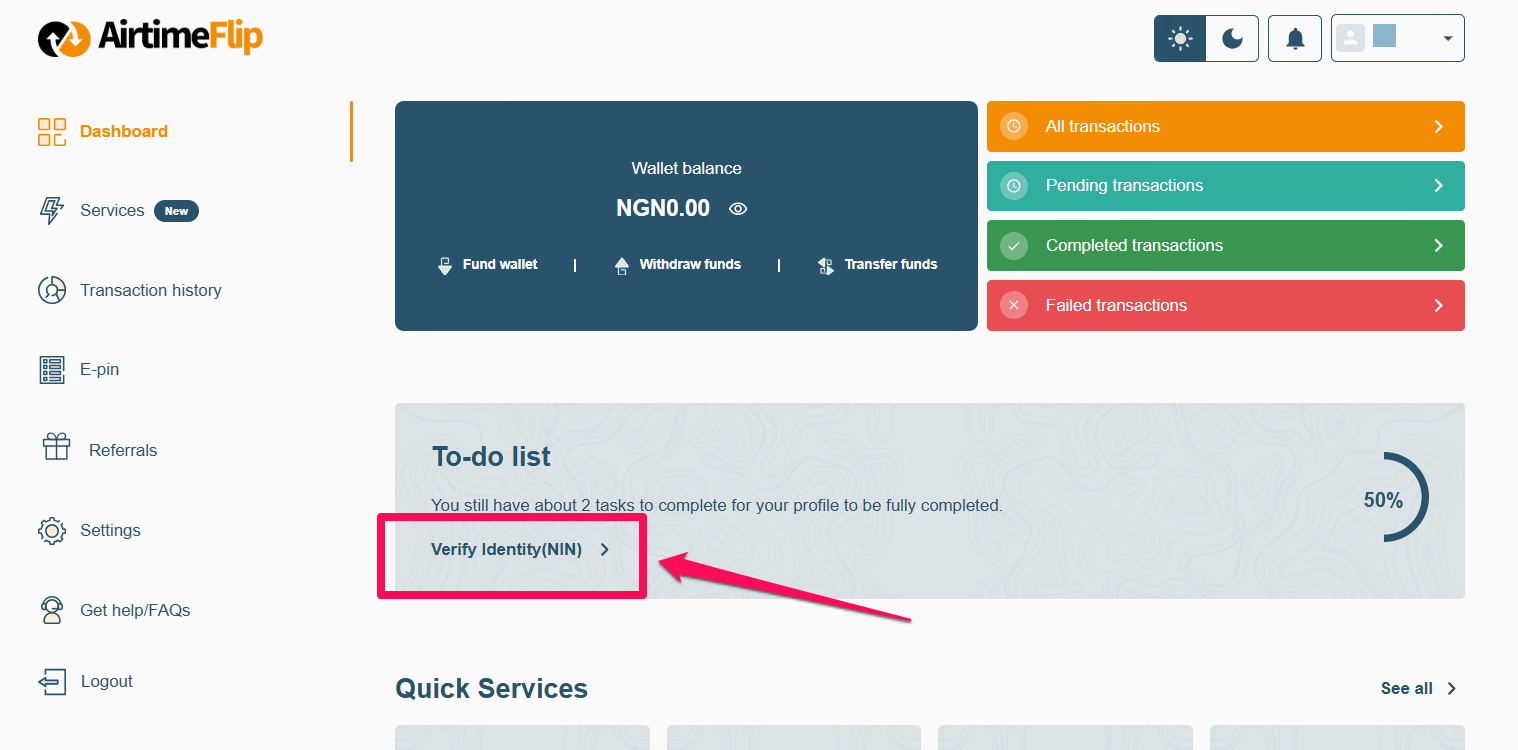
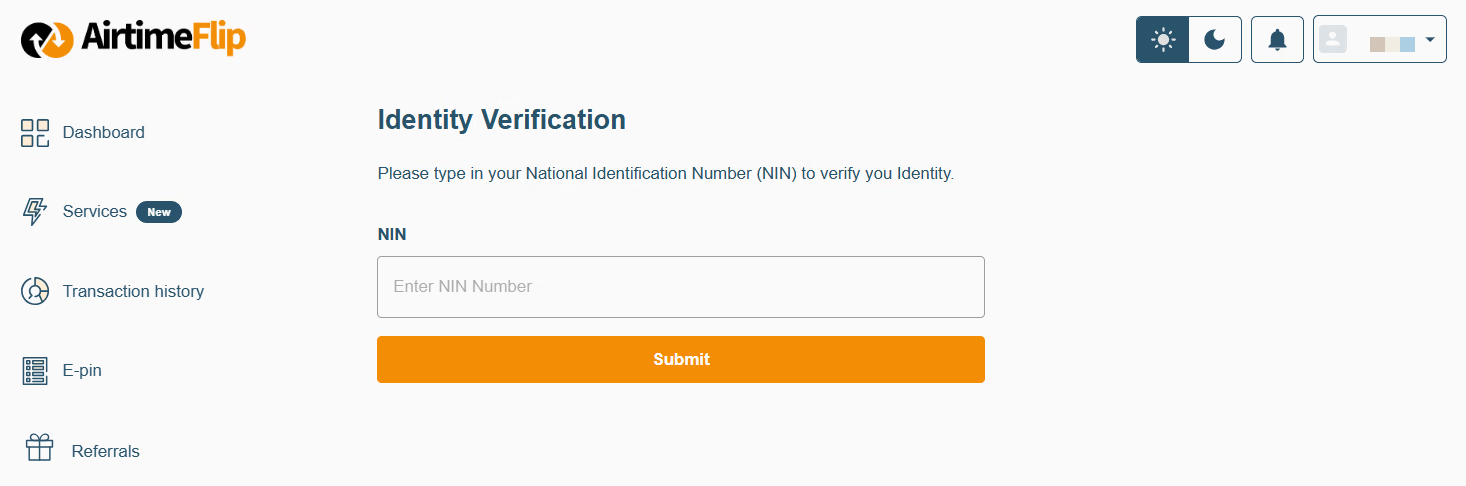
Note that verifying with your NIN upgrades your account to KYC Level 2, which enables you to fund your wallet (as explained in the next step) and complete the betting account funding.
Step 3: Fund AirtimeFlip Wallet
Click the Fund Wallet and select the method you want. You can fund the exact amount you want to load on your betting account. Both the Card and Bank Transfer methods work, and you’ll be credited in less than a minute.
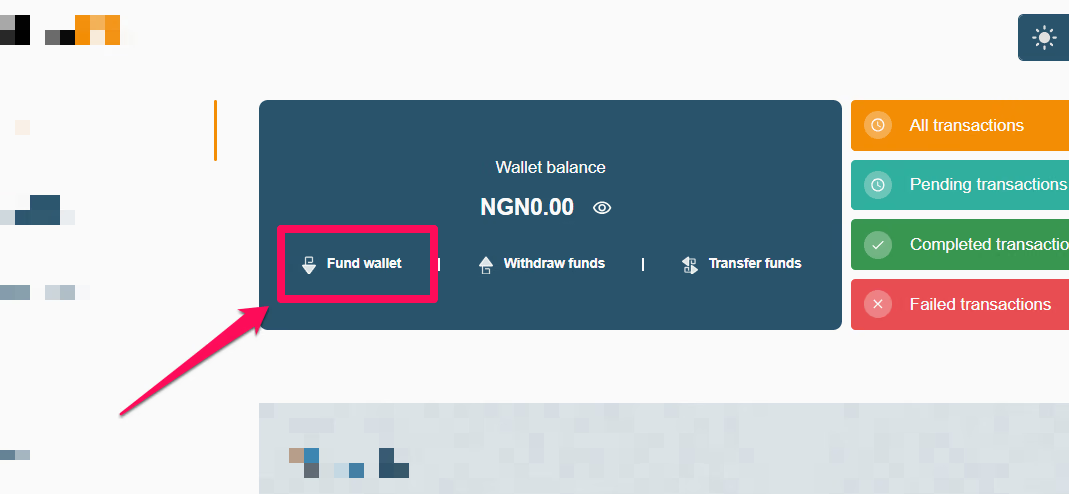
Just a quick reminder to add a little extra for the 1% funding fee, so you have exactly what you need. For example, if you want to deposit ₦10,000 into your betting account, adding an extra ₦100 will cover the fee and ensure the full deposit goes through without issues.
To fund your AirtimeFlip wallet with airtime:
As an alternative to card and bank transfer, you can fund your betting account using airtime. This is an exclusive service we are known for, as you can sell your airtime to us and get the cash deposited into your AirtimeFlip wallet (you can withdraw it into your bank account if you want).
Since you are only concerned about funding your betting wallet with airtime, here is a detailed guide on how to sell your airtime to us and get the equivalent into your AirtimeFlip wallet.
Note: There is a small processing fee for the airtime conversion.
Step 4: Get Your Bet ID
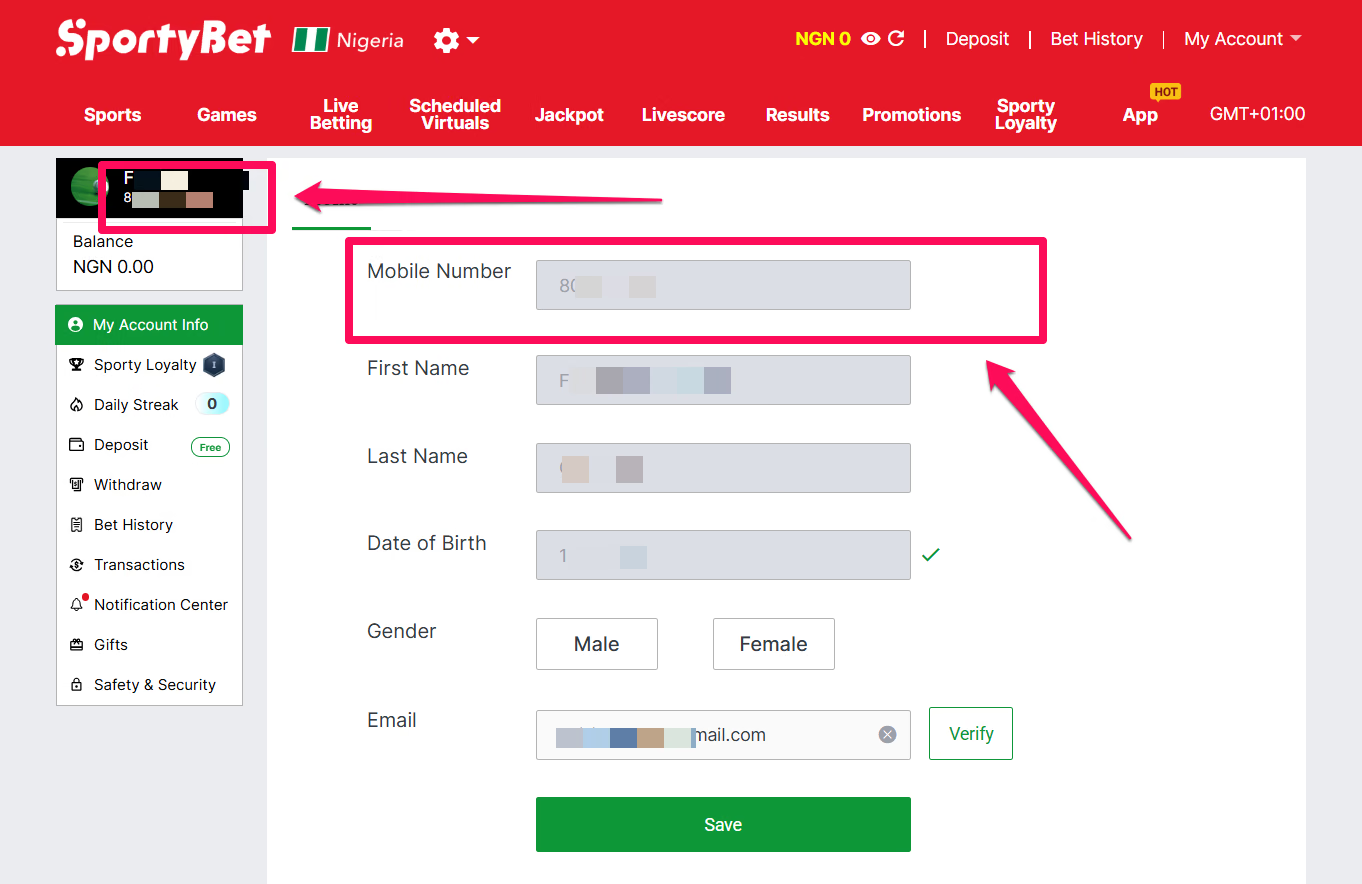
On SportyBet or other betting sites supported by us, keep yourBet ID or Customer ID handy. Usually, on SportyBet, it is the phone number you registered your account with. You will need this Bet ID for the next step.
Step 5: Fund Betting Account
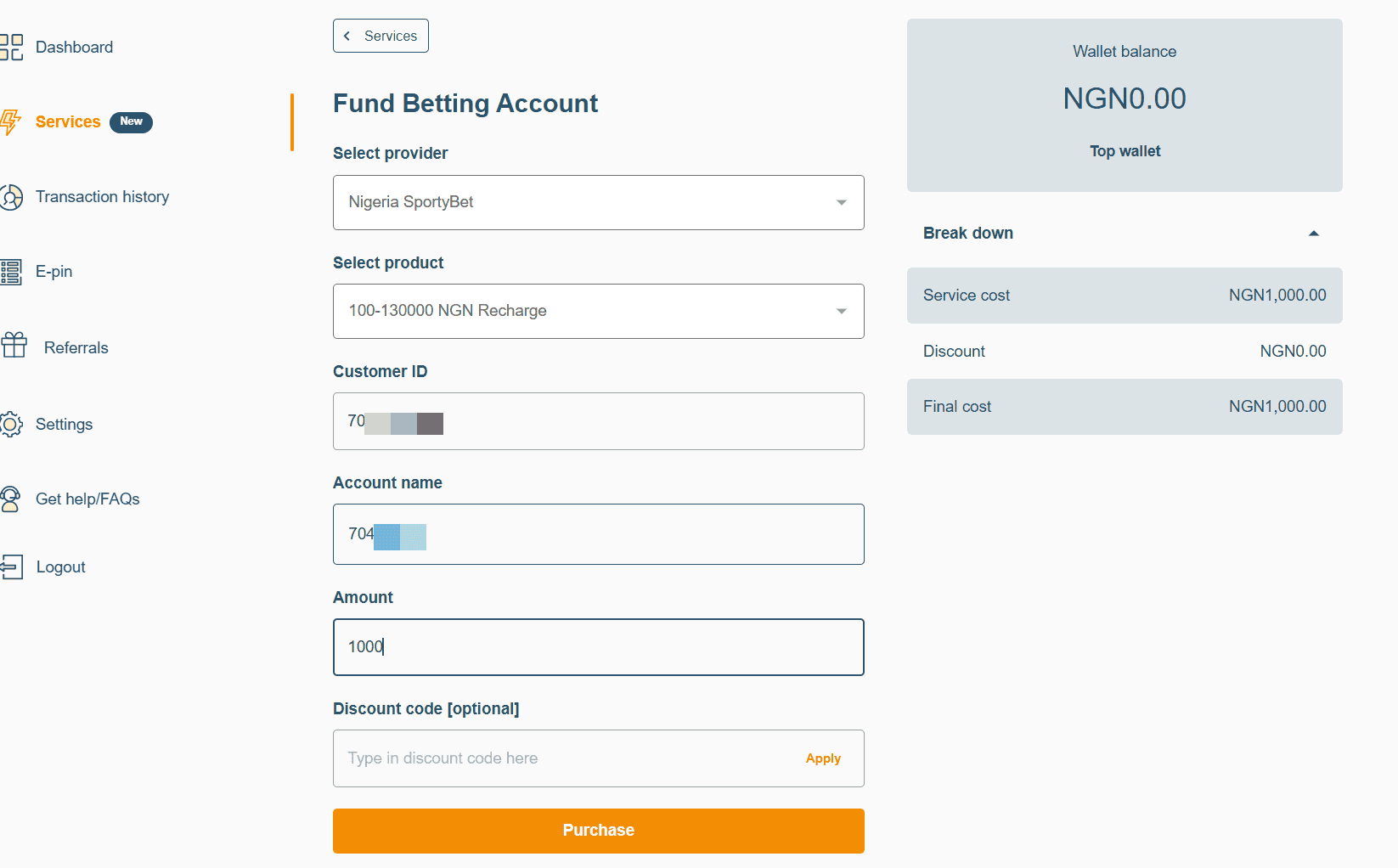
Navigate to ‘Services’ > ‘Fund Betting Account’. On the screen, you’ll need to provide the following as requested.
For example, to fund your SportyBet account:
- Choose Provider > Nigeria SportyBet.
- Select Product > 100-130000 NGN.
- Customer ID > Your SportyBet Phone Number
Click the Validate button and Purchase once your Account Name and Number match.
Step 6: Complete Transaction
Once the Purchase button has been clicked, you’ll need to provide your 4-digit AirtimeFlip transaction PIN. It’ll take a few minutes for your betting account to be updated.
On AirtimeFlip Android & iOS
For mobile device users, here is what you need to do to fund your betting account wallet:
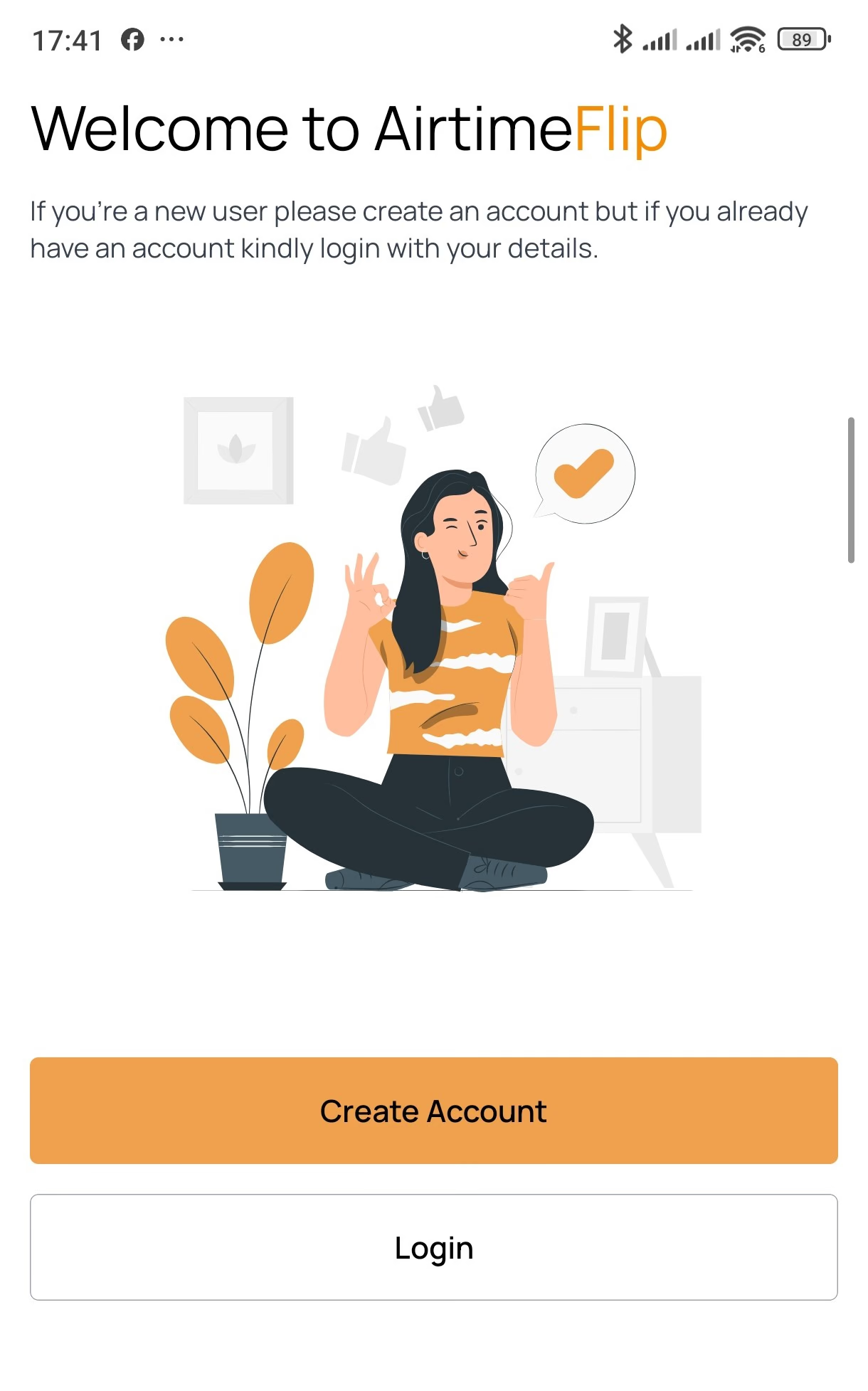
Step 1: Register or Login
To access your AirtimeFlip dashboard, you first have to set up your free account or sign in (if you already have an account with us, skip to 'step 3') through our website on your mobile browser or download our mobile app (Android and iOS) on your preferred mobile device.
Note: Confirm email ownership by clicking the verification link sent to your email.
Step 2: Complete Verification
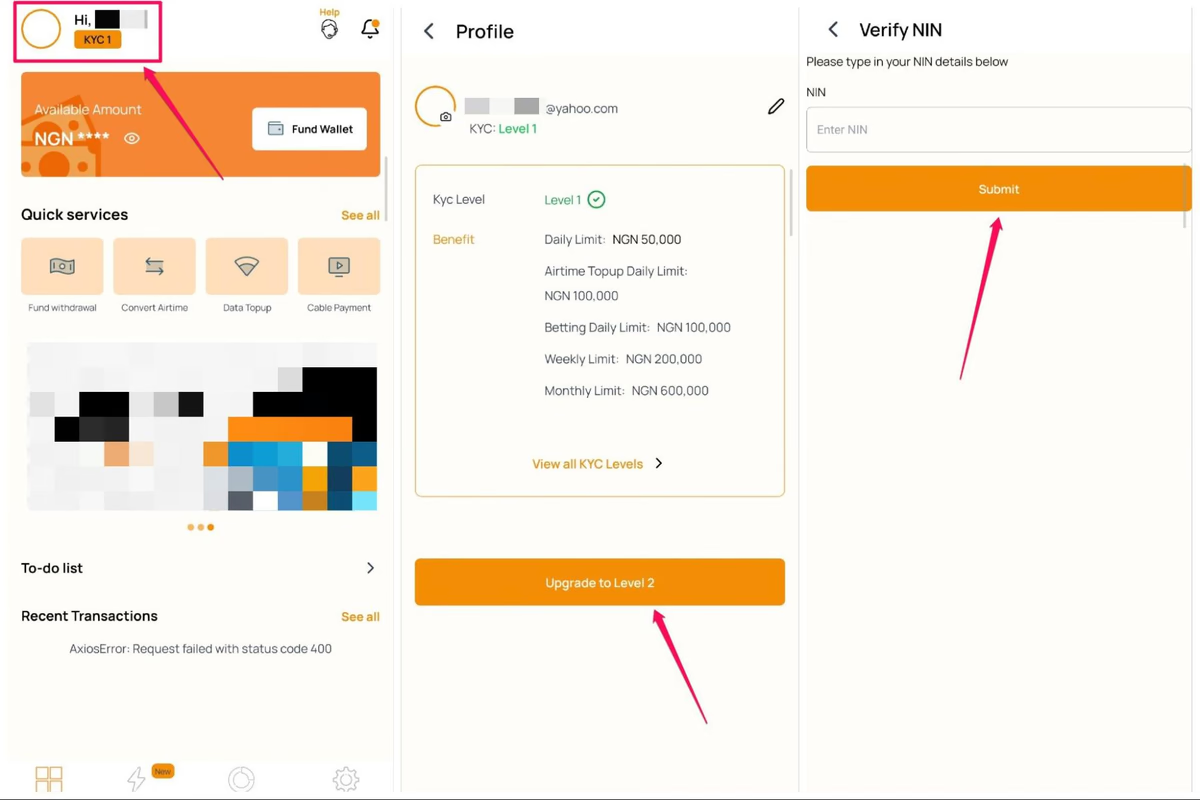
Having a newly created account on AirtimeFlip requires NIN verification to upgrade your account to KYC Level 2.
To upgrade to KYC Level 2:
- Tap your profile icon in the top-left corner of the app.
- Select the upgrade option, click the orange button.
- Enter and submit your National Identification Number (NIN). Your account will be upgraded immediately following verification.
Note: Verification is mandatory before you can make any transactions on AirtimeFlip.
Step 3: Fund AirtimeFlip Wallet
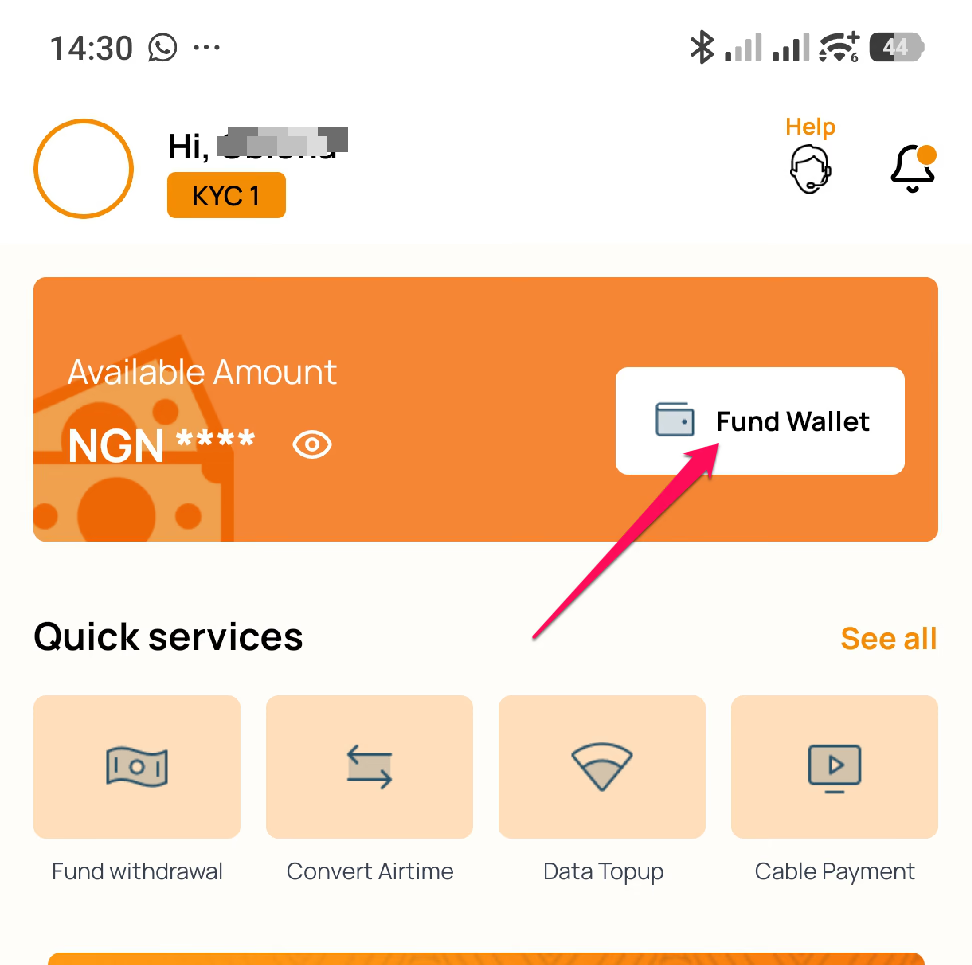
Before funding your bet account, you'll first need to add money to your AirtimeFlip account. Click on ‘Fund Wallet’ on the dashboard. Choose your preferred method and fund the amount you want to add to your SportyBet, Bet9ja account, etc.
Add a little extra for the 1% funding fee, so you have exactly what you need to renew. For example, if you want to deposit ₦10,000 to your betting account, adding an extra ₦100 will cover the fee and ensure your full bet wallet funding goes through.
Step 4: Get Your Bet ID
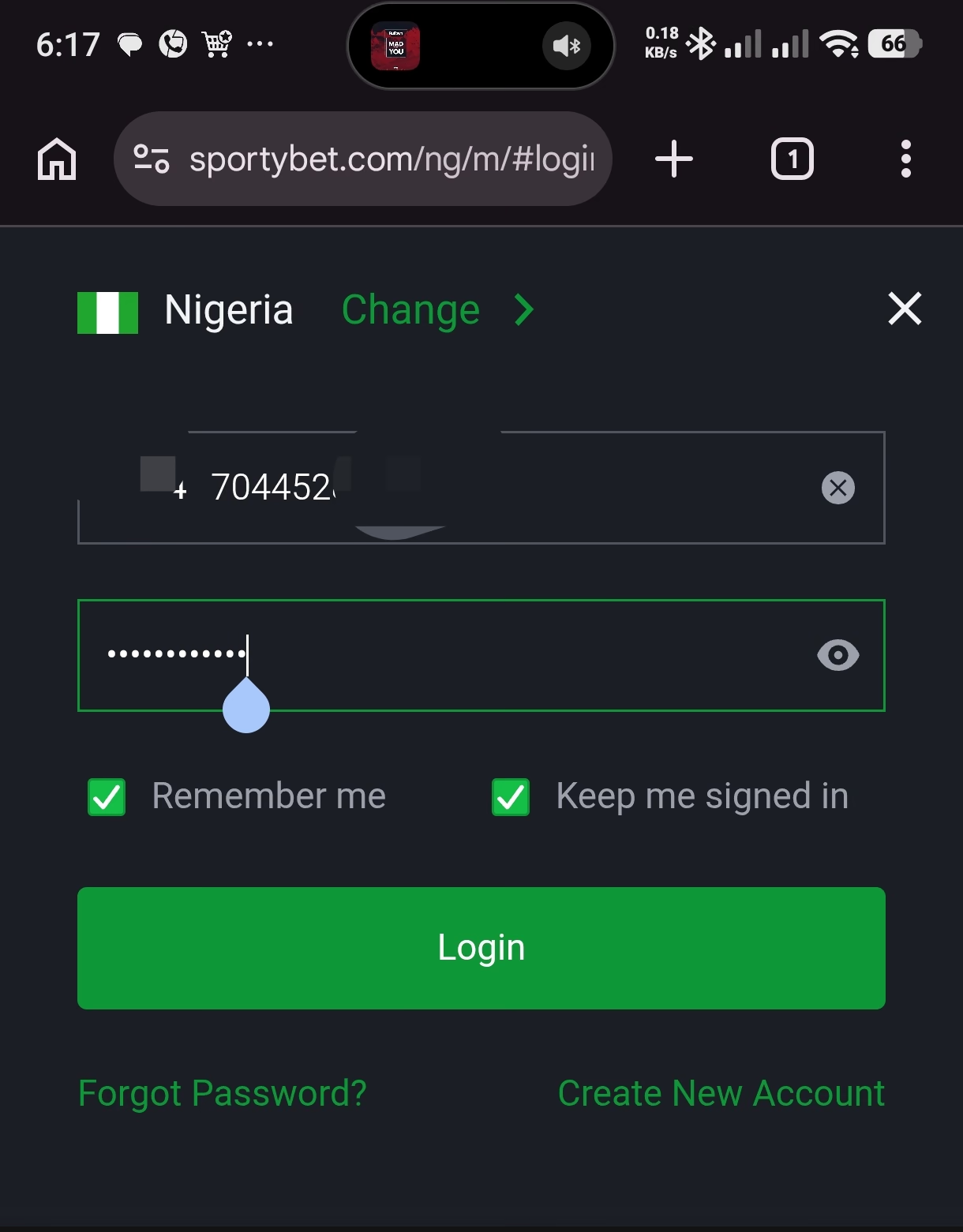
On SportyBet, your Bet ID or Customer ID is the phone number you registered your SportyBet account with. If you don’t have one, make sure to bind a phone number, then proceed to the next step.
Note: Only SportyBet funding is available on AirtimeFlip at the moment!
Step 5: Fund Betting Account
Click the ‘Services Menu’ from the AirtimeFlip app. Then scroll down to where you’ll see Betting. Click on it and do the following.
- Choose Provider > Nigeria SportyBet.
- Select Product > 100-130000 NGN.
- Customer ID > Your SportyBet Phone Number
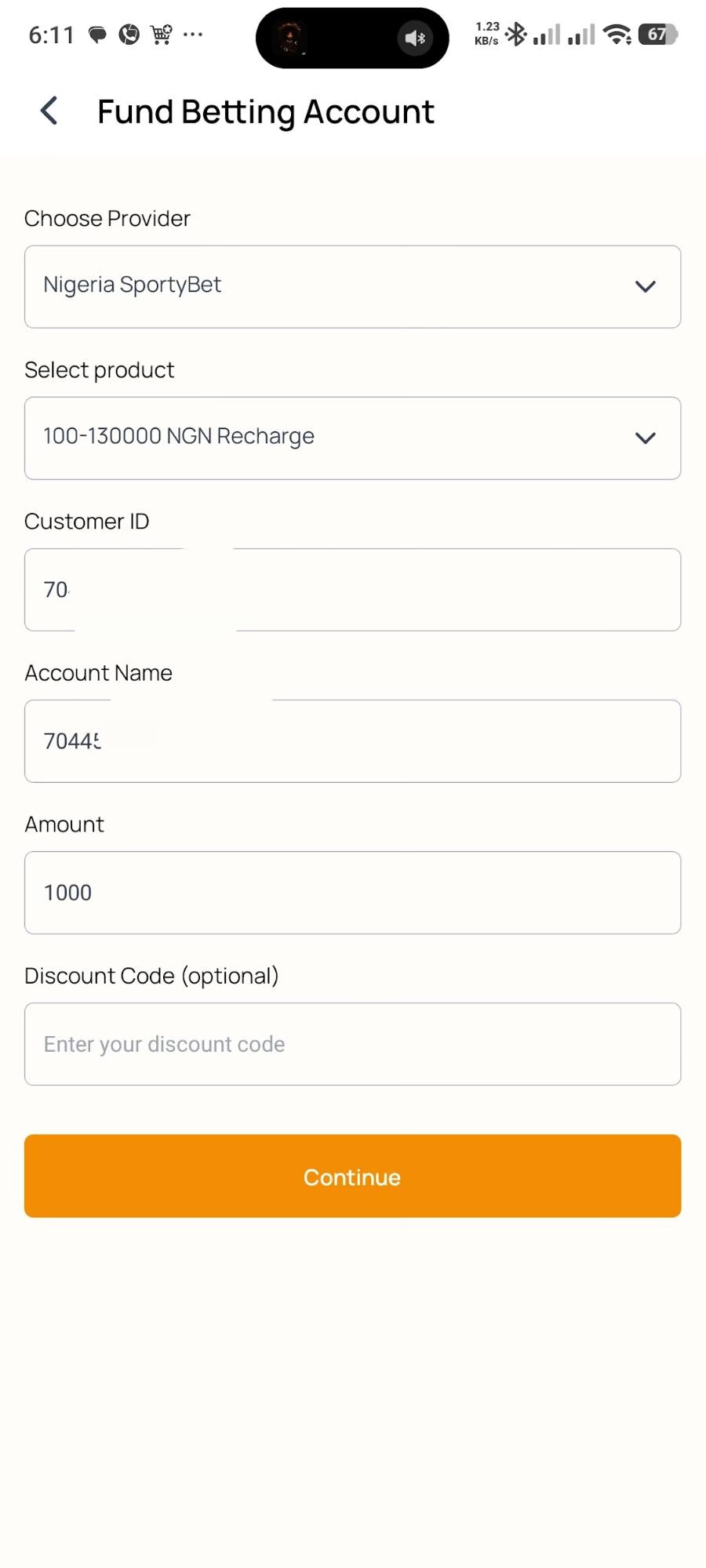
After that, click on the Validate button till it shows your Account Name (same phone number). Enter the amount you want to deposit and click the Continue button.
Step 6: Confirm Transaction
You’ll need to validate your details before making payments. Check if the provided Customer Name and Account ID are correct. Once confirmed, click the Continue button and provide your 4-digit AirtimeFlip transaction PIN.
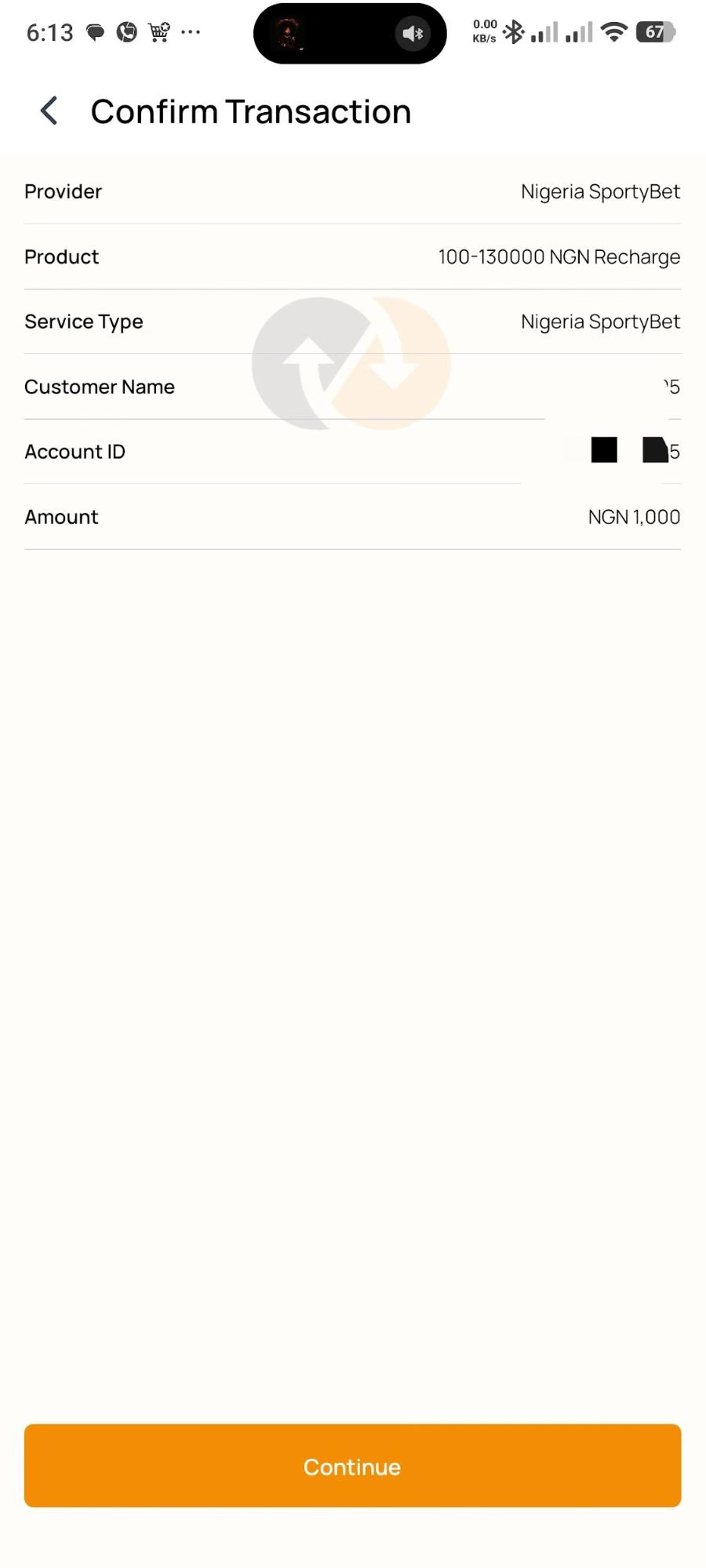
That’s all on funding your betting accounts online. Go to your betting account and refresh your balance; you should see the new and updated balance right away.
Beyond funding betting accounts, AirtimeFlip is your all-in-one platform to convert airtime to cash, top-up airtime in bulk, top-up international airtime and data, buy data, buy airtime, and purchase eSIMs or gift cards. You can also seamlessly settle everyday bills, from electricity, cable TV renewals and WAEC PIN purchases. Read more about AirtimeFlip.
Need any help? Reach out via our Contact page
Share this guide