International Airtime and Data Explained (Full Guide)
Last Reviewed Date: 28/5/2026
One of the important benefits of our international airtime and data top-up service is that it enables recharging mobile numbers outside Nigeria. This way, you won’t need physical recharge cards or local payment methods from another country.
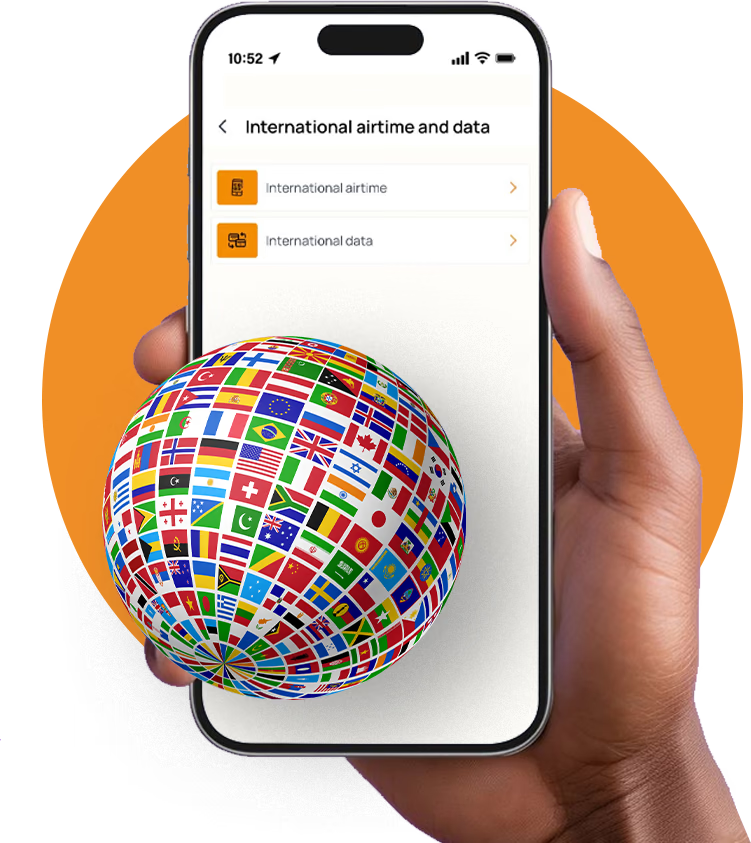
Instead of asking friends or relatives abroad to recharge their lines manually, you can complete everything directly from Nigeria within minutes. With AirtimeFlip, you’ll get one of the simplest ways to buy international airtime and mobile data for supported countries and networks.
This works best for individuals and businesses who want a fast, reliable way to stay connected with friends, family, or teams abroad.
What Is International Airtime and Data?
In a nutshell, International Airtime and Data allows you to send airtime and mobile data to phone numbers outside Nigeria instantly. Think of it as buying airtime or data online for an MTN number in Ghana, while in Nigeria.
For example, someone in Nigeria can recharge a phone number in the following countries:
- Africa: Ghana, Kenya, South Africa, Egypt, Benin, Cameroon, and more.
- Europe: UK, Germany, France, Italy, Spain, Netherlands, etc.
- Americas: US, Canada, Brazil, Mexico, Jamaica, and others.
- Asia & Middle East: India, China, UAE, Qatar, Saudi Arabia, and many more.
Difference Between International Airtime and Data
While both services do involve recharging foreign numbers, they work differently, and here’s a simple breakdown.
International Data
International data, on the other hand, is used for internet browsing, accessing social media, streaming content online and a lot more. Recipients get internet data allocation instead of credit.
International Airtime
It is mainly used for calls, SMS, and basic telecom balance. The person who receives them will use the airtime balance based on their network provider's rates.
How to Buy International Airtime and Data on AirtimeFlip
You can quickly make international airtime and data recharge on AirtimeFlip, and it is instant. The guide works perfectly for all AirtimeFlip users using Android, iOS and Web.
Step 1: Get Started
The first thing you need to do is log in to your AirtimeFlip account or register if you don’t have one. Visit the AirtimeFlip Website, Android or iOS, and click on either ‘Login’ or ‘Create Account’.
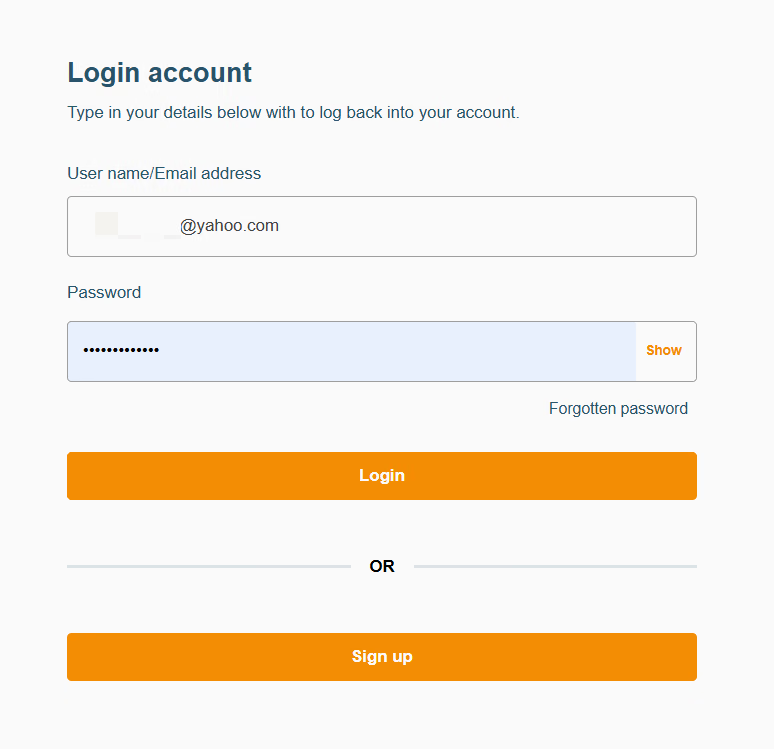
For new users, you’ll need to provide a username, email address, phone number, and password. Once your registration is completed, verify your email via the verification link sent to your inbox.
Step 2: Verify Account
After registration, any new AirtimeFlip account must undergo identity verification to upgrade the account to KYC Level 2. This is important if you want to pay for our array of services via the wallet feature.
On the AirtimeFlip user dashboard, go to the ‘To-do List’ > Click on ‘Verify Identity’. Then provide your NIN to complete the process.
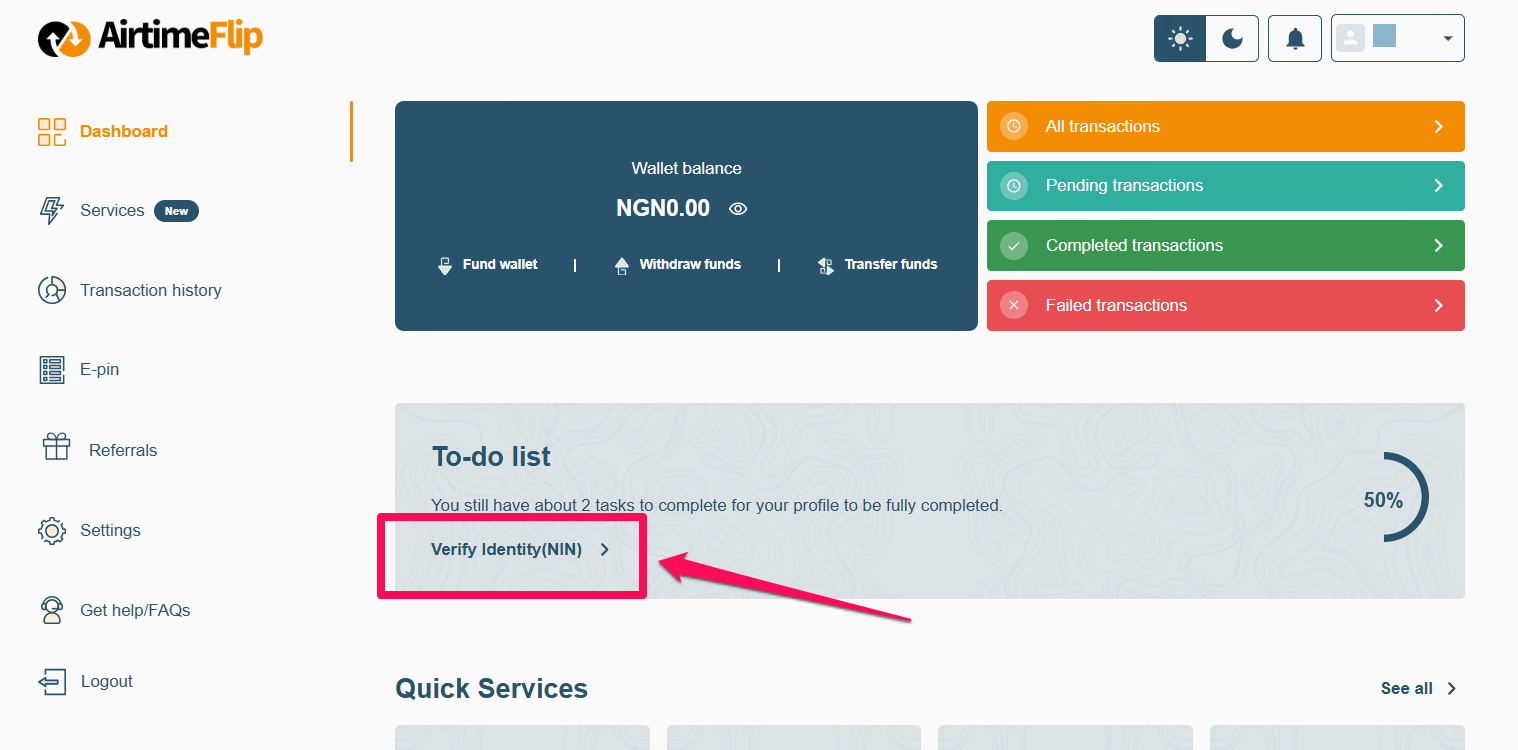
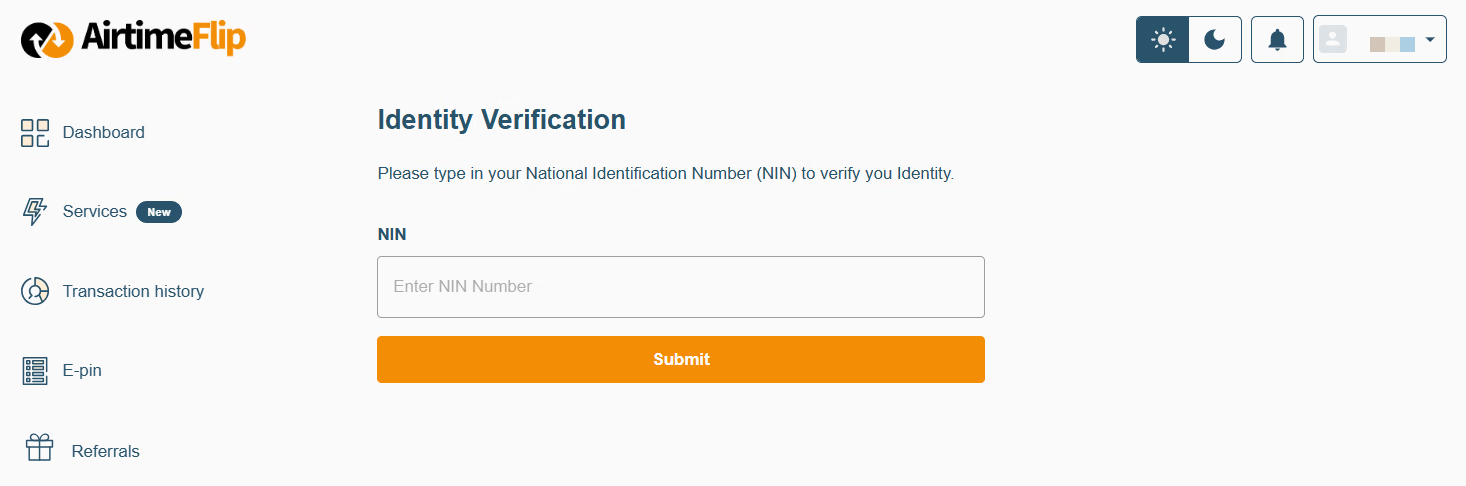
Note: Existing users with a verified account should skip to Step 3.
Step 3: Fund Wallet
Next, add balance to your wallet. It can be the exact amount for the airtime or data you want to buy, or higher. Also, include a 1% wallet funding fee when sending money for airtime or data into your wallet balance. For example, if you want to buy data/airtime that costs ₦5,000, adding an extra ₦50 will cover the fee and ensure a successful purchase.
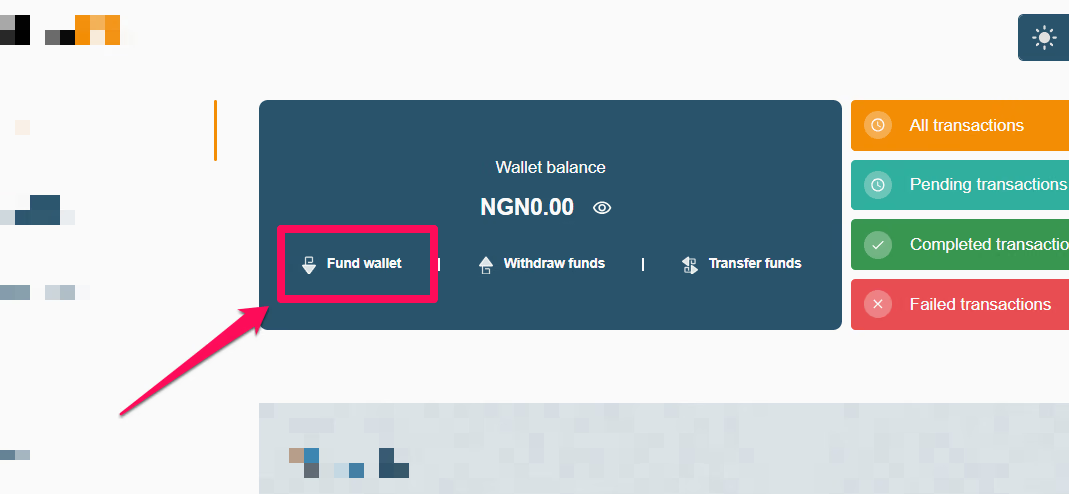
Using web: Go to your dashboard > click ‘Fund Wallet’ > choose your preferred payment method (bank transfer or card), and complete the payment
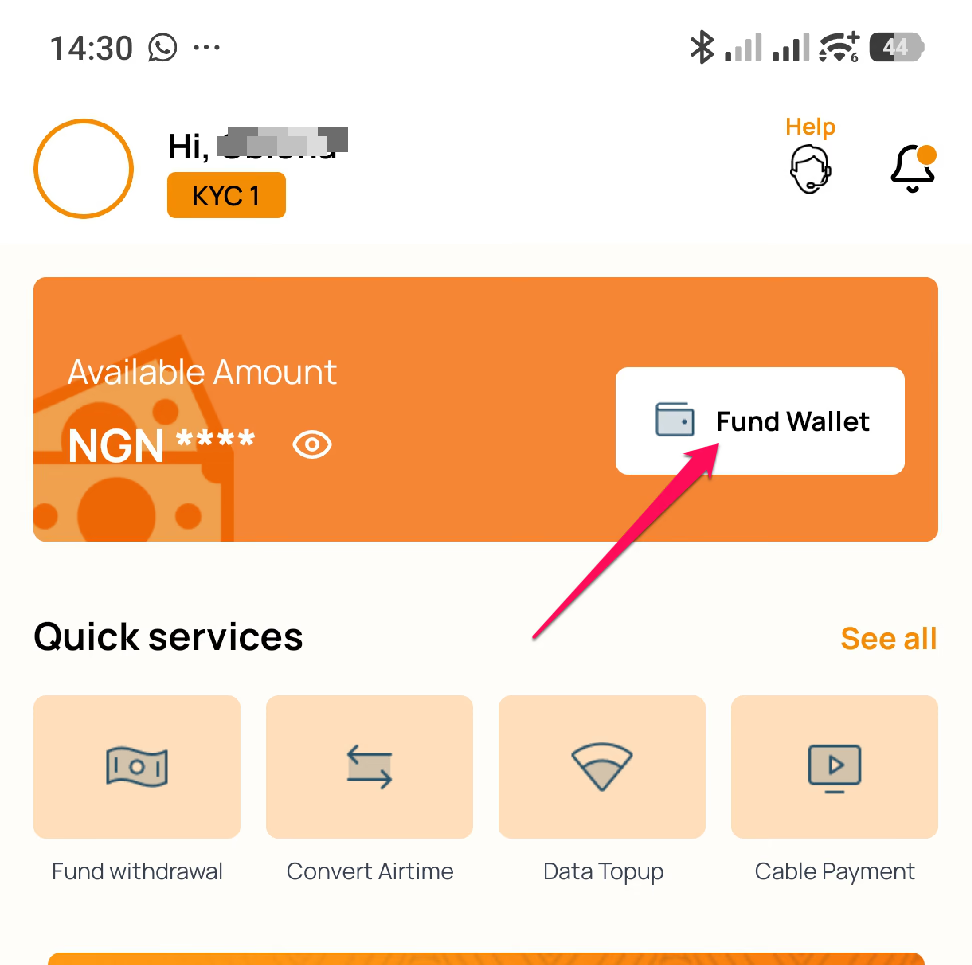
Using the mobile app: Click on the ‘Fund Wallet’ button and use either the ‘Fund With Bank’ or ‘Fund With Card’ options.
Kindly explore a guide that explains the wallet funding feature in detail.
Step 4:Go to International Airtime and Data
On the AirtimeFlip web, go to ‘Services’ > ‘International Airtime and Data’. Select between ‘International Airtime’ or ‘International Data’.
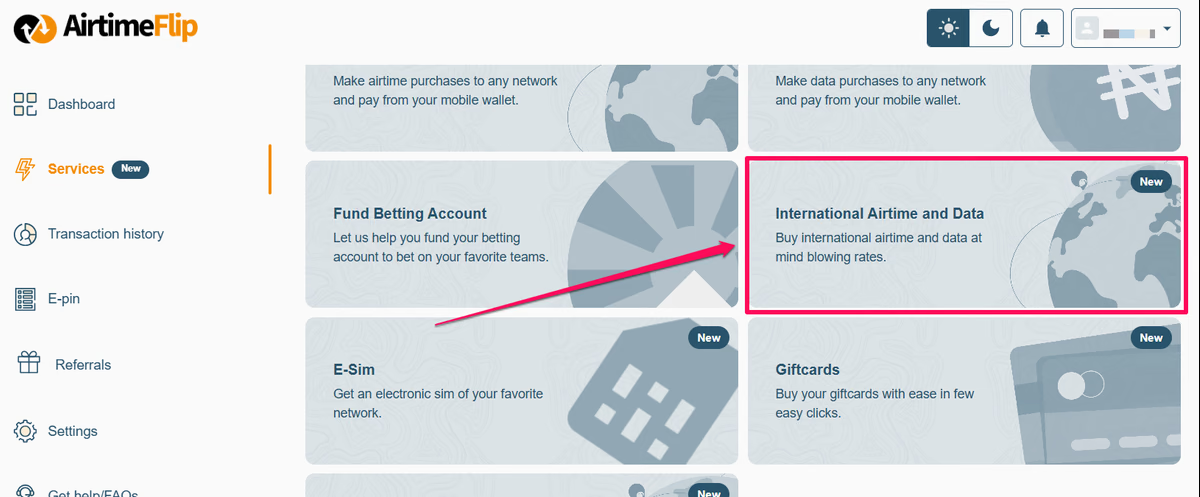
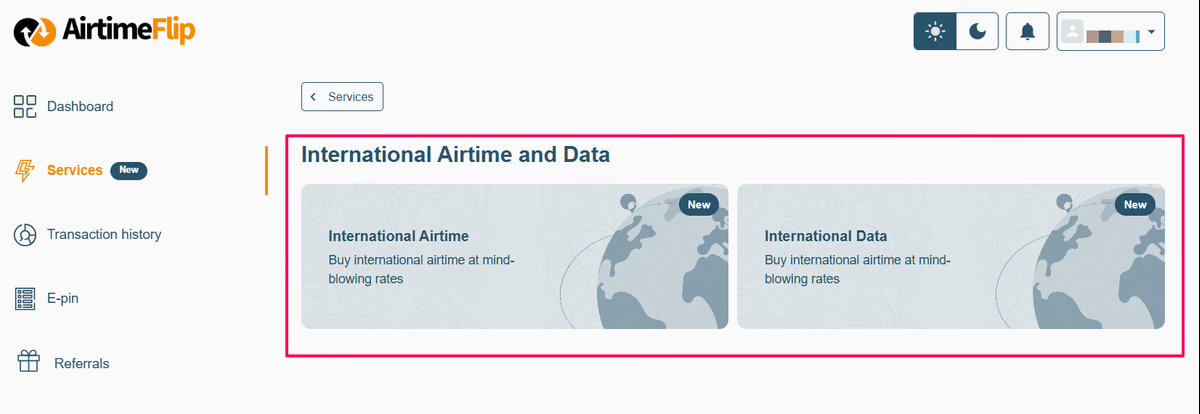
If you are using our mobile app, navigate to ‘Services’ on the bottom panel of your AirtimeFlip app, then select between ‘International Airtime’ or ‘International Data’.
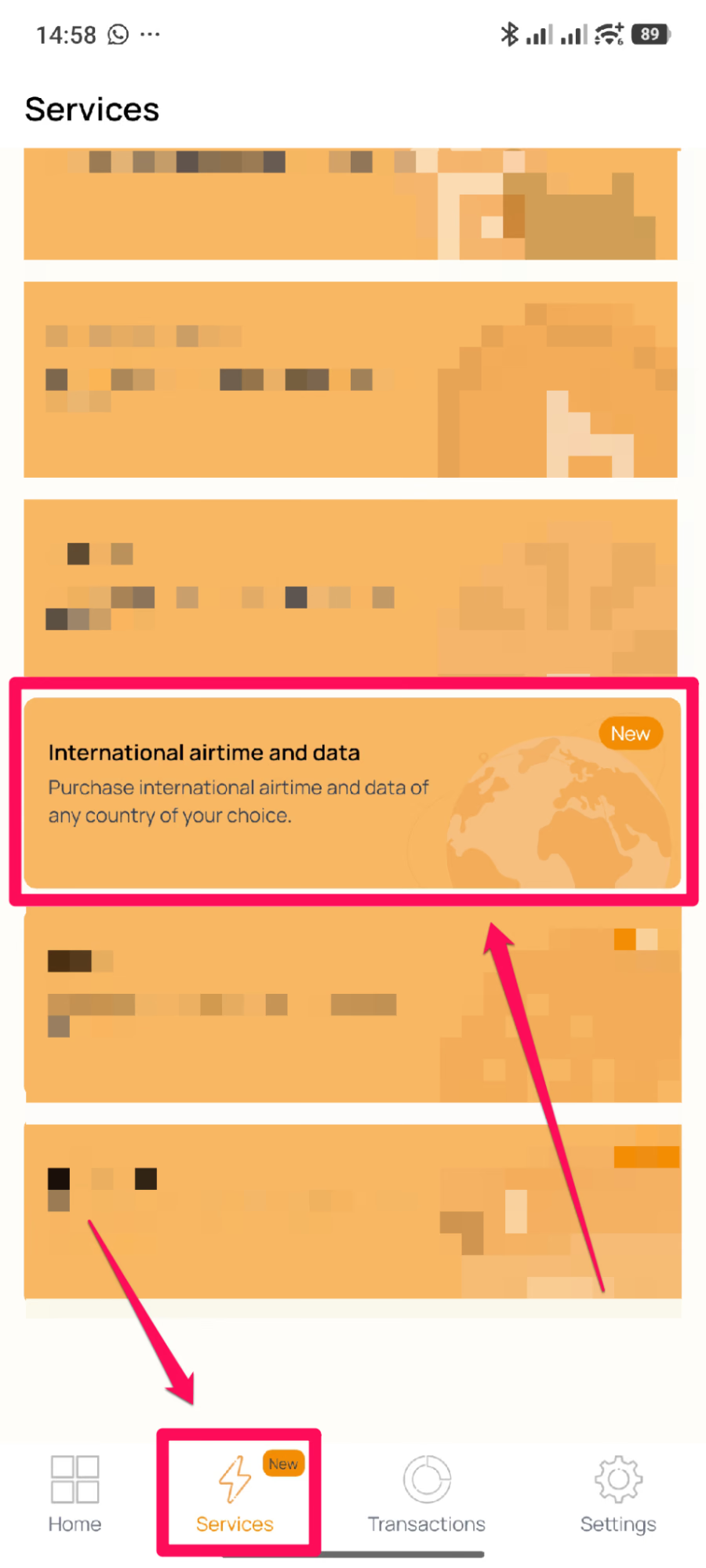
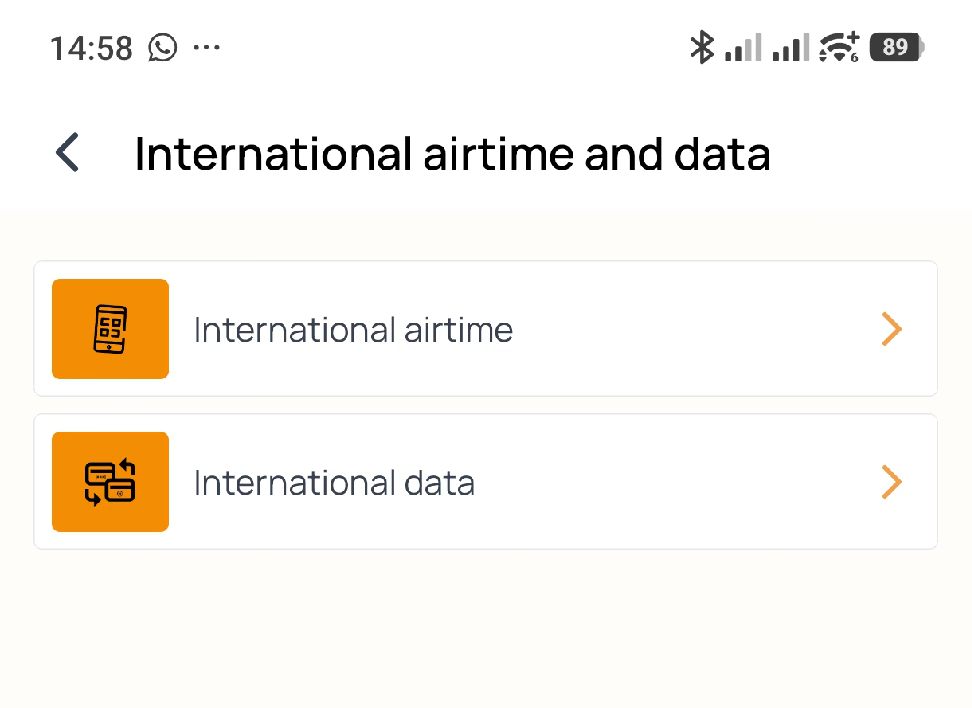
Step 5: Enter Network Details
Enter the number you want to recharge and the country phone code. If you’re recharging a number in Ghana, then it should be (+233243092692).
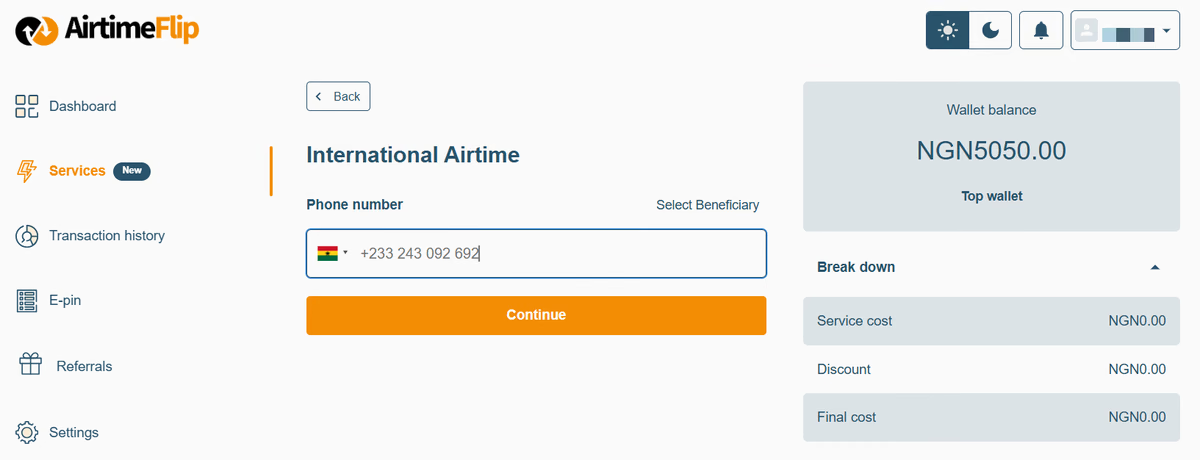
It’s the same process if you’re recharging data (under ‘International Data’). Once done, click the Continue button and proceed to the next step.
Step 6: Complete Payment
Enter the airtime amount or data plan you want to recharge. Review the details you provided and click continue. Enter your AirtimeFlip 4-digit transaction PIN to complete the transaction. Once successful, the airtime or data will be delivered to the recipient.
That's it
AirtimeFlip goes far beyond just international airtime and data top-up. It is your all-in-one platform to convert airtime to cash, top-up airtime in bulk, buy data, buy airtime, and purchase eSIMs or gift cards. You can also settle everyday bills, from electricity and cable TV renewals to funding betting accounts and buying WAEC PINs. Read more about AirtimeFlip.
Need any help? Reach out via our Contact page
Share this guide